

 ethercreative
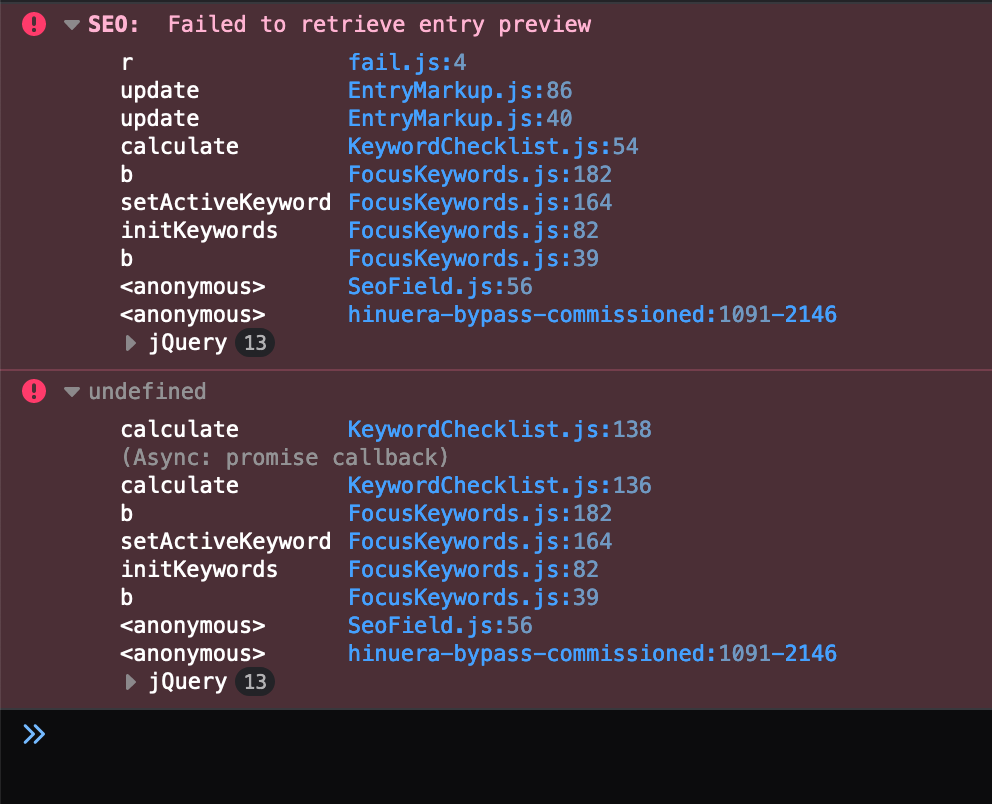
SEO: Failed to retrieve entry preview after update to 3.3.20.1
Description
After update Craft from 3.2.9 to 3.3.20.1 and seo from 3.6.2 to 3.6.3. I'll get a repeating error 'SEO: Failed to retrieve entry preview' when editing an entry where the SEO field is enabled.
Additional info
- Craft version: 3.3.20.1
- SEO version: 3.6.3
- PHP version: 7.3
- Database driver & version: mysql 5.5
- Other Plugins: "verbb/navigation": "1.2.8", "craftcms/redactor": "2.4.0", "verbb/image-resizer": "2.0.6", "topshelfcraft/wordsmith": "3.1.1", "xpertbot/craft-wheelform": "^2.3"


Having this issue on all our sites as well, is there going to be a fix for this coming?

I'm seeing this also.
Craft Pro 3.4.9
Plugins:
- Feed Me 4.2.0.1
- HTML Cache 1.0.15
- Imager 2.4.0
- Image Resizer 2.0.6
- Instagram (PPFC) 3.0.15
- Logs 3.0.3
- Maps 3.8.1
- Neo 2.6.2
- Redactor 2.6.0.1
- SEO 3.6.3
- Workflow 1.4.2




Also having this issue. Don't see much hope of Ether addressing or updating this plugin, so will probably be moving on to a paid plugin like SEOmatic going forward.


@maartenheideman What's the planning regarding this bug "Error: Failed to retrieve entry preview"? My clients are getting a little impatient. Thanks in advance.

@pixeldeluxe I implemented the fix proposed by @tschoffelen above and it seemed to solve the issue for now
If anyone is looking for a quick fix for your clients, adding this somewhere in your template will fix it. See my PR for more details on why that helps.
<svg style="display: none;">x</svg>

@tschoffelen that didn't appear to fix it for me sadly. I've tried putting it in several different templates and yet, the entry preview still won't work
https://github.com/ethercreative/seo/issues/307
As you can see, I've opened by own issue, with screenshots of the error I'm getting, but with no responses as of yet.

I'm still having this issue on multiple installations of Craft CMS with this SEO plugin. Craft: 3.4.26 / SEO 3.6.6
The SVG fix didn't work form me.
On some mutli-site installations, at one language the error appears and at the other one not...
Hopefully someone has a working solution for this


Same issue here, solved it by making sure there was an SVG icon on every page as mentioned above.
Is this plugin still maintained?

If anyone is looking for a quick fix for your clients, adding this somewhere in your template will fix it. See my PR for more details on why that helps.
<svg style="display: none;">x</svg>
This helped me, thanks a lot! Although, I feel a bit uncomfortable with this hack 😄 Hope this gets fixed
