

 esm7
esm7
iOS Map issue
Unable to open the default Apple Maps on iOS Will this be supported? I usually only use Apple Maps instead of using Google Maps
Waiting for a reply Thanks

Can you elaborate what you mean? What flow are you using that doesn't work? e.g. pressing a geolink inside a note? Long-pressing a marker on the map?

Can you elaborate what you mean?
What flow are you using that doesn't work?
e.g. pressing a geolink inside a note? Long-pressing a marker on the map?
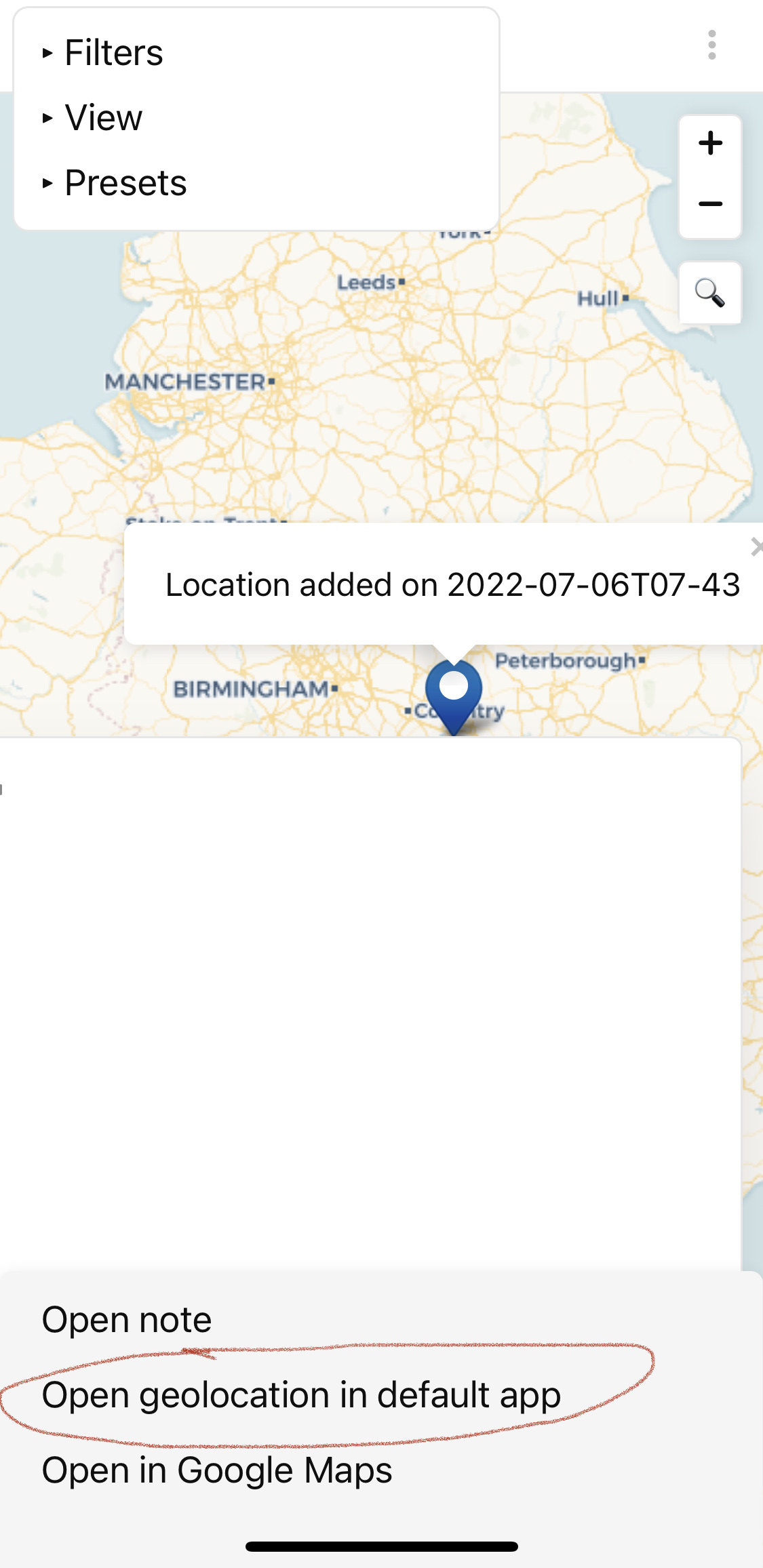 When I long press the icon on the map view then show 3 options at bottom
-open note
-open geolocation in default in App
-open in google maps
However I don't get any response when I click "in default in app".(I've tried on multiple iPhone devices and the same result)
But google maps work perfectly
When I long press the icon on the map view then show 3 options at bottom
-open note
-open geolocation in default in App
-open in google maps
However I don't get any response when I click "in default in app".(I've tried on multiple iPhone devices and the same result)
But google maps work perfectly
If you have iOS devices please check out Thanks
Disappointing to find out that it doesn't work in iOS devices, I was sure that it does! I don't have any iOS device to test and debug this on, but as a workaround, you can probably add a custom "open in" action (from the settings dialog) that would work. Apple Maps must have a URL to invoke it directly like Google Maps does.
The URL for Apple Maps is http://maps.apple.com/?ll={x},{y}
However, I think there should be a setting to change default app or add URL for default app, since the geo: url does not work on iOS devices.

The URL for Apple Maps is http://maps.apple.com/?ll={x},{y}
However, I think there should be a setting to change default app or add URL for default app, since the
geo:url does not work on iOS devices.
It works perfectly with http://maps.apple.com/?q={x},{y} You are AMAZING!! Thanks for these tips
I haven't yet found a way via the Obsidian API to control what happens when a geo: link is clicked. If anyone reading this has a clue, I'd love to be able to control this!
Managed to do this via remapping the url handler for geo: with the program 'Lincastor' (available through brew). Absolutely no clue how to do it on Obsidian's side. Very painful tbh and not sure how long the program will continue to be compatible - most uri/url handlers for macos seem to have been made years ago.
