centaur-tabs

centaur-tabs copied to clipboard
 ema2159
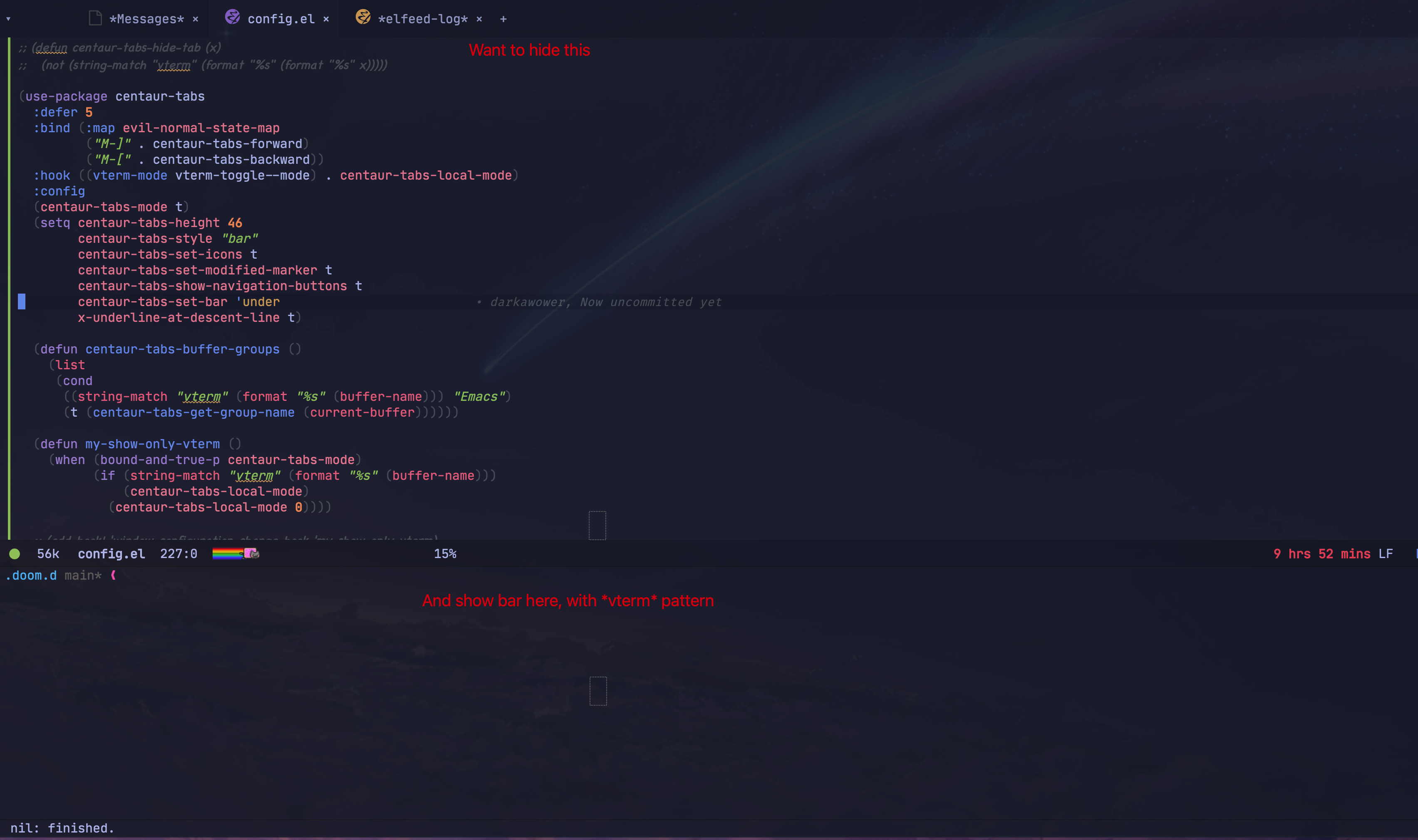
How to show centaur tabs only for vterm buffers?
Is it possible to show centaur-tabs only for vterm buffers? I tried to play with configurations, but without any luck
What could I have missed?
My configuration
(use-package centaur-tabs
  :defer 5
  :bind (:map evil-normal-state-map
         ("M-]" . centaur-tabs-forward)
         ("M-[" . centaur-tabs-backward))
  :hook ((vterm-mode vterm-toggle--mode) . centaur-tabs-local-mode)
  :config
  (centaur-tabs-mode t)
  (setq centaur-tabs-height 46
        centaur-tabs-style "bar"
        centaur-tabs-set-icons t
        centaur-tabs-set-modified-marker t
        centaur-tabs-show-navigation-buttons t
        centaur-tabs-set-bar 'under
        x-underline-at-descent-line t)

  (defun centaur-tabs-buffer-groups ()
    (list
     (cond
      ((string-match "vterm" (format "%s" (buffer-name))) "Emacs")
      (t (centaur-tabs-get-group-name (current-buffer))))))

  (defun my-show-only-vterm ()
    (when (bound-and-true-p centaur-tabs-mode)
          (if (string-match "vterm" (format "%s" (buffer-name)))
              (centaur-tabs-local-mode)
            (centaur-tabs-local-mode 0))))

  ;; (add-hook! 'window-configuration-change-hook 'my-show-only-vterm)
  (add-hook! 'buffer-list-update-hook 'my-show-only-vterm))