

 elvirbrk
Line Numbers in Teams OneNote out of sync
Hi,
When I view my onenote page in teams the code element line numbers go out of sync with the text.

Some testing seems to suggest that the font and font-size are not consistently applied. After resizing to adjust for word-wrap, selecting all of the code test, changing its font to "Calibri" and back to "Courier New", and then changing the font-size to "8" and back to "10" corrected the line number alignment issue.

I am also encountering this issue.
Resizing to adjust for word wrap seems to be the only issue. Changing font, style, size does not cause the issue to be resolved. Can we update the issue to be to account for word wrap? If any line is too long, it will have this issue, where the line enumeration continues regardless of the fact that there should be a blank line to account for the untidy code, and adjusting the size of text or width of frame does not truly solve the problem but only work around it.
Here is an example of the issue:
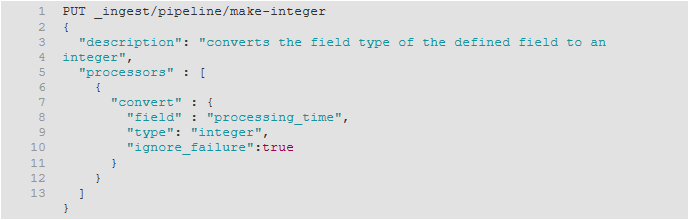
It is worked around by adjusting the size of the OneNote box thingy (what's the name of this thing?), or reducing the size of text, to fit the longest line.
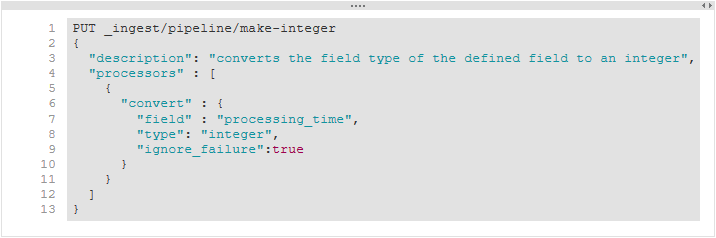
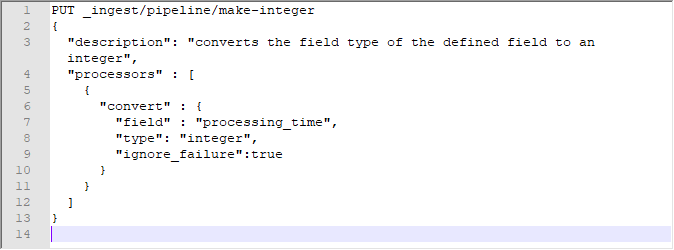
It should look more like NotePad++ or some other text editor that understands word wrapping. Note the extra line between 3 and 4, in my example.
Thank you elvirbrk for working on this add-on. First few minutes into using this, my notes are looking way better, but I hope this issue is something easy for you to fix. FYI I am using OneNote 2016 v1808.

