

 elvirbrk
Row numbers incomplete
I have the following screen:
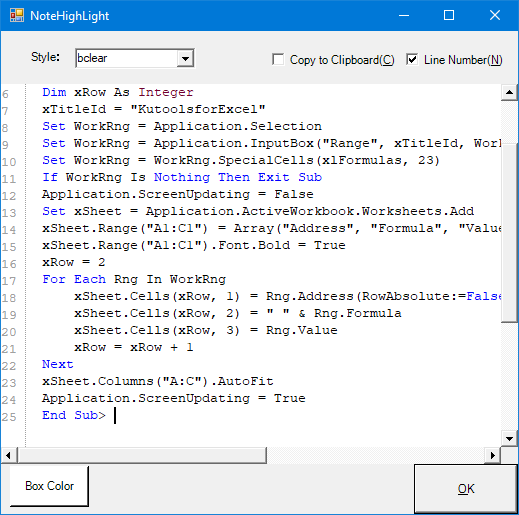
It looks good, but when I actually paste, the lines/numbers are off.
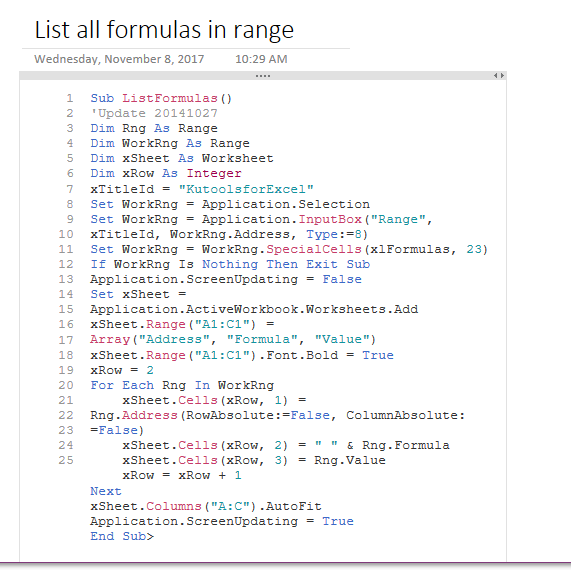
If I change the width of the box, then the line numbers match up:
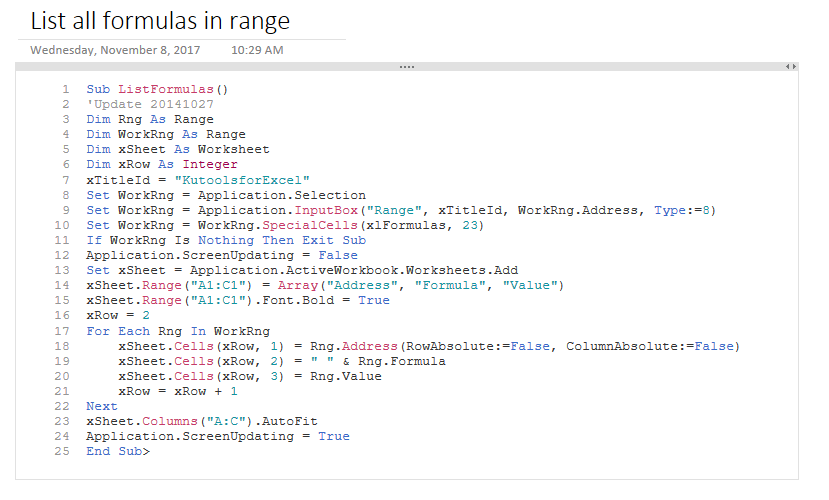
Don't know the best way to fix this.

Thanks for reporting. For now, only workaround is to manually widen the box. Does this issue occur when you insert code using OK button, or when you paste code yourself?

I got the same issue the first time I used it. I used the OK button on a python script.

When I did mine, I used OK also. I've also run into the issue that when I try resizing the window, it does not fix the line numbering issue.
I think there's a relation to the line length and the window width prior to clicking OK. Using other code, I had similar results (but it would also incorrectly color items such as grey/comment a line that wasn't a comment), but widening the NoteHighlight window BEFORE clicking OK fixed both issues (line numbering and improper color).
As for the copy to clipboard, I will sometimes get an error when checking the box. I use Ditto. Trying to replicate the error consistently.
Some testing seems to suggest that the font and font-size are not consistently applied. After resizing to adjust for word-wrap, selecting all of the code test, changing its font to "Calibri" and back to "Courier New", and then changing the font-size to "8" and back to "10" corrected the line number alignment issue.

Seems like this issue is the same as https://github.com/elvirbrk/NoteHighlight2016/issues/82. Can we consolidate? Should I replicate my reply? Though it seems you're already aware of the issue in this thread @elvirbrk , just not sure which thread you'd like to keep.

I'd say close #82 as a duplicate since that was only opened in 1/11/19 and this seems to have the same info plus more.
I just found this add-in (thank you for creating it!) and am having the same issue. Does not matter how wide I make the code/text box I still get the bottom code hanging off... Depending on the width the last line or two can also not be in line with the numbers. Hope this can be fixed at some stage, but not complaining as this is super handy as it is :)
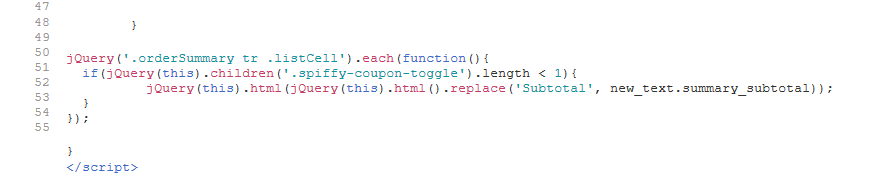
EDIT: seems to be related to the blank lines and particular formatting, here is the same code with the line breaks removed.
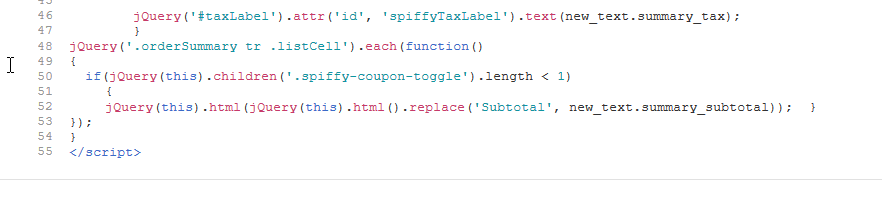
EDIT2: looking back through the code in One Note it seems that linebreaks seem to make things go funky elsewhere too.
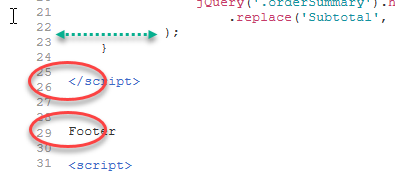

I am having the same issue with code lines that are wrapped getting their own line numbers.

the comment that in the image is marked line 1 & 2 should appear on the same line or in the case of wrapped lines the wrapped portion of line #1 should not get its own line number, the line subscription-manager register should be marked line 2

Hello, just wondering if there was any update or chance this might be fixed in the product? I know there are potentially a couple different issues mentioned here (although potentially all referring to a single root issue). The one I've noticed in particular is the line numbers not being handled properly when lines are wrapped. If there is any way this could be fixed it would be incredibly helpful.
By the way - thank you so much for developing this plugin, I can't even begin to explain how useful it is!
