

 elementary
Nvidia drivers may not be installed completely by `AppCenter`
What Happened?
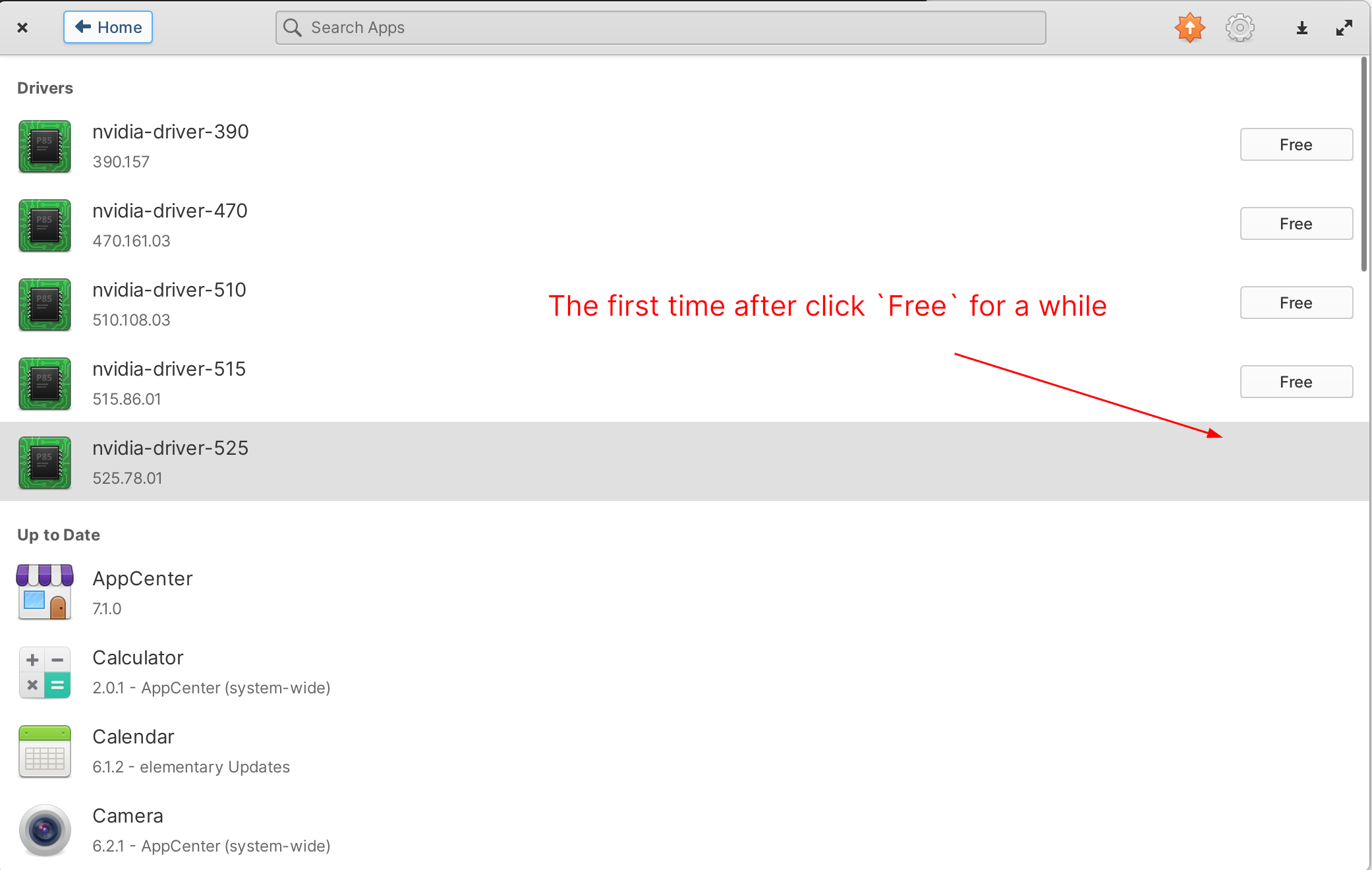
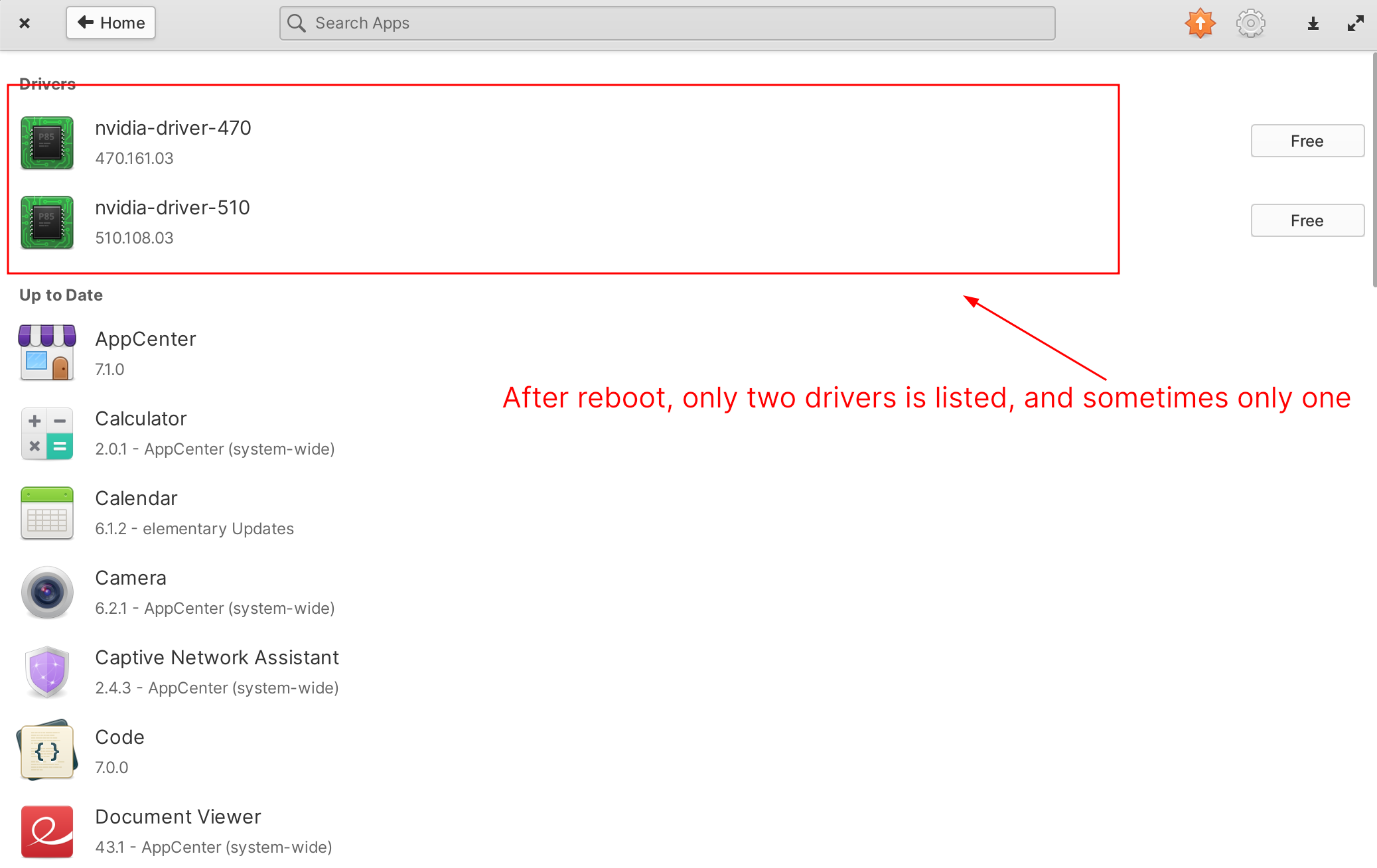
And the package installed by AppCenter is:
$ dpkg -l | grep nvidia
ii  libnvidia-compute-525:amd64                525.78.01-0ubuntu0.22.04.1                       amd64        NVIDIA libcompute package
ii  linux-modules-nvidia-525-5.15.0-58-generic 5.15.0-58.64+1                                   amd64        Linux kernel nvidia modules for version 5.15.0-58
ii  linux-objects-nvidia-525-5.15.0-58-generic 5.15.0-58.64+1                                   amd64        Linux kernel nvidia modules for version 5.15.0-58 (objects)
ii  linux-signatures-nvidia-5.15.0-58-generic  5.15.0-58.64+1                                   amd64        Linux kernel signatures for nvidia modules for version 5.15.0-58-generic
rc  nvidia-compute-utils-525                   525.78.01-0ubuntu0.22.04.1                       amd64        NVIDIA compute utilities
ii  nvidia-kernel-common-525                   525.78.01-0ubuntu0.22.04.1                       amd64        Shared files used with the kernel module
rc  nvidia-prime                               0.8.17.1                                         all          Tools to enable NVIDIA's Prime
rc  nvidia-settings                            510.47.03-0ubuntu1                               amd64        Tool for configuring the NVIDIA graphics driver
It is different to ubuntu-drivers install
Steps to Reproduce
As shown in pictures in What Happened
Expected Behavior
-
AppCentershould list all available nvidia drivers, at least shown the one I installed before. - Is all packages needed for NVIDIA cards installed by
AppCenter?
OS Version
7.x (Horus)
Software Version
Latest release (I have run all updates)
Log Output
LC_ALL=en_US.UTF-8 io.elementary.appcenter

** (io.elementary.appcenter:4380): WARNING **: 02:51:45.392: UbuntuDriversBackend.vala:138: Unable to get dependencies of driver package, kernel headers may not be installed
Hardware Info
Intel Core i7 7th Gen, NVIDIA GTX 1050

Transferring to System Settings since Drivers are moving out of AppCenter

Your log output points to the fact that kernel headers are not installed and therefore the kernel module cannot be built; let alone loaded.
This is an Ubuntu issue that usually happens when the kernel is updated, but I had hoped that this had been fixed by now (it is fixed in noble, which eOS 8.0 is based on). There is a temporary manual workaround for this though.
from generic Ubuntu-based documentation I wrote back when I still had this issue... yes, I do realize the kernel version in this information is old, but this will still get you going if you follow the steps. Just substitute whatever the highest kernel version showing as installed (
iias the first item on each line).
If you upgrade your kernel, check the name of the kernel just installed and make sure to install the matching kernel headers; installing the headers for the new kernel will automatically successfully rebuild the dkms modules for the new kernel as part of the process of installing the correct linux-header package.*
dpkg --list | grep linux-image-
rc  linux-image-5.15.0-58-generic              5.15.0-58.64                                     amd64        Signed kernel image generic
ii  linux-image-5.19.0-38-generic              5.19.0-38.39~22.04.1                             amd64        Signed kernel image generic
ii  linux-image-5.19.0-40-generic              5.19.0-40.41~22.04.1                             amd64        Signed kernel image generic
ii  linux-image-5.19.0-41-generic              5.19.0-41.42~22.04.1                             amd64        Signed kernel image generic
ii  linux-image-generic-hwe-22.04              5.19.0.41.42~22.04.14                            amd64        Generic Linux kernel image
As you can see above, the latest kernel I have installed (at the time of writing this) is
linux-image-5.19.0-41-generic
so I would type
sudo apt install linux-headers-5.19.0-41-generic
This will install the right headers and rebuild all in-use kernel modules (including the unbuilt Nvidia ones. You may now reboot to use the new kernel AND new Nvidia drivers.

This was reported for OS 7, so if you're saying there was a fix upstream then I guess we can probably assume we inherited that fix too.
Gonna close as fixed, but feel free to reopen if it can be reproduced!