

 elementary
Remember last state of the system and restore it
elementary's idea that all apps remember their last state and restore it gracefully is an elegant one. So useful. It would be great if the behaviour persists at a system level too! As in, if I shut down the system with certain apps open, the next boot should restore them alongside their screen positions. Maybe the feature can even work with Workspaces?
KDE Plasma has this system restore feature and is very useful!

I'd love to know how KDE Plasma does this. If someone (you?) could do some research that would be very welcome. This might require something, like a new daemon, beside Gala.

If someone (you?) could do some research that would be very welcome.
I don't have any coding skills, but if you want me to look into the functional aspect of it, the UI and stuff, let me know.
I don't have any coding skills, but if you want me to look into the functional aspect of it, the UI and stuff, let me know.
A good starting point might be descriptions of how it works. Maybe there was an announcement at some point for example.
Okay so I had a look, here's how Session Restore works in KDE Plasma. Three options are present in the respective settings panel as shown below (last settings area on the right).
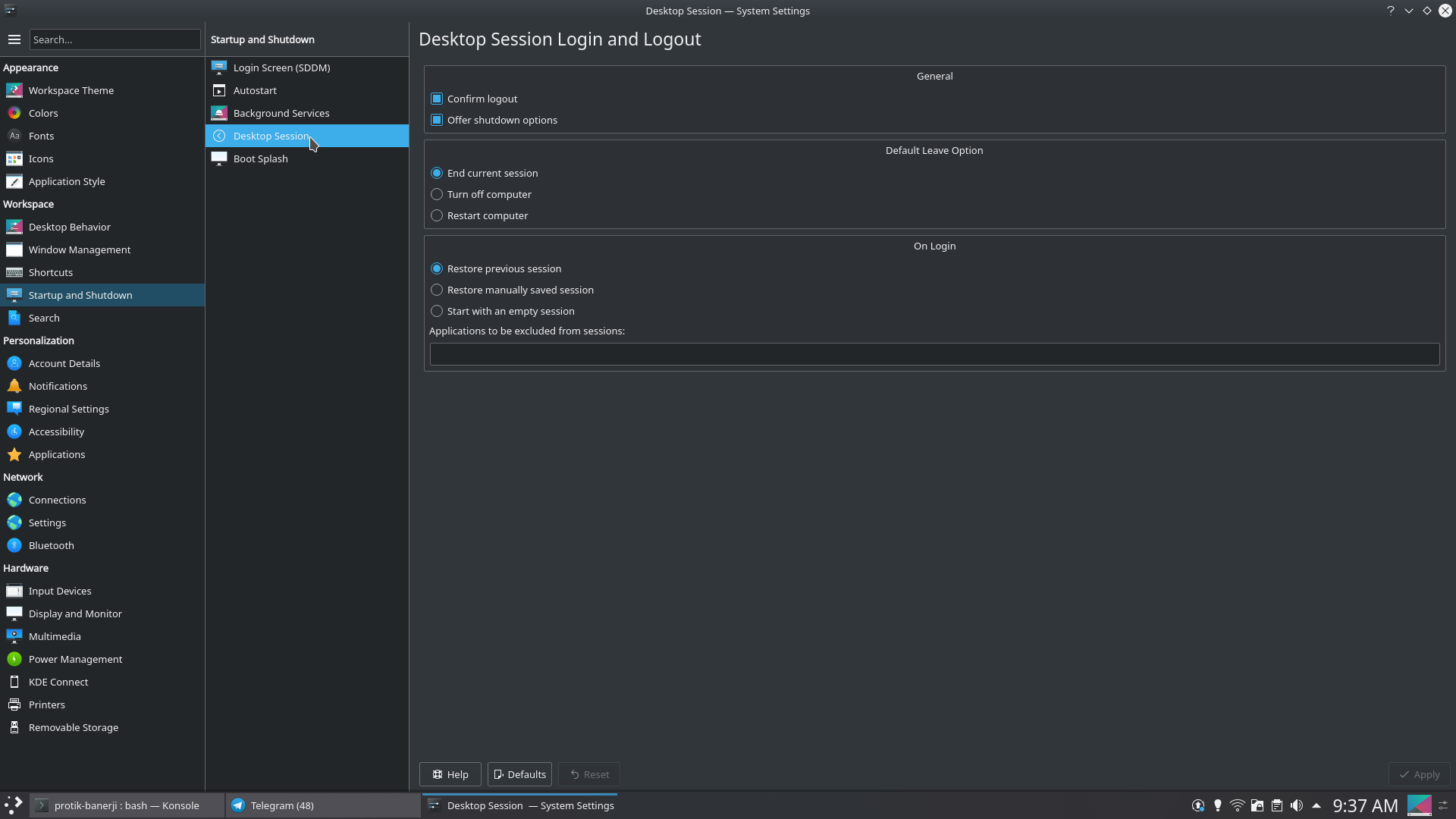
These are:
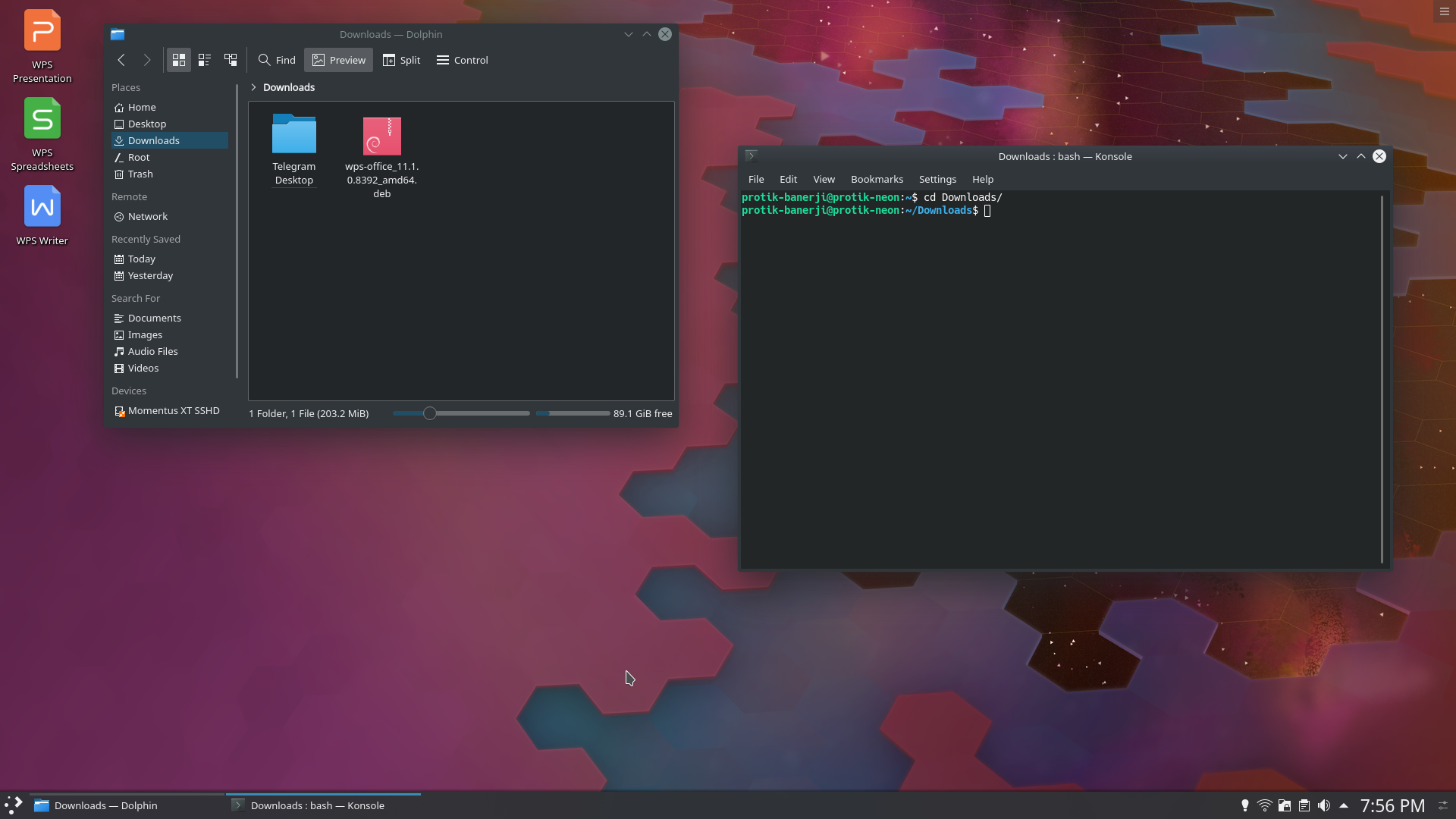
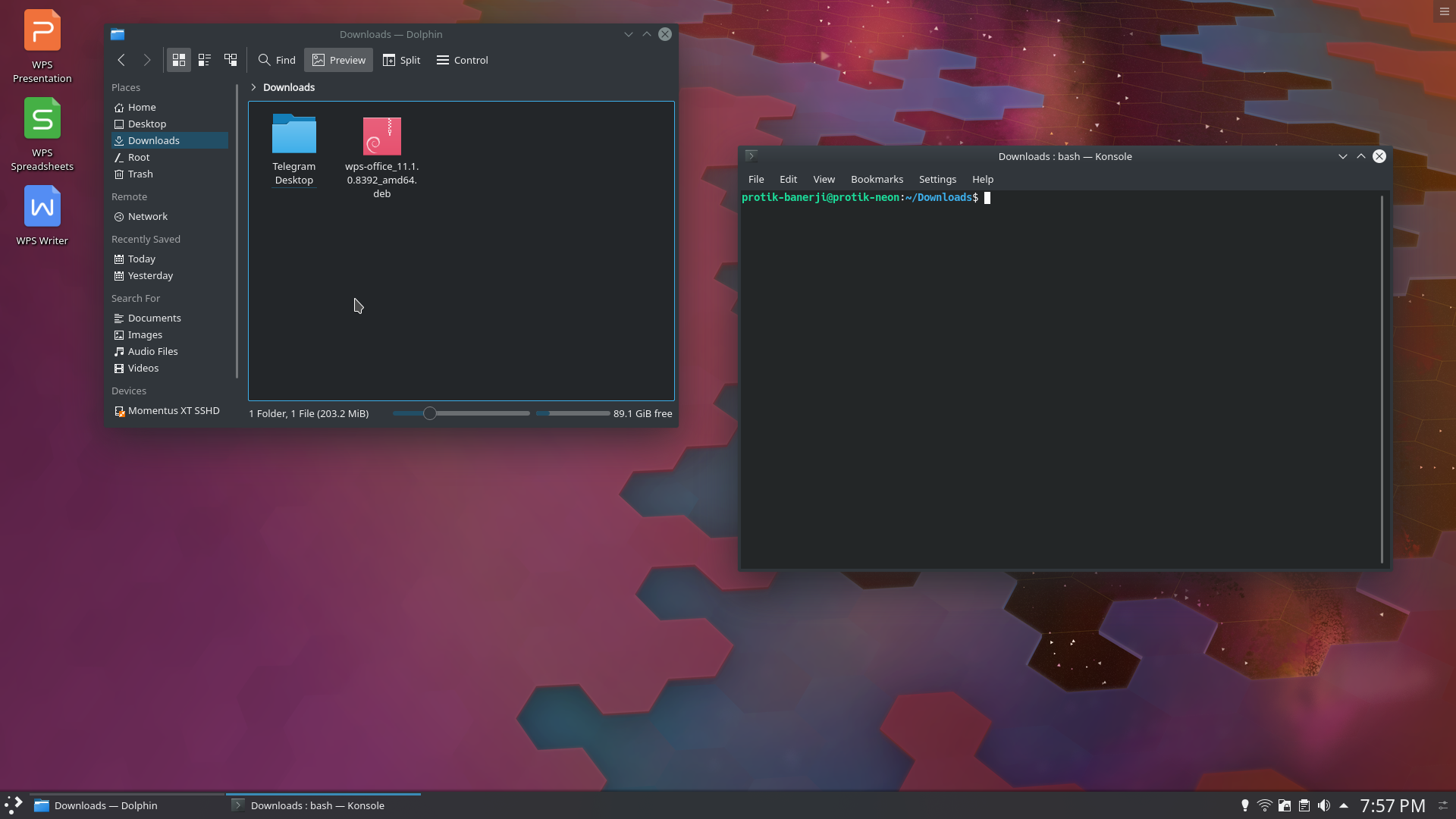
1. Restore previous session - This is the default. It restores the session on boot as it was in its last state before shutdown. Screenshot of before and after below.
2. Restore manually saved session - This option allows you to save a session in a certain state and restore them on every boot. Excellent for people who always have to open the same set of apps every time and have manually arrange them every time as well.
3. Start with an empty session - This disables the behavior.
Also, interesting is that KDE allows you to blacklist any app from being restored regardless of which of the above option you choose.
KDE Documentation on the feature is here: https://docs.kde.org/trunk5/en/kde-workspace/kcontrol/kcmsmserver/