

 elementary
Bookmarks change name automatically to the bottom-most folder/item in Bookmarks
What Happened
I changed the system language from English to Slovak (as I'm working on the translations). The older system files for Photos, Videos, Music etc. got replaced with folders in Slovak language. But as the previous translator has made A LOT of mistakes, I renamed some of the bookmarked folders through a context menu, so the translations would appear correct. However, after a system restart, all bookmarks that I renamed had the same name (same as the bottom-most item I renamed):
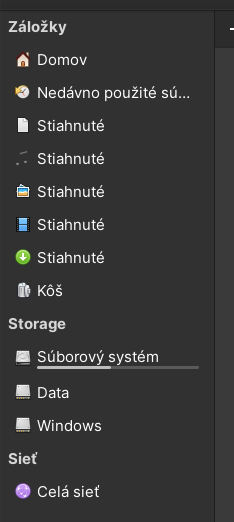
Expected Behavior
Bookmarked folders or files should not be renamed automatically.
Steps to Reproduce
- Switch system language and click on the "Replace older system folders with new names in your language"
- Rename some of the bookmarked folders
- Restart the system and look at the bookmarks' names. Did they change?
Platform Information
Lenovo Legion 5 running elementary OS 6 (dualbooting Windows 10) CPU: Ryzen 4800h with Radeon iGPU dGPU: GTX 1660ti mobile with 470 driver from AppCenter Files app version: 6.0.1

Strange! Could you post the contents of ~/.config/gtk+3.0/bookmarks (unless you have already corrected the bookmarks)? Each line consists of a uri followed by the name used on the bookmark.
I suspect this is due to a bug that was recently fixed by https://github.com/elementary/files/pull/1783. This fix will not have reached the stable release yet I guess.

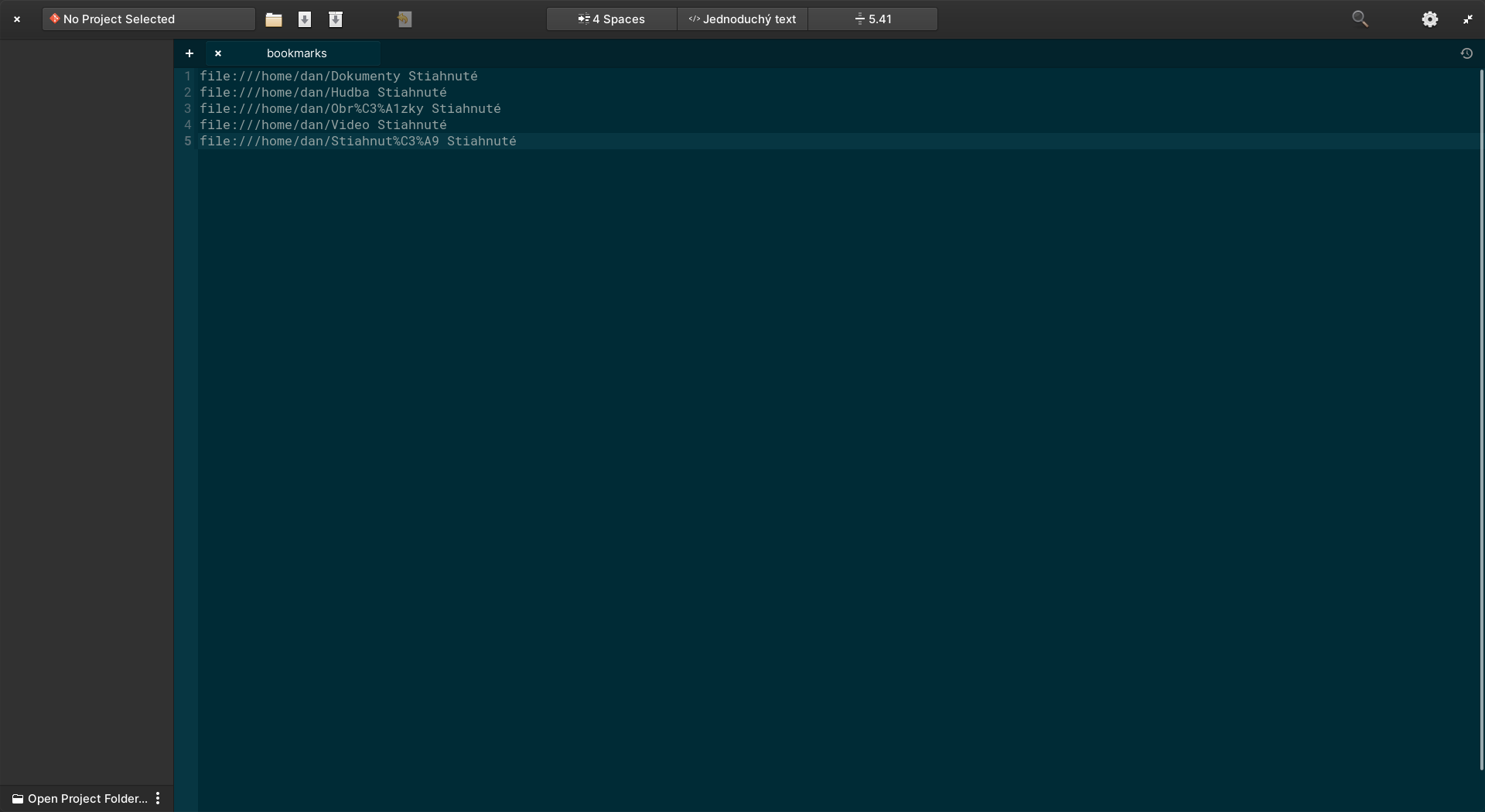
#1783 seems to be that issue, although it is not yet implemented (there wasn't a system update that would fix this)
OK, thanks. So a workround would be to edit the ~/.config/gtk+3.0/bookmarks manually to give the required custom names. Hopefully it will not be too long before a new release is made, but the gatekeepers are pretty busy atm.