element-plus
fix(components): [select] click label only focus in form
close #9781
- [ ] Make sure you follow contributing guide English | (中文 | Español | Français).
- [ ] Make sure you are merging your commits to
devbranch. - [ ] Add some descriptions and refer to relative issues for your PR.
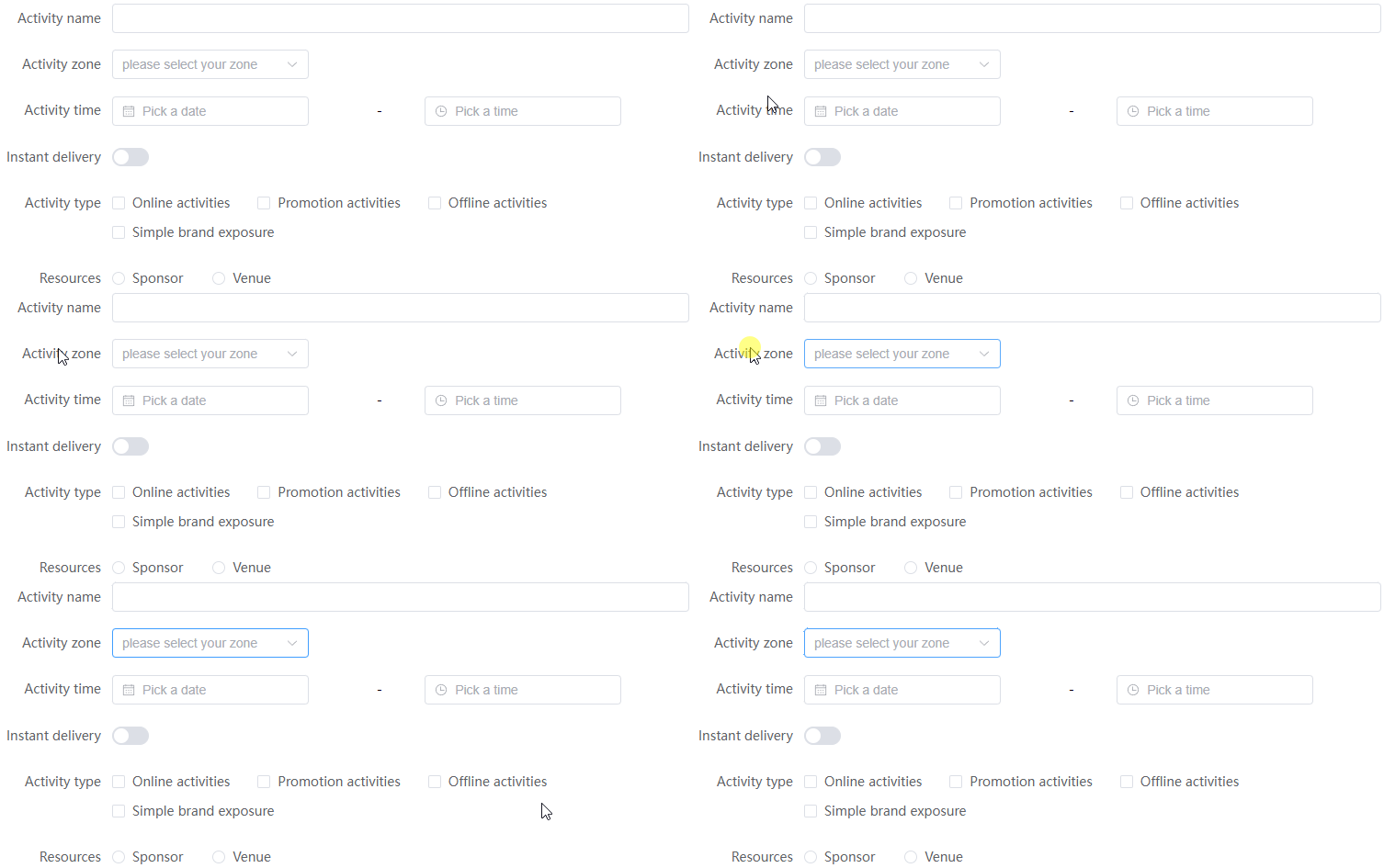
before
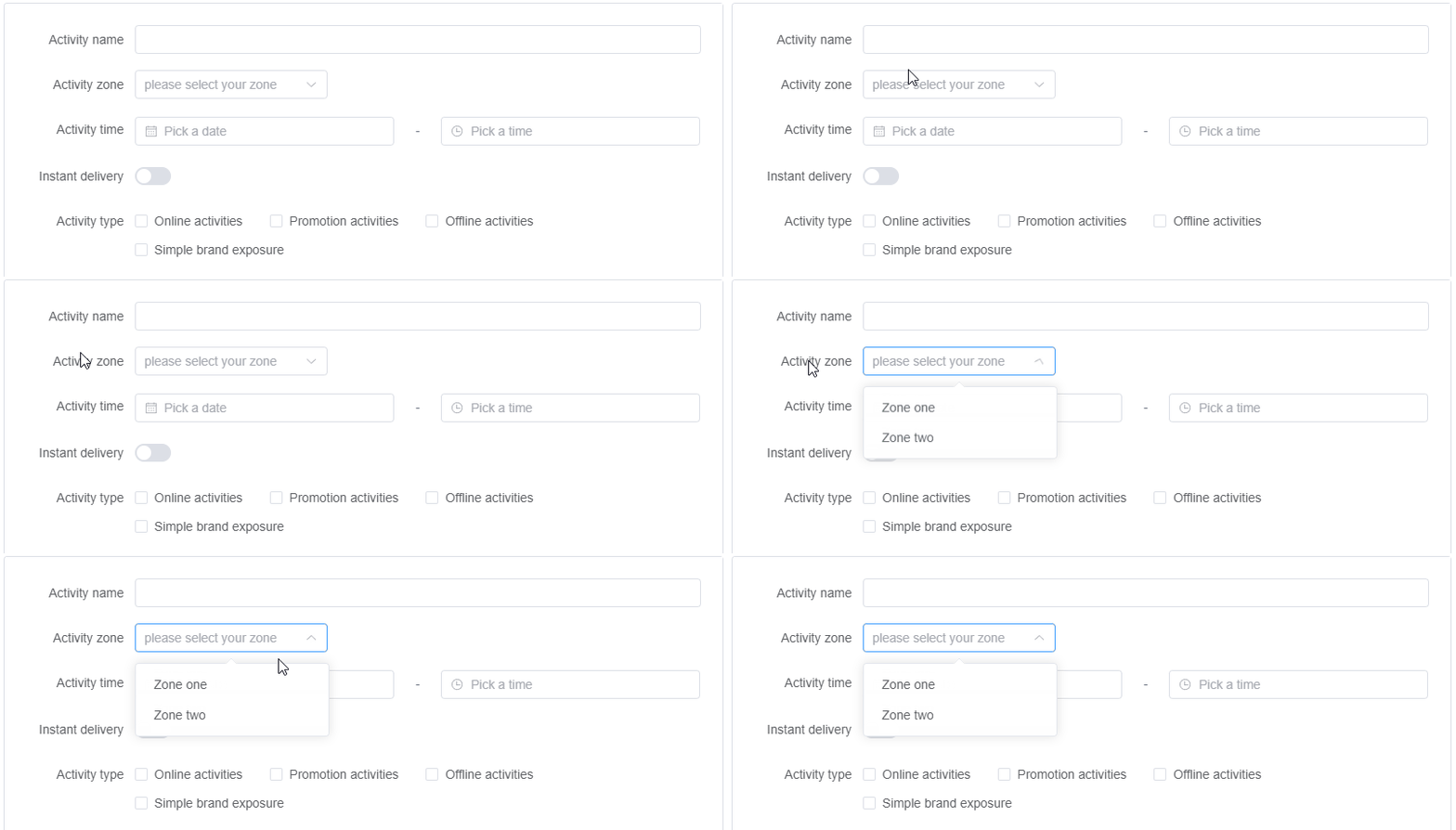
after


![github-actions[bot] avatar](https://avatars.githubusercontent.com/in/15368?v=4 "Published by a pub.dev verified publisher")
At present, it is judged by pointerType. If there are hidden problems, please help to confirm together.
cc @element-plus/backers
🧪 Playground Preview: https://element-plus.run/?pr=9798 Please comment the example via this playground if needed.

@chenxch
pointerTypeis only supported by Safari >= 13 (Our compat table is Safari >= 12)
It really needs to be replaced with a more compatible solution.
🧪 Playground Preview: https://element-plus.run/?pr=9798 Please comment the example via this playground if needed.
That is what I need

Please consider rolling back that change. It brings poor UX and inconsistent UX to forms. Consider "Basic Form" demo on the Form documentation page: https://element-plus.org/en-US/component/form.html#basic-form
Clicking the label of a form item should really put the focus into the field or trigger actions. It is done with these labels/fields:
- Activity name -> focusses the text input as expected by users
- Instant delivery -> toggles the switch as expected by users (you don't have to click the switch itself)
- Activity form -> focusses the text input as expected by users
On the contrary: What is the use for screen readers of now having to do a mouse enter before the select can be opened via click?
Regarding inconsistency of clicking labels (examples again from Form documentation -> Basic Form):
- Activity zone -> blue focus border is rendered but nothing opens
- Activity time -> no blue border and nothing opens
- Activity type -> no blue border on first checkbox. User has to use tab to get to first checkbox. BUT: Clicking the label of each checkbox toggles the checkboxes as expected by users (you don't have to click the checkbox itself)
- Resources -> no blue border on first radio button. User has to use tab to get to first radio button. BUT: Clicking the label of each radio button selects the radio button as expected by users (you don't have to click the circular radio button itself)

@chenxch I do think @robert-wloch-iits make the point, why were having changes like these? Would you mind fill me in a little bit? Thanks.

@chenxch I do think @robert-wloch-iits make the point, why were having changes like these? Would you mind fill me in a little bit? Thanks.
I made this adjustment according to the W3C specification.
issue https://github.com/element-plus/element-plus/issues/9781
It's the reason for following the behavior of the native <select> tag.
See the demo. When clicking "JavaScript" label, it will only trigger focus on select, instead of expanding it.
I did some research on those popular design systems for example atlanssia design, click on the label it only focuses on the input element nested inside the select wrapper, and it DOES NOT open the dropdown automatically. 🤔 I think this matches the W3C principle since the native select element combined with label will also behave this way. You may also refer to this.
@chenxch Hello, I still can reproduce the problem on the website doc demo and in version 2.7.3. Is there a rolling back?

I did reproduce it, but strangely enough the last time we modified it was two years ago. Can you have a look? @chenxch