

 eikek
eikek
Rest server dies with mismatched migration
Started my vm today and to my surprise the server is stuck on a loop where it says the migrations are mismatched, the last update was a few months ago and was working fine yesterday so i have no idea why this happened.
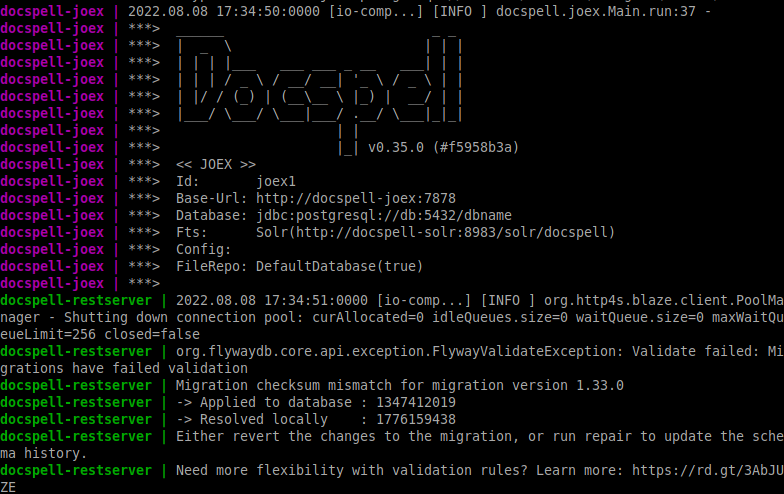
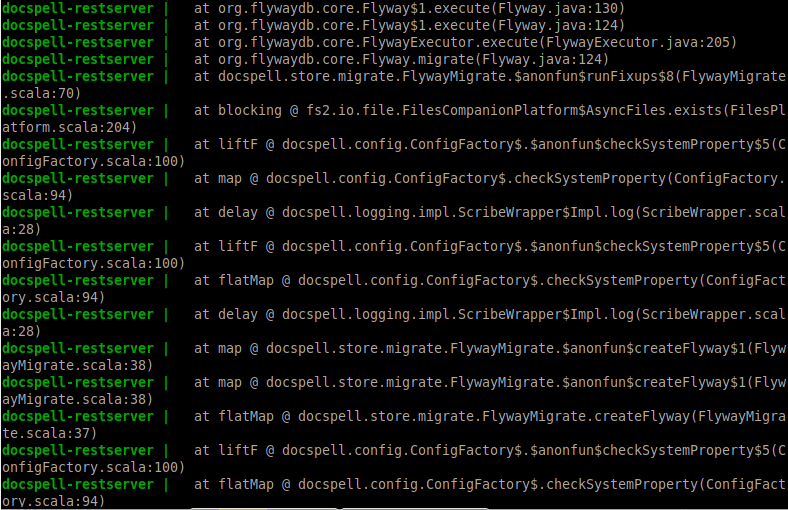
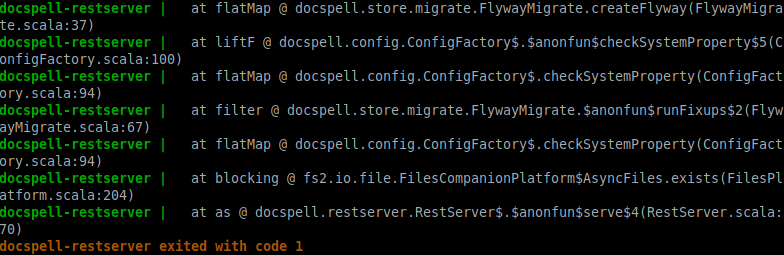
The docker compose is set to the latest, which was updated a month ago, but i'm still on v0.35
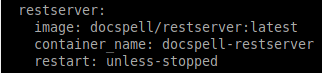

Strange - the current latest release is 0.38.0, something with your update procedure didn't work.
The version 0.35.0 had some problems in the docker images (an incompatible zlib package). This would explain the checksum issues with the migrations. I think it's best to go to 0.36.0 (or any later stable version) - but do a backup of your database before ;-).
There are some notes about the mentioned issue at the 0.36.0 release here.

I've upgraded to 0.36 and added the commands to the .env to attempt a repair, but no luck, still yells the migrations are mismatched and everything catches fire after
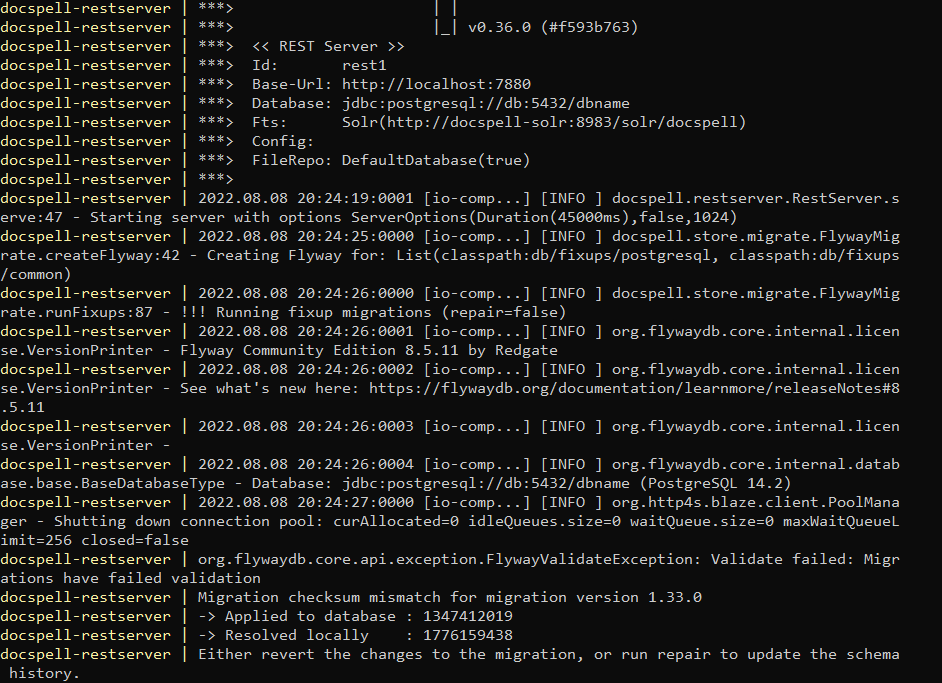
I've added the commands to the .env file and started docker once, not sure if it ran something or if i did something wrong.
I did not attempted an upgrade prior to this, unless something did upgrade by accident but i doubt as i was on 0.35 for months.
I do have a backup from 4 days ago but it would be great to know what broke this so it doesn't break again
So, you added these repair-flags and started once? Did this succeed? And if so, does it now startup fine without these repair settings?
I cannot say for sure what the cause is in your case. The reason for the checksum mismatches is a broken zlib library in the docker image (java stdlib calls a C library to create a crc32 checksum). If someone runs docspell 0.35.0 the first time, the checksums are calculated wrong and stored into the database. When upgrading, the checksums are validated and this issue appears. Or, if someone upgrades from a previous version to 0.35.0, then there are existing correct checksums in the db and this issue appears as well. The "repair" flag will tell the migration to ignore the database checksums and update them with the current ones. But if you always have been on 0.35.0, the issue should not happen 🤔 , the images don't change.
I recommend to always do a db dump before upgrading - just in case.
Well I've actually updated from an older version to 0.35.0, but a long time ago and have been using it since.
Loaded the backup i said i had but it's also broken for some reason with the same problem, will try loading another later (they're huge).
I'm in doubt if it is really executing the repair as it does the migration but states that the repair flag is false, i've added the repair flags into the .env file but also tried setting it inside the docker-compose file in both joex and rest-server
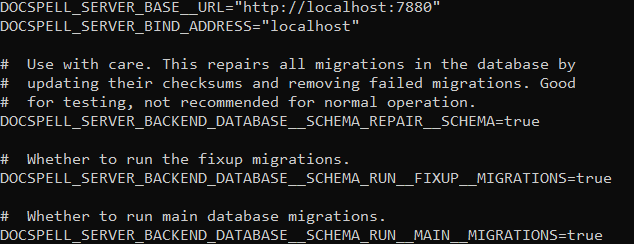
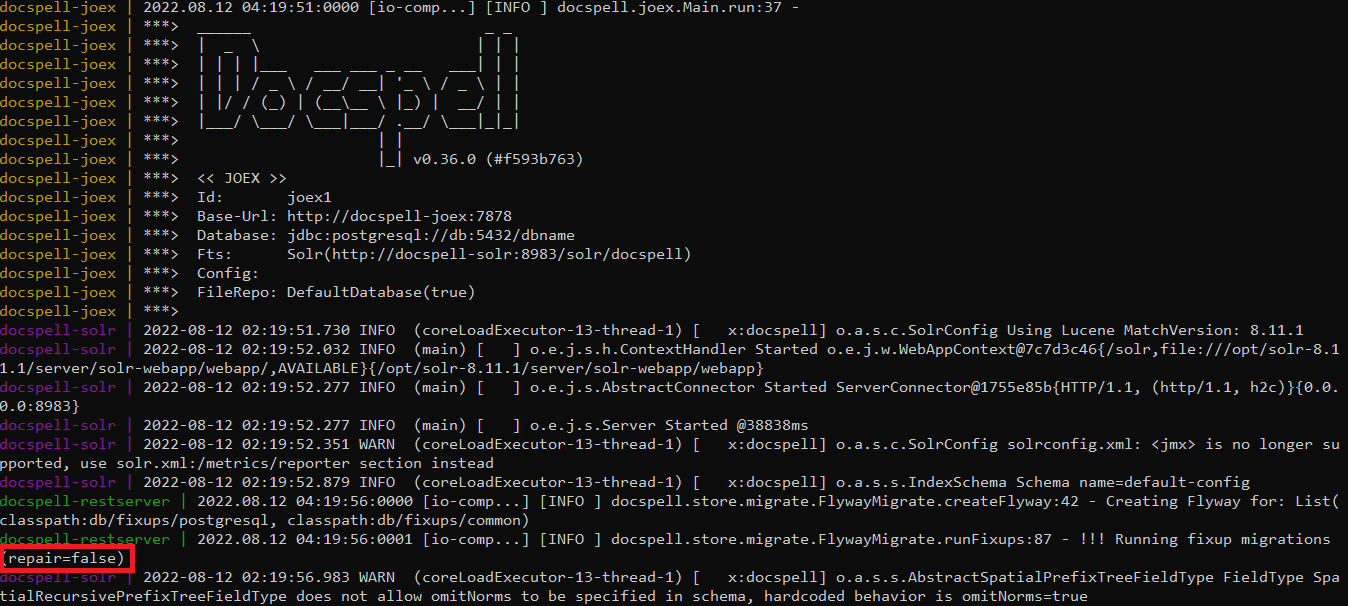
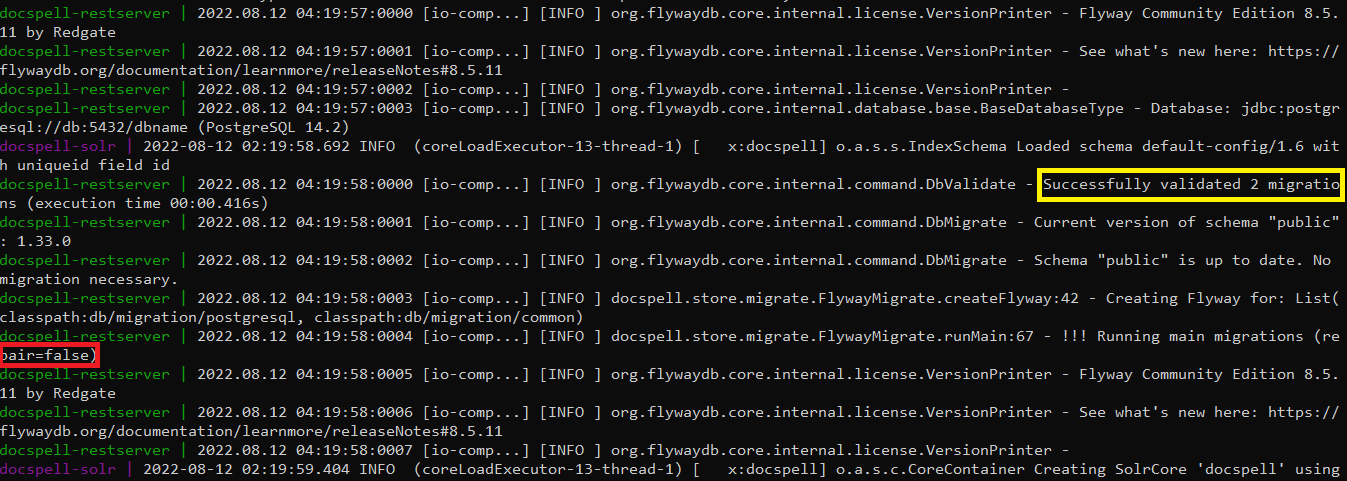
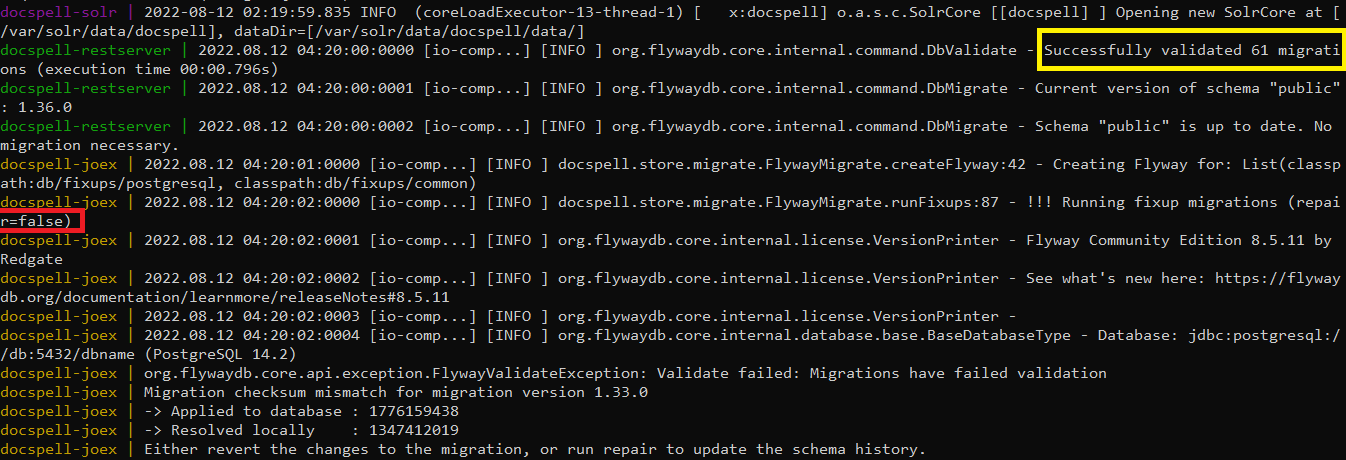
All of these migrations and no repairs despite setting the .env flags, i'm confused
Your backup is fine, it's probably a broken zlib library in a docker image that caused this.
The repair flag is for some reason not picked up, you could try to define it in the dockerfile itself if not already tried or specify it explicitely via --env-file…. Do you use a config file by any chance - or only the env vars? You also need to add it for both components (it's two different env variables and they must be added to the corresponding component).
The logs show that the problem seems to be in the joex image only. You can also disable running the db migrations for joex and let it run only on the restserver (the logs there seem fine). It would be these env vars:
DOCSPELL_JOEX_DATABASE__SCHEMA_RUN__FIXUP__MIGRATIONS=false
DOCSPELL_JOEX_DATABASE__SCHEMA_RUN__MAIN__MIGRATIONS=false
Or you can try to repair it manually via SQL:
update flyway_fixup_history set checksum = 1347412019 where checksum = 1776159438 and version = '1.33.0';
My database shows 1347412019 I guess at some previous point the wrong checksum was added to your db - probably as I said caused by a broken zlib library in the docker image.
EDIT: Ah I saw from your initial screenshots that the restserver component had the same problem - so I think you got one step further :) Maybe the easiest thing is to run this SQL to fix the checksum, seems to be only one entry.
If i let rest-server fix its checksum and set joex to ignore the migration fixup, it works and docspell boots up fine, it looks like the rest-server expects one checksum and joex expects another, then once rest-server fixes the one it expects, joex starts complaining

As you can see joex expects the checksum that was applied before, the one the rest-server was complaining in the previous screenshots, so when 1347412019 is applied to the database joex is fine but the rest-server dies, if 1776159438 is applied joex dies but the rest-server is alright.
So, when i attempted to set the checksum directly in the database a few fireworks happened
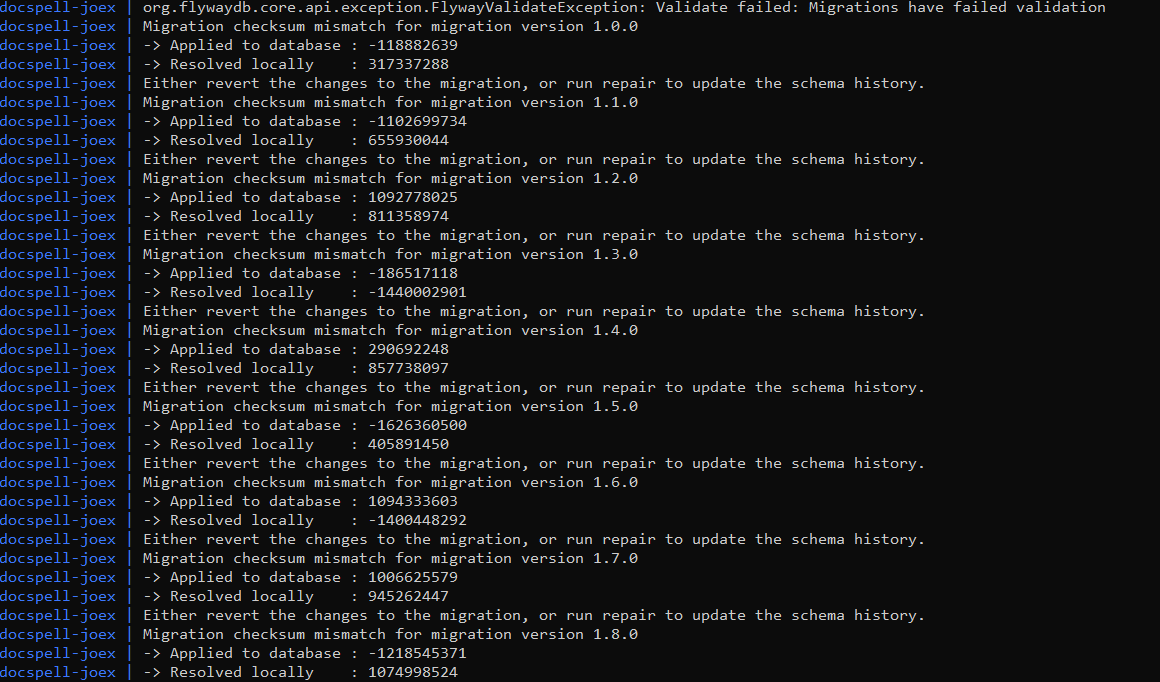
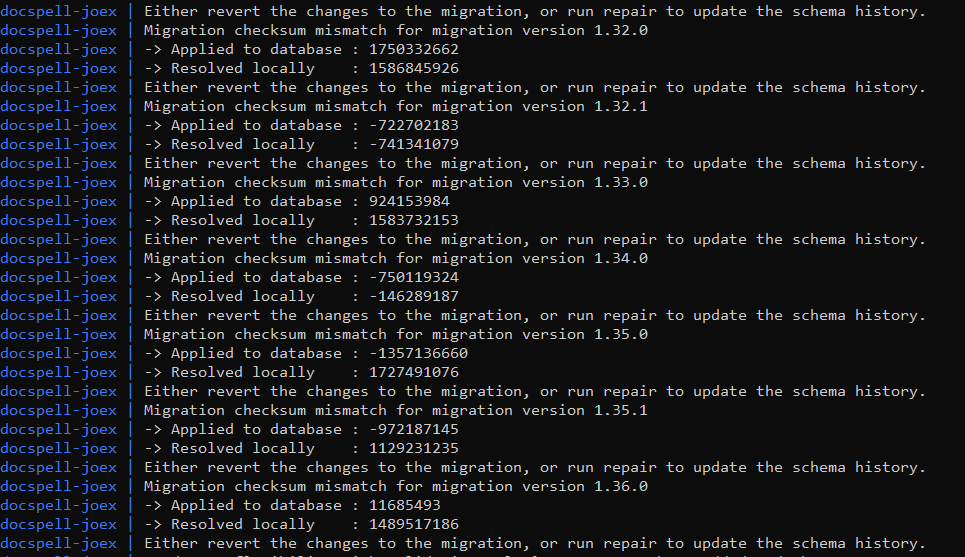
(logged into the postgres container and ran the sql command with psql)
The rest-server also did not like this and also complained about the checksum..

Well, setting joex to ignore the fixups works but i'm not sure if it'll give problems in the future
Oh wow, what a mess! This looks as if the docker images of 0.36.0 are not good - just strange that nobody complained when it was released…. I would also try going to the latest release (0.38.0) - the images are always rebuild and contain newer packages.
I cannot understand how that one sql line could change multiple migrations with different values 🤔 … I think the repair did this.
In my database (I don't use docker) the checksum of the fixup migration 1.33.0 is 1347412019 - this is the correct checksum. So I suppose the restserver is the problematic image.
You can safely set joex to ignore the fixups. These have been applied anyways and the correct behavior is then to just skip it. It is also enough if one component does it. But it should be the first that starts - so it is contained in both. I would still try to update to the latest release. Maybe start one container first and see how it goes and potentially repair the changesets until it starts fine. Then start the other container …
Upgraded directly to v0.38.0 and set joex to ignore fixing the migrations, it's working fine! thanks for the help, your project is amazing.