

 egaga
egaga
shift+4 does not work

Yes, instead of shift+4, it's alt+4 for some keyboard layouts, and perhaps something else for others. Without configuring different layouts, this is indeed a problem.
Haven't thought what would be a good option. Thanks for bringing this up.

My suggestion is that you guys can provide something like "skip this exercise". So that when we encounter some problems we can still move forward, or in case when we close the page, we don't have to redo all the previous exercises. Even Enter speed up the reading process, we still have to "do the exercise" to move to next section. In my case, shift+4 does not work, and I can't go further, and when I close and restart, I have to redo all the previous exercise.
You can skip to any section from the menu:

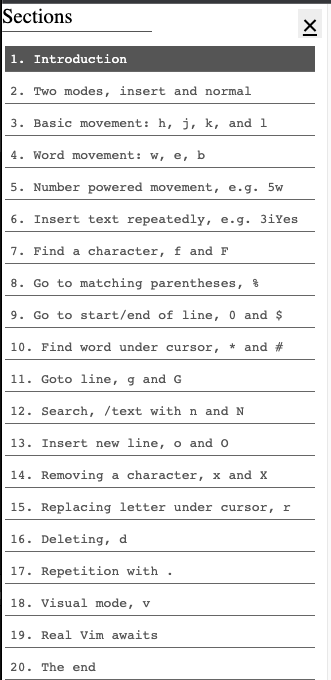
Hope that helps.
Previously the menu was open by default, but after someone made a pull request, they decided to set it closed by default.
Maybe there could be a skip button, though.