

 eclipsesource
RadioButton behaves like a checkbox when it's attached to Cell/ListView
Problem description
According to the docs, Cell could be a parent component of RadioButton. But, when it's attached to the Cell it behaves like a checkbox, previously selected RadioButtons are still checked when another one is selected.
Expected behavior
Only one RadioButton can be selected at a time.
Environment
- Tabris.js version: 3.6
- Device: iPad Pro 3rd gen and Pixel 3
- OS: iOS 13.6 and Android 10
Code snippet
import { contentView, Stack, RadioButton, TextView } from 'tabris';
import { ListView, Cell } from 'tabris-decorators';

const ITEM_HEIGHT = 36;
const options = [
  { label: 'foo' },
  { label: 'bar' },
  { label: 'baz' }
];
const title = 'Example text';

contentView.append(
  <Stack alignment="stretchX" stretch spacing={16}>
    <TextView text={title} />
    <ListView
      height={ITEM_HEIGHT * options.length}
      items={options}
      >
        <Cell height={ITEM_HEIGHT}>
          <RadioButton bind-text="item.label" />
        </Cell>
    </ListView>
  </Stack>
);

@ahmadov, with your snippet several Cells are created and all of them have a single RadioButton child. If you want to group the RadioButtons, you should add multiple RadioButtons to a single Cell.
<Cell height={ITEM_HEIGHT}>
  <RadioButton class='first' stretchX bind-text="..." />
  <RadioButton class='second' stretchX top='prev()' bind-text="..." />
  <RadioButton class='third' stretchX top='prev()' bind-text="..." />
</Cell>

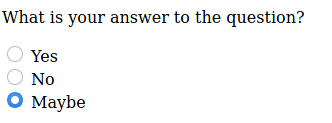
@elshadsm but this is not what I want. I want to create a simple list (maybe a long one) that each cell contains a RadioButton and TextView as follows:
@ahmadov, in this case, you can use ScrollView instead of ListView OR you can use the hacky solution below for the long lists:
import { Stack, TextView, CollectionView, Composite, RadioButton, contentView } from 'tabris';

const ITEM_HEIGHT = 36;
const options = [
  { label: 'foo', checked: false },
  { label: 'bar', checked: false },
  { label: 'baz', checked: false }
];
const title = 'Example text';

let oldCheckedIndex = -1;
let newCheckedIndex = -1;

contentView.append(
  <Stack alignment="stretchX" stretch spacing={16}>
    <TextView text={title} />
    <CollectionView
      height={ITEM_HEIGHT * options.length}
      itemCount={options.length}
      cellHeight={ITEM_HEIGHT}
      createCell={createCell}
      updateCell={updateCell} />
  </Stack>
);

function createCell() {
  return (
    <Composite>
      <RadioButton
        onSelect={({ target }) => handleRadioButtonSelect(target)} />
    </Composite>
  );
}

function updateCell(cell: Composite, index: number) {
  cell.data.index = index;
  const button = cell.find(RadioButton).first();
  const option = options[index];
  button.text = option.label;
  if (option.checked) {
    button.checked = !(oldCheckedIndex === index);
  }
}

function handleRadioButtonSelect(button: RadioButton) {
  if (newCheckedIndex > -1) {
    oldCheckedIndex = newCheckedIndex;
  }
  if (oldCheckedIndex > -1) {
    contentView.find(CollectionView).first().refresh(oldCheckedIndex);
  }
  const index = button.parent().data.index;
  options[index].checked = true;
  newCheckedIndex = index;
}