

 eclipse-che
Che doesn't redirect to GitLab OAuth authorization page when an authorized application was revoked
Describe the bug
If an user revokes previous authorized GitLab application, Che won't ask about the authorization and it won't possible to start a workspace with a private GitLab project.
But if recreate che pod, the authorization page will be opened, for more details see a screencast.
Che version
next (development version)
Steps to reproduce
- Configure OAuth for GitLab as described in https://www.eclipse.org/che/docs/stable/administration-guide/configuring-oauth-2-for-gitlab/
- Use a factory to start a workspace with a private GitLab project
- The redirection to the GitLab authorization page should happen, workspace should start and the project should be cloned
- Go to your GitLab and revoke authorized application
- Delete an old workspace and try to start another one by using the same factory
- Che doesn't redirect to the authorization page and private project won't be cloned in the workspace
Expected behavior
Che should redirect to the GitLab authorization page each time when the GitLab authorized application is revoked
Runtime
OpenShift
Screenshots
https://user-images.githubusercontent.com/1271546/220409473-3a603c64-3290-4b38-bf86-4283d0fb9103.mp4
Installation method
chectl/next
Environment
Linux
Additional context
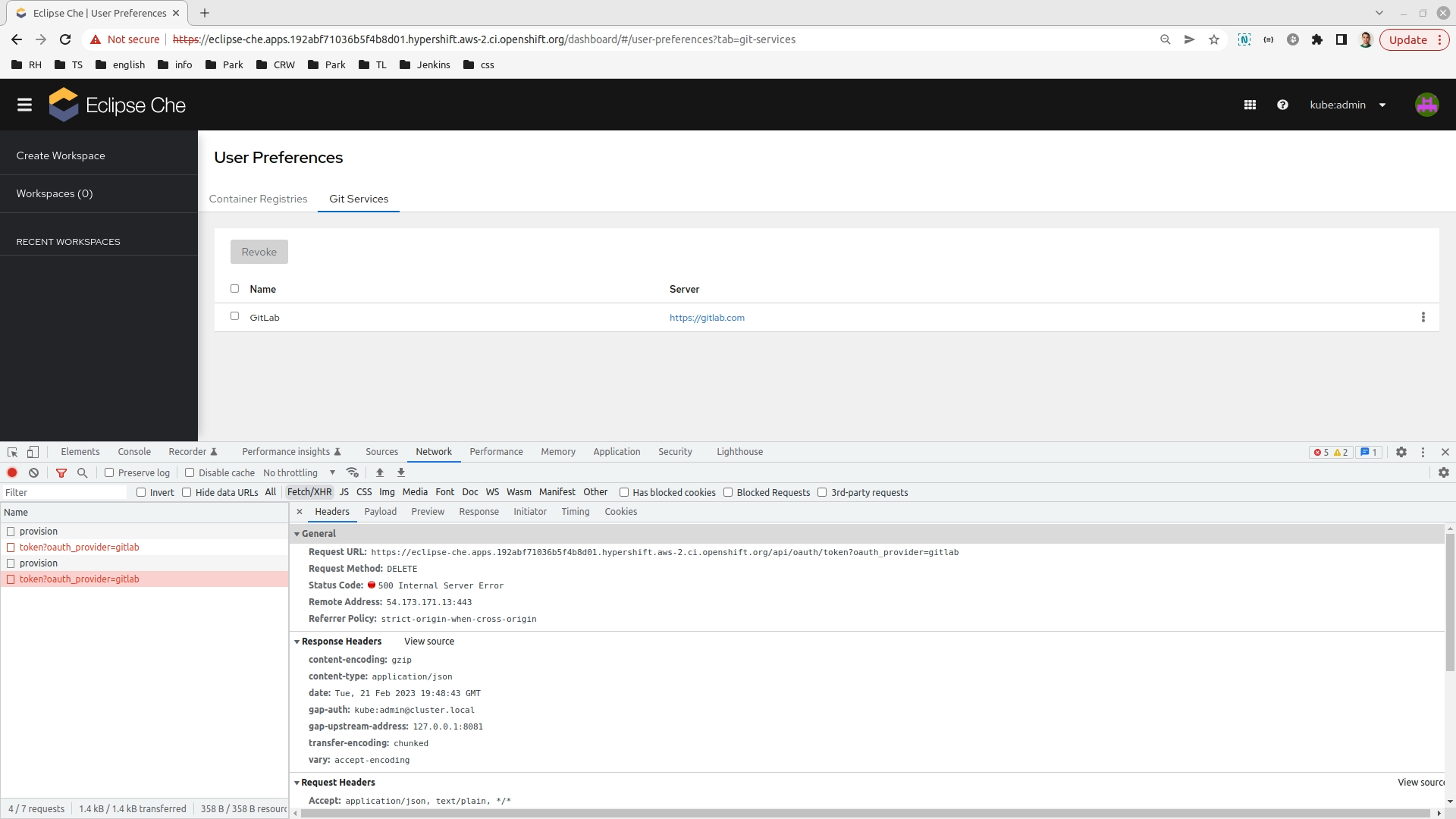
It's not possible to revoke GitLab application from the Che dashboard:

Issues go stale after 180 days of inactivity. lifecycle/stale issues rot after an additional 7 days of inactivity and eventually close.
Mark the issue as fresh with /remove-lifecycle stale in a new comment.
If this issue is safe to close now please do so.
Moderators: Add lifecycle/frozen label to avoid stale mode.

Issues go stale after 180 days of inactivity. lifecycle/stale issues rot after an additional 7 days of inactivity and eventually close.
Mark the issue as fresh with /remove-lifecycle stale in a new comment.
If this issue is safe to close now please do so.
Moderators: Add lifecycle/frozen label to avoid stale mode.