
Android

Android copied to clipboard
 duckduckgo
Site Permissions Settings
Task/Issue URL: https://app.asana.com/0/0/1202399817058486/f
Description
Replace Location Settings screen with brand new Site Permissions screen where users will be able to manage microphone, camera and location permissions when sites request it.
Steps to test this PR
Disable ask for permission
- Install from branch
- Go to Settings > Site Permissions
- Disable any permission (mic / camera / location)
- Go back to browser
- [ ] Check you are not asked for the disabled permission
Websites list
- Install from branch
- Allow mic or camera permissions for any website
- Go to Settings > Site Permissions
- [ ] Check website has been added to websites list
Permissions per site
- Install from branch
- Go to Settings > Site Permissions
- Tap on a website in "Manage Sites" list
- [ ] Check all permission settings are correct
- [ ] If main permission is disabled to ask -> setting should be set to "Deny"
Change site permission setting
- Install from branch
- Go to Settings > Site Permissions
- Tap on a website in "Manage Sites" list
- Tap on any permission to change the setting
- [ ] Check setting has been changed successfully
Remove Site Permissions
- Install from branch
- Go to Settings > Site Permissions
- Tap on a website in "Manage Sites" list
- Tap on toolbar menu > Remove
- [ ] Check website permissions have been removed
Remove All Site Permissions
- Install from branch
- Go to Settings > Site Permissions
- Tap on overflow menu in "Manage Sites" title
- Select "Remove All"
- [ ] Check all sites permissions have been removed
Clear Site Permissions Data when Fire button is selected
- Install from branch
- Make sure you have some site permissions saved
- Tap Fire button
- [ ] Check Site Permissions have been cleared
UI changes
| Before | After |
|---|---|
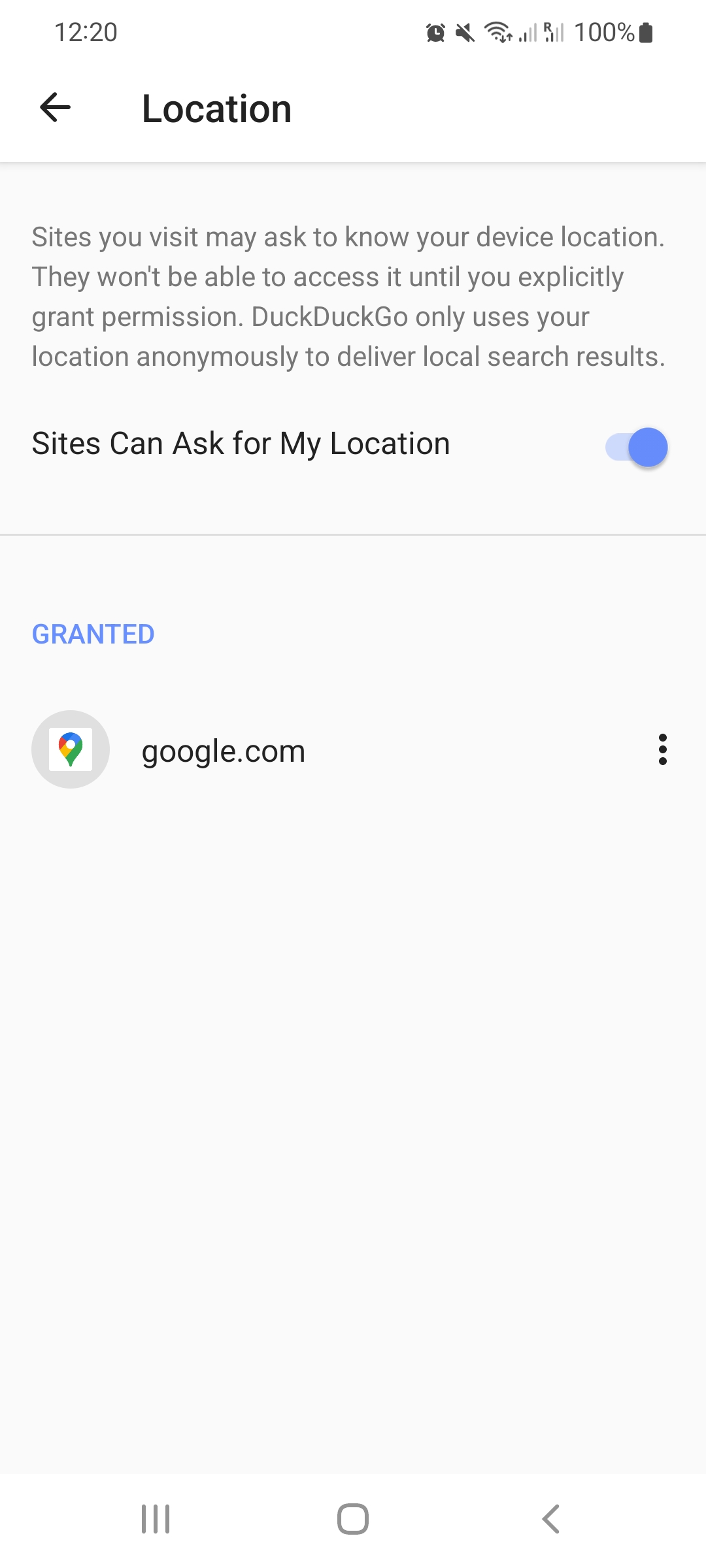 |
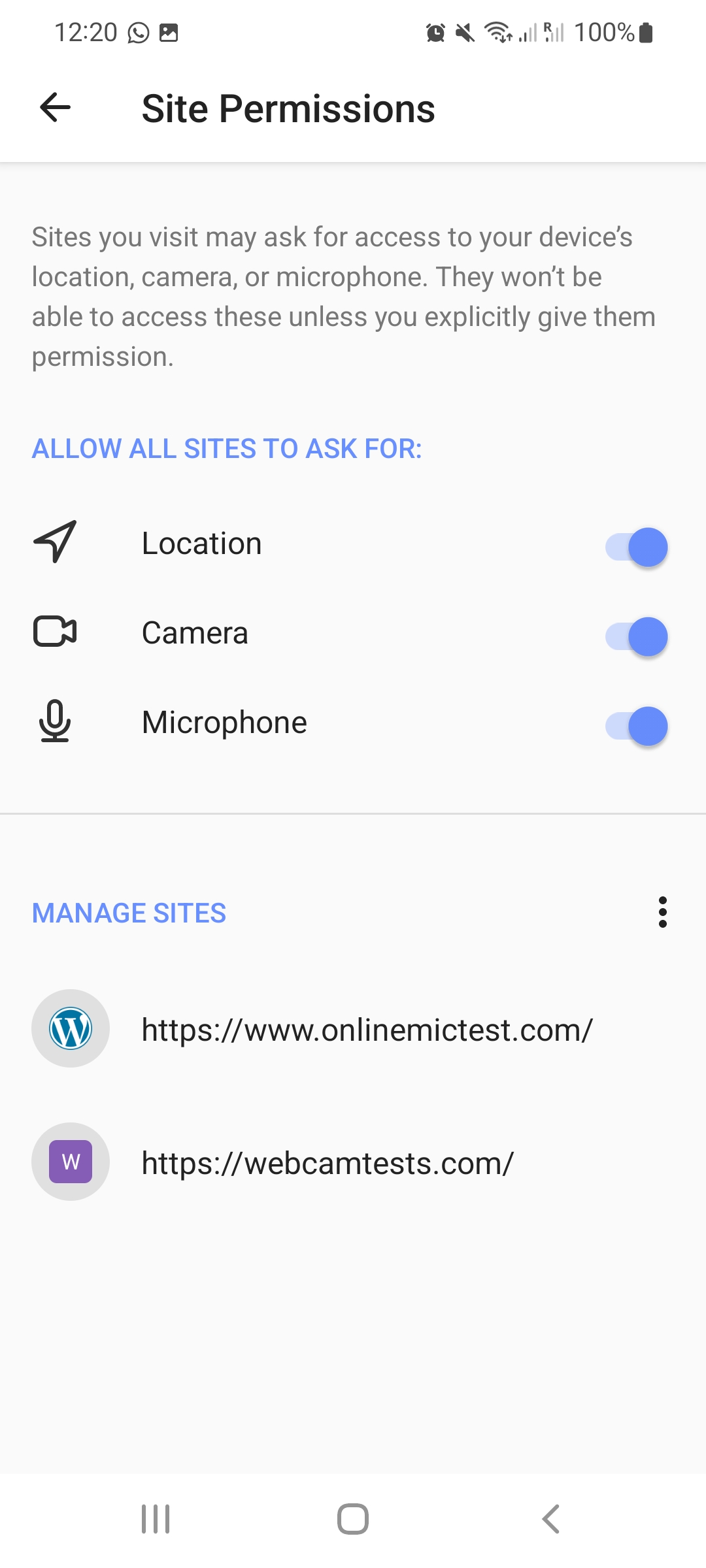 |

Current dependencies on/for this PR:
- feature/noelia/site_permissions_launcher
-
PR #2165

-
PR #2182 👈
-
PR #2296
-
PR #2295
-
PR #2265
-
PR #2296
-
PR #2182
-
PR #2165
This comment was auto-generated by Graphite.
Current dependencies on/for this PR:
- feature/noelia/site_permissions_launcher
-
PR #2165
-
PR #2182 👈
-
PR #2265
-
PR #2265
-
PR #2182
-
PR #2165
This comment was auto-generated by Graphite.