

 dotnet
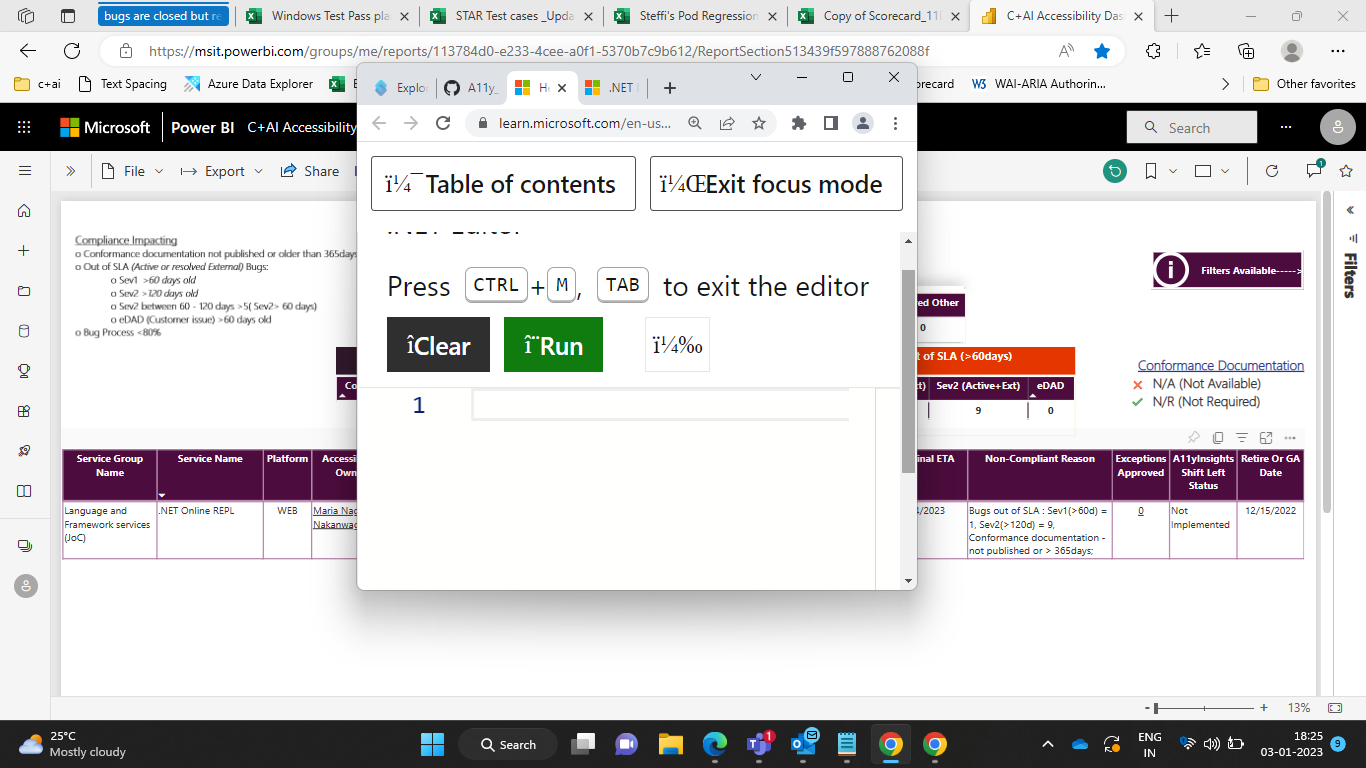
A11y_.NETOnlineREPL_WCAG2.1_.NET Editor_Reflow: When Zoomed to 400%, the controls(Feedback link) and the output section is not visible.
Environment details: https://docs.microsoft.com/ Browser: Chromium Edge Version 80.0.361.50 (Official build) (64-bit) OS Details:Windows 10
GitHubTags:#A11yTCS;#A11ySev1;#A11y_.NETOnlineREPL_WCAG2.1;#A11yWCAG2.1;#.NET Online REPL;#Benchmarks;#DesktopWeb;#Win10;#MAS1.4.10;#Accessibility;#.NET Online REPL;#Reflow;#ChromiumEdge;
Repro Steps: 1.Change display resolution to 1280*1024. 2.Hit the URL "https://docs.microsoft.com/" and login with appropriate credentials. 3.Tab till "Enter focus Mode" button and press enter. 4.Zoom out to 400% 5.Check out any controls and information are missing or not.
Actual Result: When scenarios is enlarged to 400% and click on "Enter focus Mode" button and we can see that content overlaps and there is no scroll bar present. In Reflow, unable to see content in the scenario and also controls are missing.
Expected Result: In Reflow, one scroll bar should be provided and all the control must be accessible to the user and no information in the scenario and no controls should get disappeared.
User Impact: Low vision Users will find difficult in accessing the controls and the content(information) if the content and the controls gets disappears.
Attachment: 787_A11y_.NETOnlineREPL_.NET Editor_Reflow.pptx


issue still reprodces:
 https://learn.microsoft.com/en-us/dotnet/csharp/tour-of-csharp/tutorials/hello-world?tutorial-step=1&WT.mc_id=-blog-scottha

