

 dotnet
Add Azure Ad MFA support to connect to Azure Sql Server
Is your feature request related to a problem? Please describe. Right now, it is not possible to connect to Azure Sql Server without user/password:
#!connect mssql --kernel-name domo "Persist Security Info=False; Integrated Security=true; Initial Catalog=<db>; Server=<srv>.database.windows.net"
Error: System.Exception: Windows logins are not supported in this version of SQL Server. at Microsoft.DotNet.Interactive.SqlServer.MsSqlKernel.ConnectAsync() at Microsoft.DotNet.Interactive.SqlServer.MsSqlKernelConnector.ConnectKernelAsync(KernelInfo kernelInfo) at Microsoft.DotNet.Interactive.SqlServer.ConnectMsSqlCommand.ConnectKernelAsync(KernelInfo kernelInfo, MsSqlKernelConnector connector, KernelInvocationContext context)
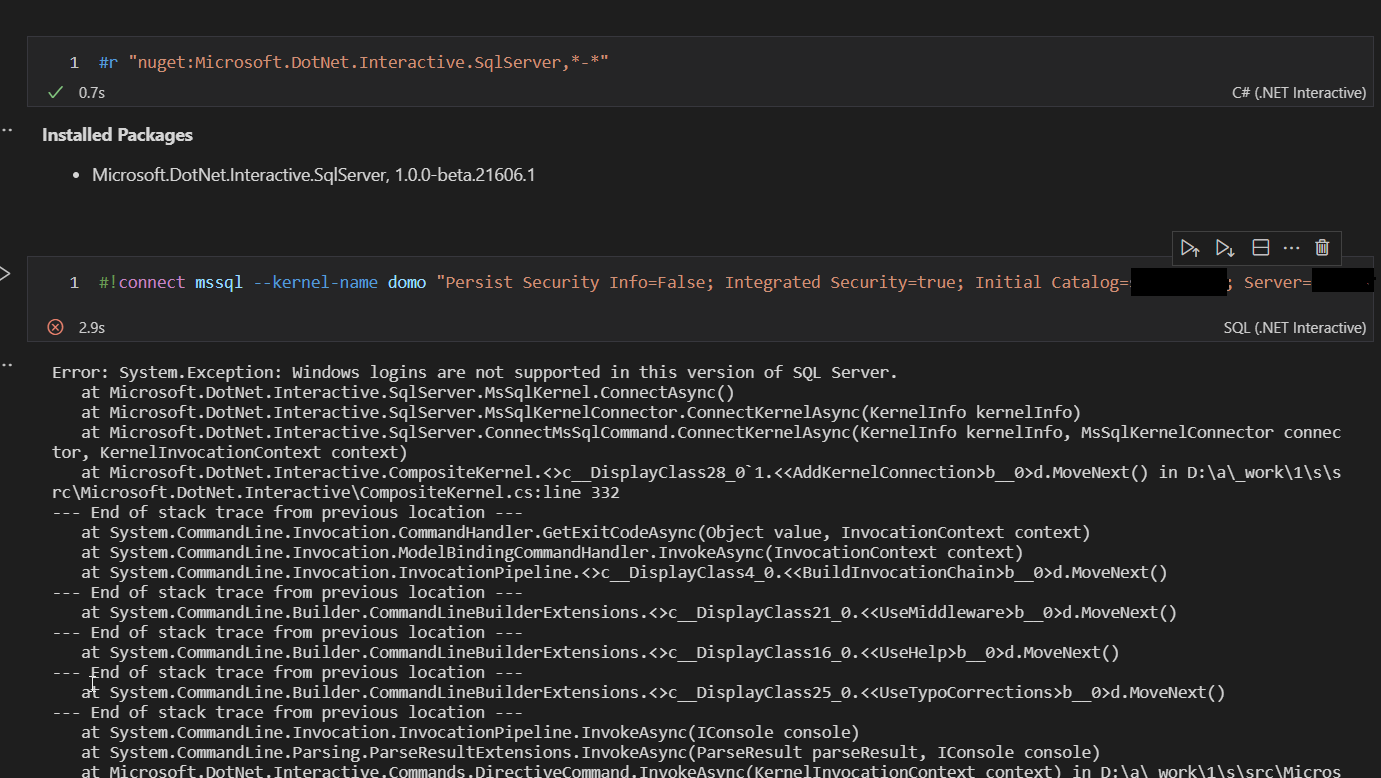
I tried
#!connect mssql --kernel-name domo "Server=tcp:<srv>.database.windows.net,1433;Initial Catalog=<db>;Persist Security Info=False;MultipleActiveResultSets=true;Encrypt=True;TrustServerCertificate=False;Connection Timeout=30;"
It is a different issue
Error: System.Exception: Login failed for user ''. at Microsoft.DotNet.Interactive.SqlServer.MsSqlKernel.ConnectAsync() at Microsoft.DotNet.Interactive.SqlServer.MsSqlKernelConnector.ConnectKernelAsync(KernelInfo kernelInfo) at Microsoft.DotNet.Interactive.SqlServer.ConnectMsSqlCommand.ConnectKernelAsync(KernelInfo kernelInfo, MsSqlKernelConnector connector, KernelInvocationContext context)
Describe the solution you'd like Add Azure Ad MFA for Sql .net interactive
Describe alternatives you've considered Right, I am using user/password but it would be better to remove the needs of credentials for the connection string

I am having the same issue. Trying to convert SQL notebooks from Azure Data Studio into polyglot notebooks in VSCode now that ADS is being retired.
Am already logged into Azure and into the database via the MSSQL extension, and am able to acquire a token from DefaultAzureCredential() within a C# cell in the notebook, but can't see how to pass this into the conn string.
