

 dotnet
Code lens shows tips overlaying each other
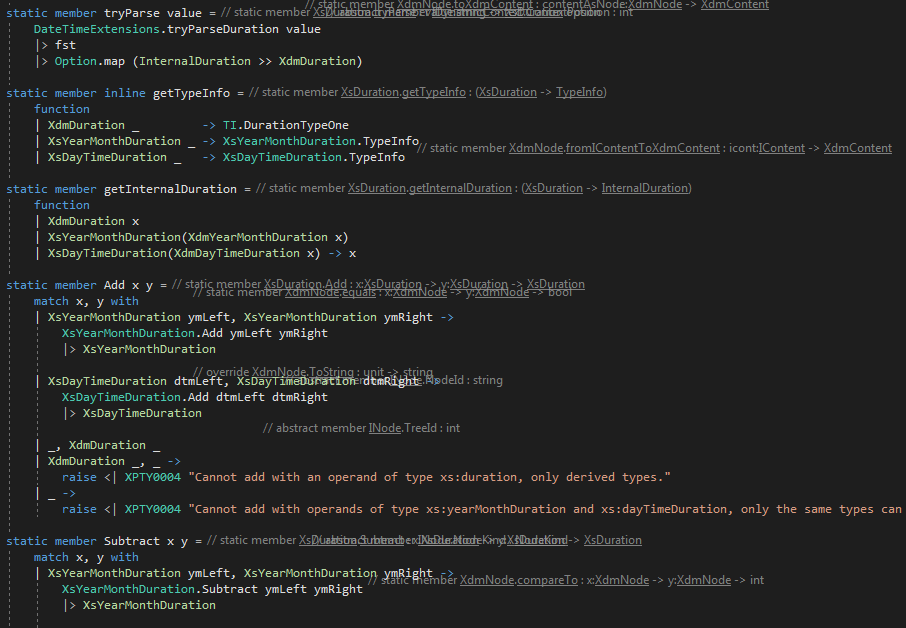
In many of my source files, code lens overlaps itself:
Repro steps
I see this happen in almost any less-then-trivial file. Scrolling back and forth used to redraw this, but that doesn't happen.
Expected behavior
Code lens tips shouldn't overlap.
Actual behavior
Some tips from unrelated classes from the same file (in the screenshot you can detect XdmNode.equals and XdmNode.compareTo, some others aren't even intelligible anymore) overlap with the current class (in this screenshot XsDuration).
Known workarounds
Switch off code lens.
Related information
VS 2017 15.9.4 Pro

This is a known issue (duplicate) and is already addressed by a PR which waits since 3 months for being merged (already approved since 3 months)...

@realvictorprm, I thought I'd seen it before indeed, but thought it was fixed, then broken again. Maybe the PR got lost or forgotten? If it's accepted I'd assume it should be merged, right?
Hey @abelbraaksma do you think this is still an issue? I wanted to look into that and spent 15 mins scrolling like crazy our CheckExpressions.fs (10 KLOC) but didn't this behavior. CodeLens seems to be slow but not broken.

@psfinaki it's been many years ago. Per chance, I just enabled it again a few days ago. It's still very buggy (showing the annotations sometimes halfway the file or in a totally unrelated spot), but the "many tips overlaying" issue, no, I haven't seen that.
If anything, most of the time it doesn't show at all anymore nowadays. Sometimes partially after a long enough wait, on some functions.
Weird places (F# compiler):

Other weird places (F# compiler):

Or missing completely
(sorry for the scratching over the code thing, I am not allowed to share this code, even though it's rather trivial)
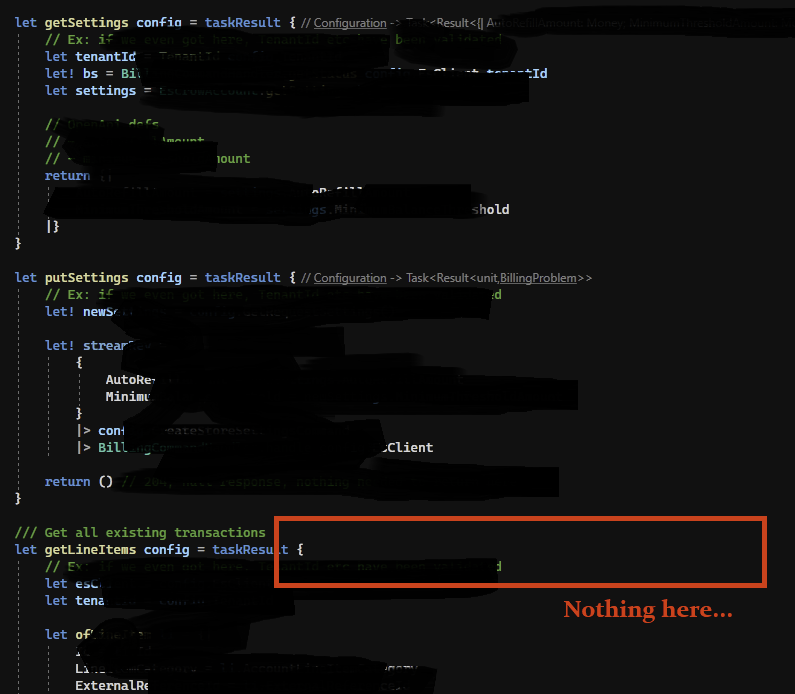
@abelbraaksma alright, thanks for getting back to that, trying this out and sharing screenshots :)
I guess I'll be working on that, I really root for this feature. In a while I'll probably close this particular issue but create new ones for the things you specified, with some good repros. And I'll reach out to you to give this a good testing before we take this out of beta!
VSCode does this excellently, which has been one of the main reasons I've been wanting to switch from VS to Code, but so far haven't for other reasons.
Would be great if you could get this one out of beta status!
@psfinaki Anyway, I kept it on a little longer, but it starts to interfere with everyday work, so I'm going to switch it off again. Here are some more screenshots to show how messy it can get:

@abelbraaksma sure, feel free to switch it off, we now have (more than) enough of bugs to deal with here. But yeah I'll ask you to switch it on again once the wave of fixes arrives :D
This particular issue should be fixed in #14023 and should be in 17.5+

Awesome stuff @psfinaki! Once that's out I'll surely be testing it! (I unfortunately can't install currently due to installing Preview leading to non-Preview installations of VS defaulting to F# 7, side-by-side is currently broken). Hmm, maybe I test using the built-in "compile-and-run-in-visual-studio".