

 dotnet
FSI Interactive directive: #version
When FSI starts, it states it's version, for example:
Microsoft (R) F# Interactive version 12.0.4.0 for F# 6.0
Copyright (c) Microsoft Corporation. All Rights Reserved.

For help type #help;;
It would be nice to have a directive #version that would render the same information, plus basic details:
- Path where am I loaded from?
- Am I running on 64 or 32?
- Am I running on .NET Core scripting or not?
My computer has many VS versions, dotnet versions, and fsi.exe:s. It would be nice to see from IDE (VS, VSCode, ...) that what have they actually loaded.

Ideally no one would care about this, especially since the host is an implementation detail. We do not intend to continue to support the desktop builds of FSI forever, or for the matter ship them either.
I guess I am okay with including the information on the banner. But if you want to write code to know the platform you are running on System.Environment class is your friend, and more appropriate and less tied to implementation details.

I'm looking answer to "Why is this code not working in my machine where it was working with some other?" "Why is this code running in VisualStudio's FSI but not in dotnet.exe FSI ?" I'm not looking to write code. Similarly there is #time even though you have System.DateTime.
Ouch!!!
#time was added as a perf measuring mechanism not an alias for System.DateTime.
> #time
- ;;

--> Timing now on

> let x = 10;;
Real: 00:00:00.000, CPU: 00:00:00.000, GC gen0: 0, gen1: 0, gen2: 0
val x: int = 10

>
You make a decent point about the specific problem that is FSI in Visual Studio. FSC also has it, albeit, to a lesser extent, there are a tiny few things that work on the desktop fsc and don't work on the coreclr fsc. Although shortly I am going to remove one of them, and make it really hard to tell the difference.
Visual Studio has a few configuration settings that allow a developer to customize a bunch of things about how FSI runs:
Here they are:
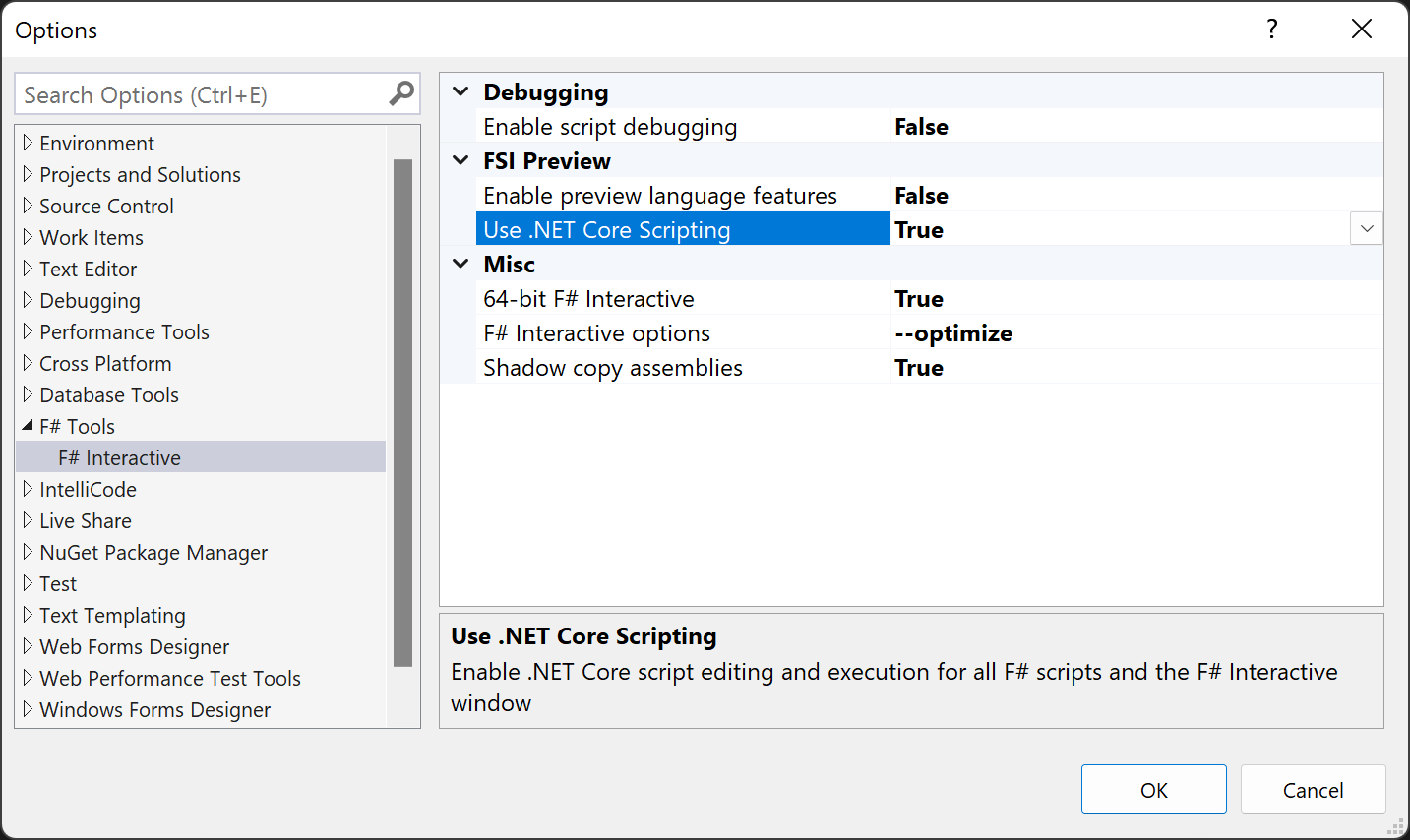
These are the defaults, when you change settings they should follow you around from PC to PC as part of your remote profile. One of those options even allow you to specify any command line option to FSI when it starts
The ability to switch between the desktop and coreclr FSI was always intended to be a bridging option, to allow users to switch back to the Desktop version if for some reason they had scripts that just couldn't run on the coreclr version of FSI.
Perhaps your issue indicates that we should strongly consider removing the fallback to the desktop implementation of FSI now that developers have had a few releases to get used to the changes, Ionide and I suppose rider are unlikely to use the desktop FSI support any longer. It seems as if removing desktop FSI support will reduce the confusion about which version a session is running and bring VS in-line with other IDEs supporting F#.
How does that sound? should we reduce the confusion by reducing the complexity?
Thanks for the detailed response, ideally the #version could tell the significant parameters. My issue was not .NET Framework, and I do know it's still used in production by some people.
Instead, there are separate FSCs and FSIs, for example:
- C:\Program Files\dotnet\sdk\3.1.406\FSharp - I thought VS was using this, as it was in path, or some other SDK version.
- C:\Program Files\Microsoft Visual Studio\2022\Professional\Common7\IDE\CommonExtensions\Microsoft\FSharp\Tools - But it was using this, not in MsBuild variables.
- C:\Users\Me\.nuget\packages\fsharp.compiler.tools\10.2.3\tools - and some projects compile via this
- C:\Program Files (x86)\Microsoft SDKs\F#\4.0\Framework\v4.0 - this is your enemy, not relevant to me
- ...possible others if you have different versions of VS and Dotnets installed.
Besides of this, there are e.g. SQLite drivers which have to be loaded by used processor architecture. But there also, I'm not looking dynamic loading, just debug and reporting. If I report a bug here, #version could tell relevant environment what I'm running on.