

 docker
dev-environments docker-compose V2 Windows
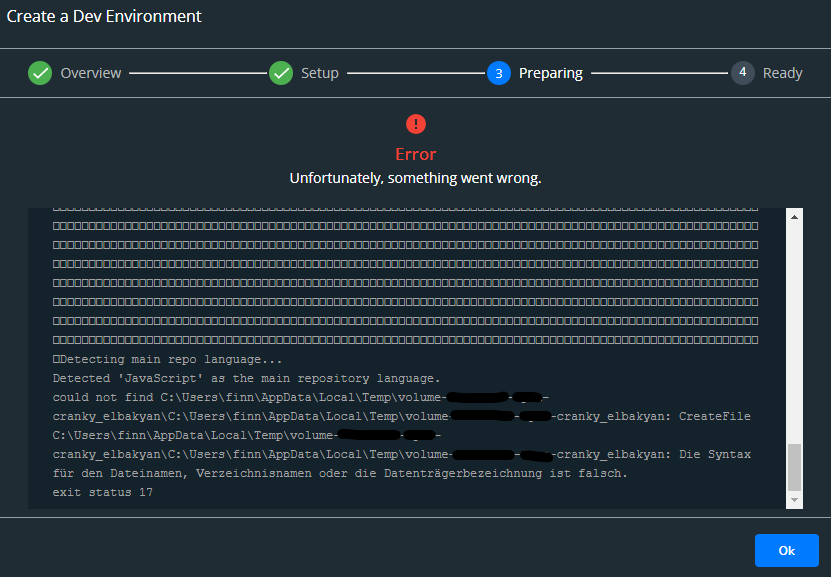
Describe the bug I receive an error with exit status 17 when setting up a dev environment for my docker-compose project. When disabling the "Use Docker Compose V2", the setup works. Using the dev-envs without docker-compose works just fine.
To Reproduce I am using the following configuration: Then I create my dev-env by entering my clone url.
.docker/docker-compose.yaml:
services:
  app:
    build:
      context: .
      dockerfile: Dockerfile
  db:
    image: mysql
    command: '--default-authentication-plugin=mysql_native_password'
    restart: always
    healthcheck:
      test: ["CMD", "mysqladmin", "ping", "-h", "127.0.0.1", "--silent"]
      interval: 3s
      retries: 5
      start_period: 30s
    volumes:
      - db-data:/var/lib/mysql
    environment:
      - MYSQL_DATABASE=xxx
      - MYSQL_ROOT_PASSWORD=dev
    ports:
      - "3306:3306"
volumes:
  db-data:
Dockerfile:
FROM alpine:3.14 AS build
WORKDIR /github.com/finnweiler/xxx
COPY . .

RUN apk add --update nodejs npm

WORKDIR /github.com/finnweiler/xxx/frontend
RUN npm install

WORKDIR /github.com/finnweiler/xxx/backend
RUN npm install

FROM build AS development

CMD [ "top" ]
Expected behavior A clear and concise description of what you expected to happen.
Screenshots
Desktop (please complete the following information):
- OS: Windows 11 Pro
- Version: 21H2
Version of Docker Desktop:
You can find the version by clicking on the About Docker Desktop menu
Docker Desktop 4.3.1 (72247)

Hello @finnweiler
It's a known issue, which has been already resolved in Compose.
We just need to wait the next update of Docker Desktop with version v2.2.2 of Compose

Hi @finnweiler
We just release Docker Desktop 4.3.2, this new version should fix the issue. Can you update and check that everything is working as expected now?
Hi @glours, Simmilar issue still present in Docker Desktop version v4.5.1. As files are stored in windows temp directory they get cleaned up for some reason and docker can no loger access them to run the compose.

@vytautas-petrikas Can you upgrade your Docker Desktop to the latest version 4.7.0 (77141) please?