

 dkress59
Typescript Error: Type 'unknown' on fields of Custom Post Types
Describe the bug Extended (Extra) types for Custom Post Types are not working. Getting responses successfully but not the custom fields. Default fields are showing up okay
To Reproduce Steps to reproduce the behavior:
- Next 13.2 App
- NPM installed
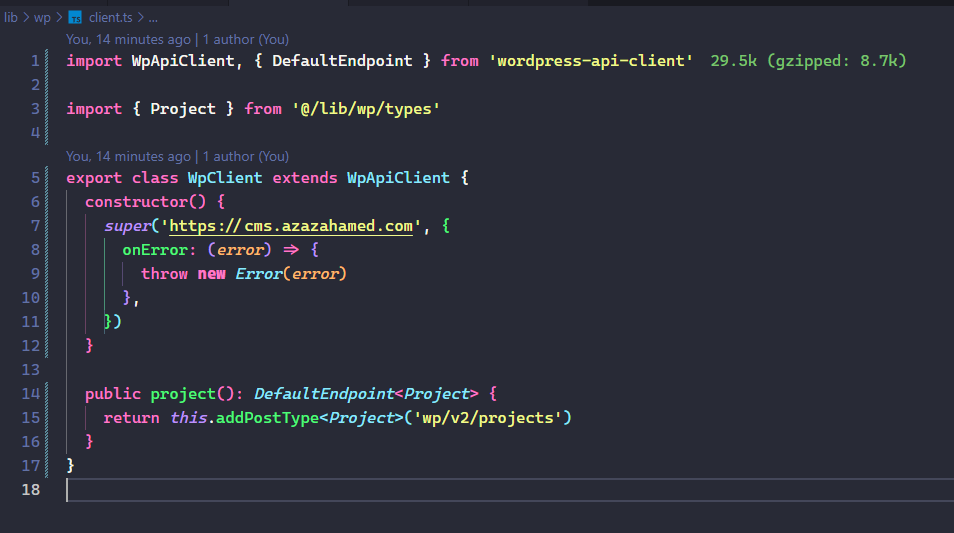
npm install wordpress-api-client - Set up custom client
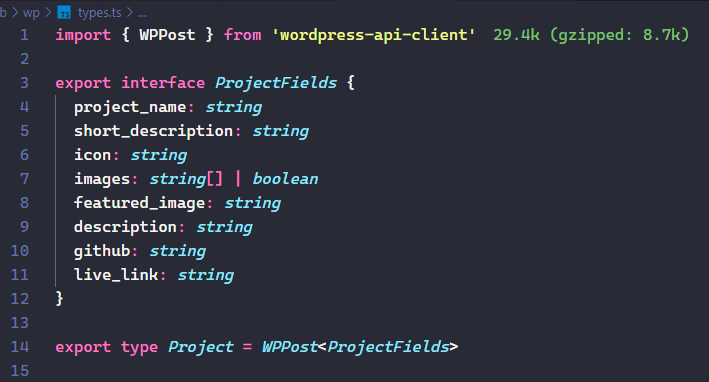
- Set up custom types extending WPPost
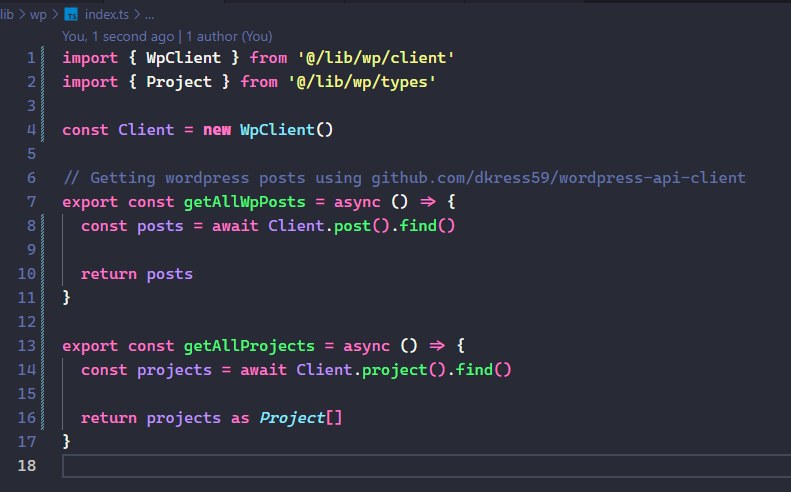
- Created a getter function for Custom type
Project - Calling the getter function within a Next Page component
- Getting all the data and fields and everything is returned as an array of objects. 8. While mapping over each object, cannot find custom-type fields declared for each project object.
Expected behavior All the default fields for post type AND the custom post type should show up. Added screenshots for better context.
Screenshots
types.ts
client.ts
index.ts - Here I am creating getter functions
page.tsx - Here we see the problem
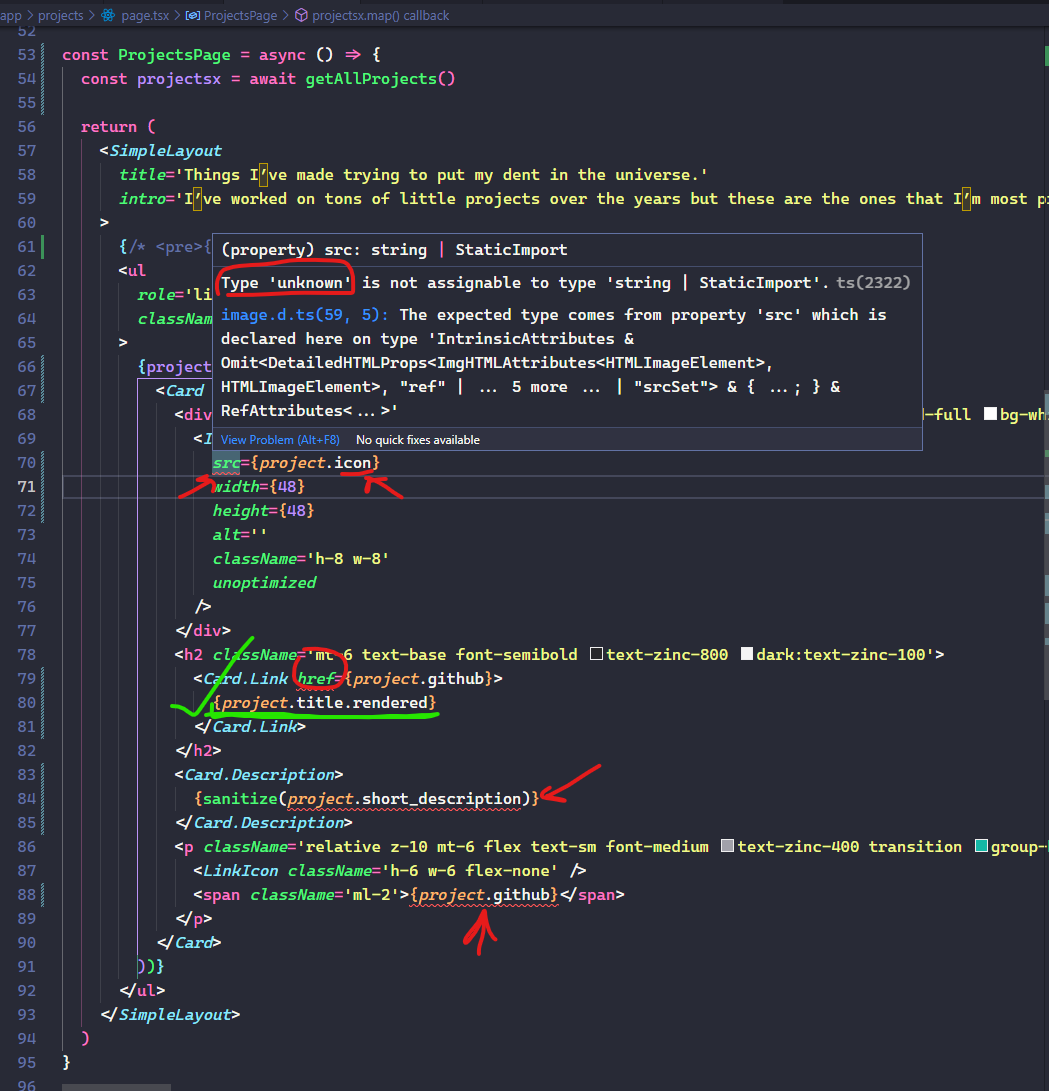
Here I have marked the ts errors in red
You can also see that there is a green checkmark on {project.title.rendered} this is located correctly as this is one of the default fields.
This is making me crazy! Did I goof up somewhere or is this a bug. Please help me out.
Thank you.

I don't think it's the library's fault.
In my case, WP Custom Fields must be enabled for REST. By default all were false. Check https://learn.wordpress.org/tutorial/wp-rest-api-custom-fields-authentication-and-testing/
That means I had to enable
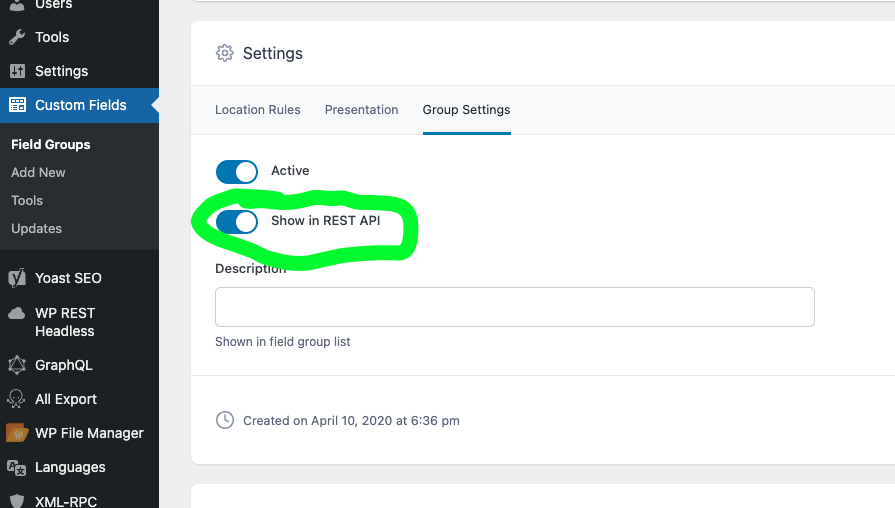
For each damn field 😞
