

 dexplo
Table size smaller when exporting
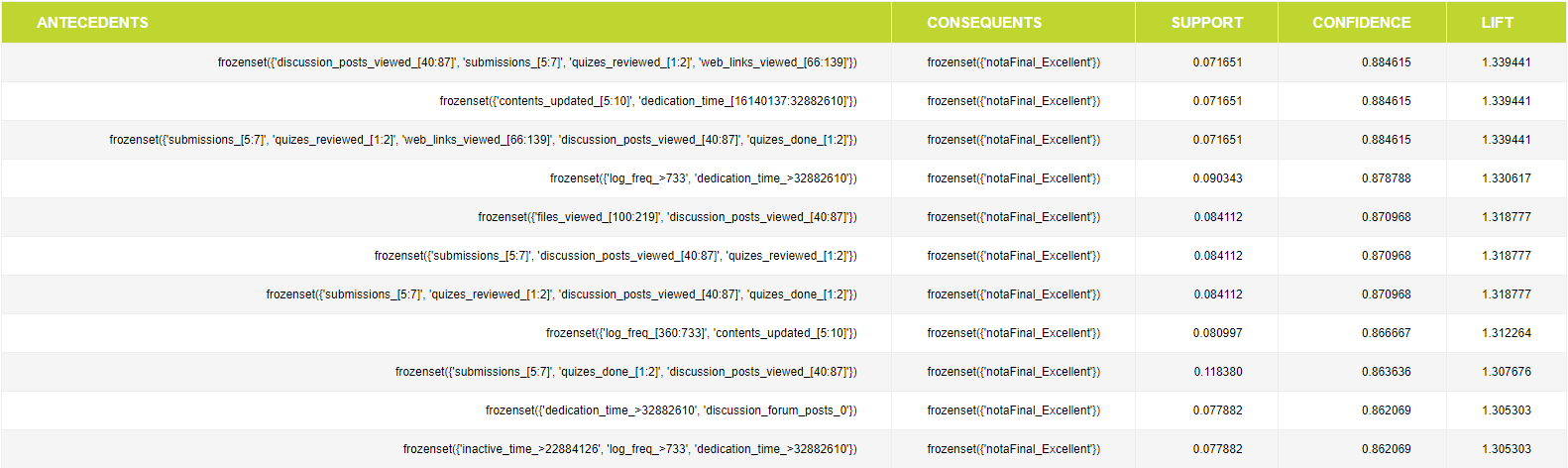
When exported, the size of the table is always the same, regardless of the settings made for its size in the jupyter notebook (when viewing it in the Jupyter notebook it has the specified size, but when exporting it is minimal). Therefore, it is impossible to see the letters and what is written with many rows and few columns.


Of course, when I customize the table so that it looks the way I want it, it returns as expected in the Jupyter notebook. However, when I export it, it always stays the same size, regardless of the changes I make. I really need the table to be readable to send the final version of my thesis.
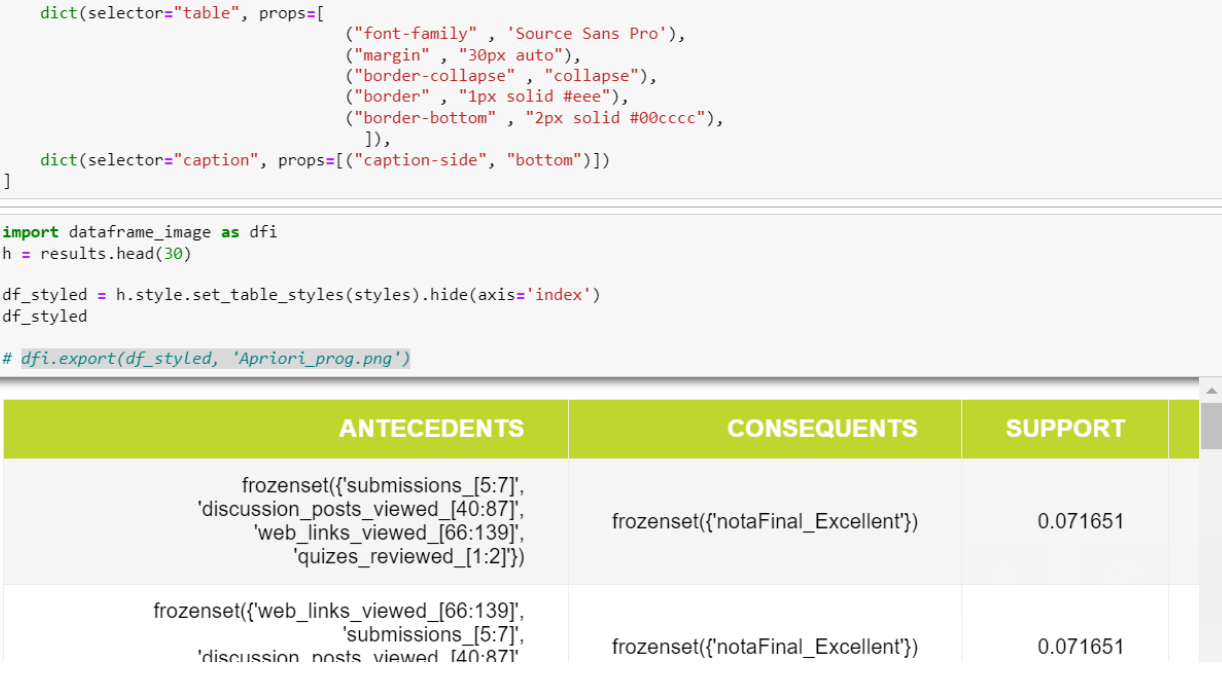
Jupyter notebook customized table:
Exported Table (note that the table is cropped, so the whole table is much more difficult to read due to the number of rows):
Thanks in advance. Have a nice day!
You can not use table selector with set_table_styles, you should use '*' if you want to select whole table.
df = pd.read_csv(
    "tests/notebooks/data/covid19.csv", parse_dates=["date"], index_col="date"
)

s1 = dict(
    selector="*",
    props=[
        ("font-family", "Source Sans Pro"),
        ("font-size", "20px"),
        ("margin", "30px auto"),
        ("border-collapse", "collapse"),
        ("border", "1px solid #eee"),
        ("border-bottom", "2px solid #00cccc"),
    ],
)

styles = [s1,dict(selector="caption", props=[("caption-side","bottom")])]

s_df = df.head(30).style.set_table_styles(styles).hide(axis='index').set_caption("test")
s_df
dfi.export(s_df, "s_df.png")