

 deepdrive
Runtime Errors (COOKED content missing, Can't find asset)
Hi,
at first thank for developing deepdrive with Unreal Engine! Can't wait to see it in action.
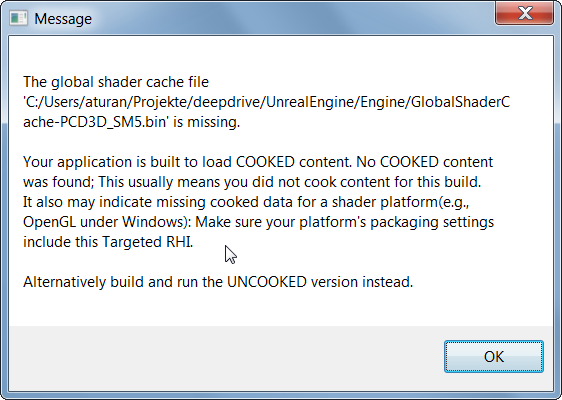
I'm currently playing arround with your code base but actually it seems not to work on my machine. The build is fine but I somehow get this error message when I try to start your simulation:
When I start the simulation with the UE4 editor I see this error:

Can you help me to get your simulation runnning?

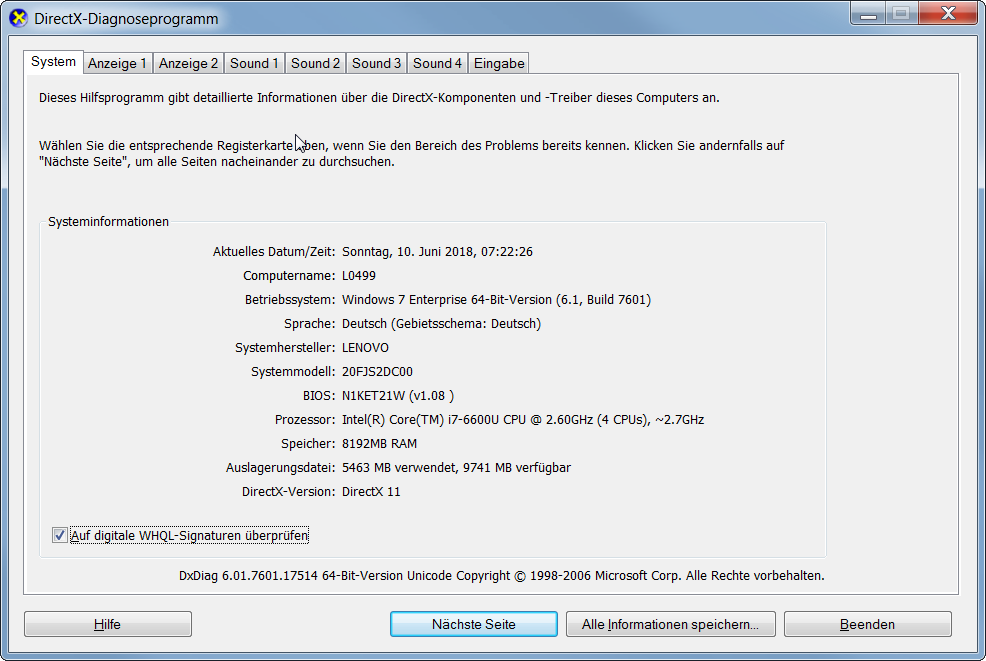
Thanks Achim! Do you know what version of DirectX and what video card you have? You can run dxdiag to check. Can you paste a screenshot here for us?

With regard to starting in the Unreal Editor, you can often ignore those errors or alleviate them by running clean.bat or clean.sh. If you have DirextX10, that may be the issue, but we should be able to target that for you in Project Settings > Platforms. Also, I can jump on a screen share if you'd like.
Thank you for your quick response. Sorry I forgot to mention my system specs. I'm a noob when it comes to unreal engine. :) I'm using Windows 7 with an Nvidia Card (currently can't remember which one). I will post a screenshot from dxdiag tomorrow. Is there something more that you want to know? (e.g. log files, ...)
I was able to start the simulation from the editor. The issue was that the initial level was not the right one. After loading Canyons.umap I was able to drive the car manually and everything worked smoothly. :) But I was not able to start the simulation when I run the executable that doesn't use the editor. Maybe some command line- or environment-variables seem to be missing or wrong.
 Internal GPUs:
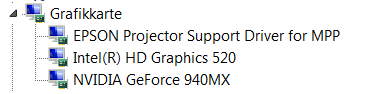
Sorry for the late response. What does Display 1 show? i.e. could it be possible you are using the Intel Graphics card? Perhaps plugging in the laptop would fix it if so.