

 darktable-org
retouch wavelet decomposition & colorpicker in fill color mode: color box doesn't show picked color
color of the picker isn't identical to the color the picker is over
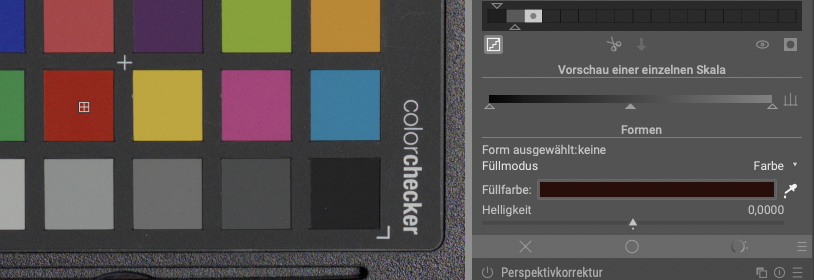
at least painting around with the color in fill mode uses the color the picker was over, not the color displayed in the color box
- darktable version : 3.5.0+2120~g3c608f9a95-dirty
- OS : OSx

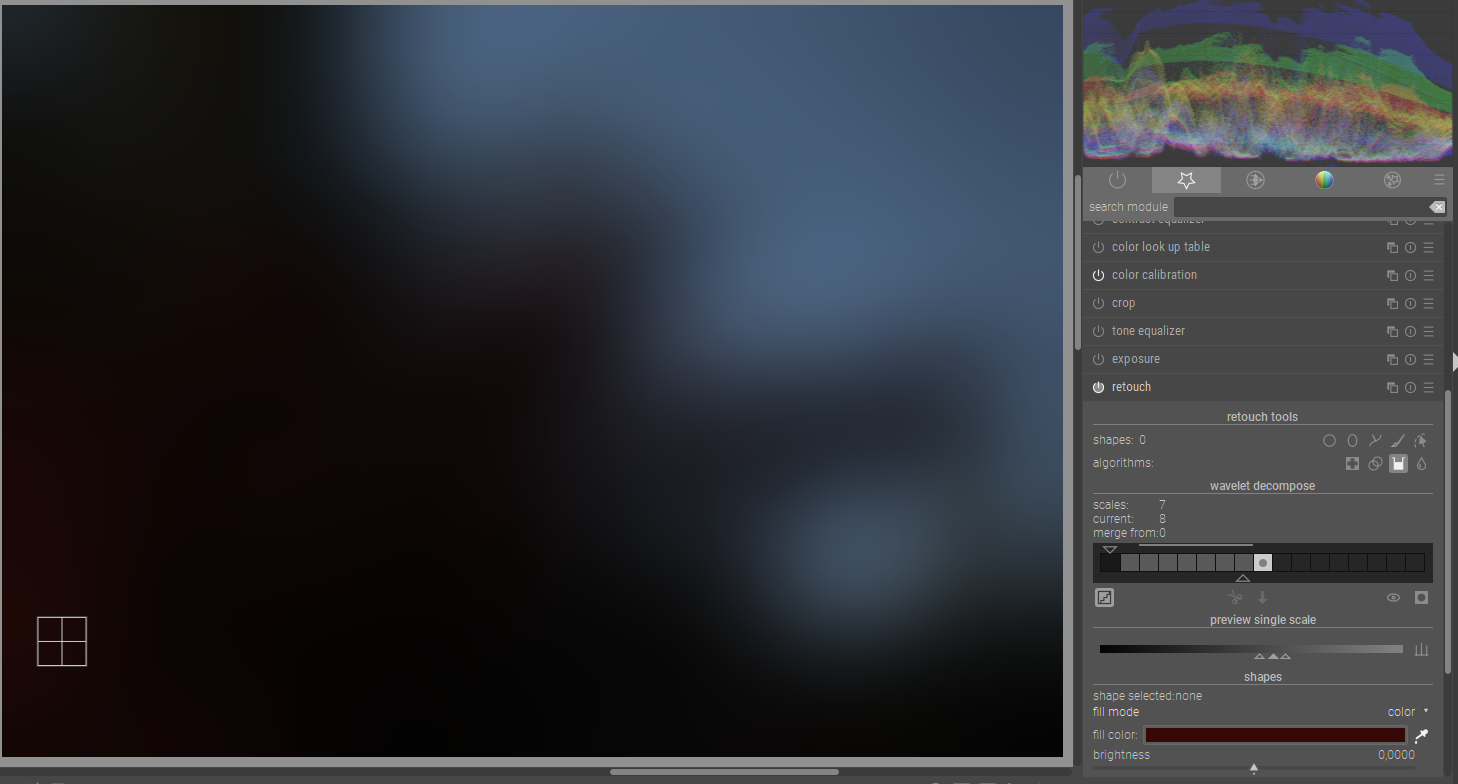
did some further investigations. The color Layer of the wavelet decomposition seems to encode colors in a strange way:
image:
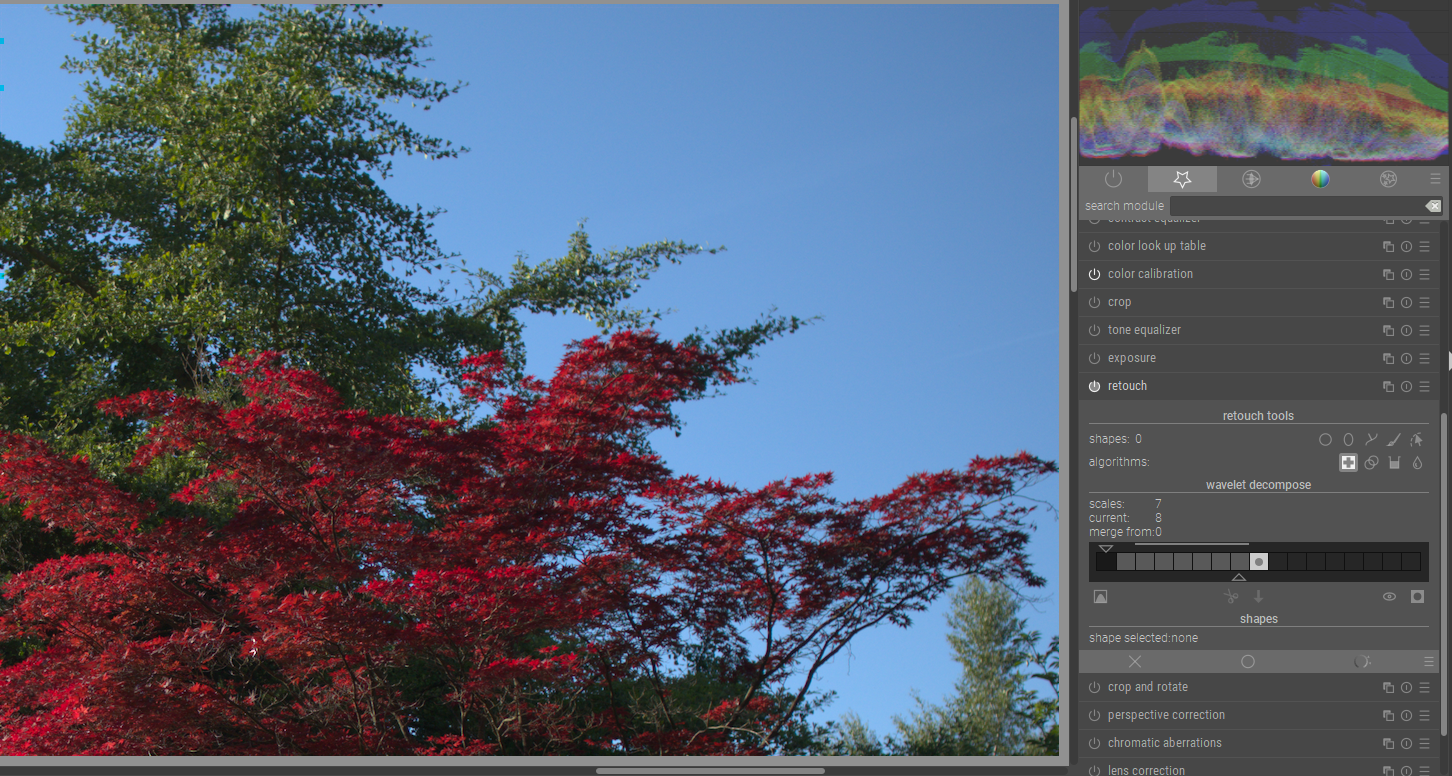 retouch color layer:
This issue did not get any activity in the past 30 days and will be closed in 365 days if no update occurs. Please check if the master branch has fixed it and report again or close the issue.
![github-actions[bot] avatar](https://avatars.githubusercontent.com/in/15368?v=4 "Published by a pub.dev verified publisher")
This issue did not get any activity in the past 60 days and will be closed in 365 days if no update occurs. Please check if the master branch has fixed it and report again or close the issue.
This issue has been marked as stale due to inactivity for the last 60 days. It will be automatically closed in 300 days if no update occurs. Please check if the master branch has fixed it and report again or close the issue.
If I understand your issue correctly, you want to be able to pick a color from the residual layer of the wavelet decomposition?
As far as the "strange encoding", the residual layer is literally what is left after subtracting off all of the wavelet layers, which makes each pixel basically the average color of a square 2**layers pixels on a side. It's still in the pixelpipe's working color space.

yes, i enable the display of the residual layer and pick a color - but the picked "fill color" doesn't match the displayed color.
For me it doesn't make sense to process the residual layer preview with the later modules in the pixel pipe - what you see isn't what you get
This issue has been marked as stale due to inactivity for the last 60 days. It will be automatically closed in 300 days if no update occurs. Please check if the master branch has fixed it and report again or close the issue.
For me it doesn't make sense to process the residual layer preview with the later modules in the pixel pipe - what you see isn't what you get
Agreed. I ran into this today. I just started learning the retouch -> fill tool and the picked "fill color" not matching the displayed color has thrown me off, eg, picking very pale skin tone the displayed color is almost black.

This issue has been marked as stale due to inactivity for the last 60 days. It will be automatically closed in 300 days if no update occurs. Please check if the master branch has fixed it and report again or close the issue.
This issue was closed because it has been inactive for 300 days since being marked as stale. Please check if the newest release or nightly build has it fixed. Please, create a new issue if the issue is not fixed.