

 daochenzha
About pydw
I follow your note, but there are some trouble with me.
1 I can't install pydtw, it It prompts such errors

2 the link of "dtw" file is removed, can I find it somewhere else?

@Sample-design-alt Hey. Could you provide more details? For example, what operation system you are using? And what the error you are facing? pydtw has C code, so I guess the problem could be here.
What link is removed?

I use Ubantu system, the error as follows:
ERROR: Command errored out with exit status 1: command: /usr/local/bin/python -c 'import io, os, sys, setuptools, tokenize; sys.argv[0] = '"'"'/data/chenrj/SimTSC-main/pydtw/setup.py'"'"'; file='"'"'/data/chenrj/SimTSC-main/pydtw/setup.py'"'"';f = getattr(tokenize, '"'"'open'"'"', open)(file) if os.path.exists(file) else io.StringIO('"'"'from setuptools import setup; setup()'"'"');code = f.read().replace('"'"'\r\n'"'"', '"'"'\n'"'"');f.close();exec(compile(code, file, '"'"'exec'"'"'))' develop --no-deps cwd: /data/chenrj/SimTSC-main/pydtw/ Complete output (565 lines): running develop running egg_info creating dtw.egg-info writing dtw.egg-info/PKG-INFO writing dependency_links to dtw.egg-info/dependency_links.txt writing requirements to dtw.egg-info/requires.txt writing top-level names to dtw.egg-info/top_level.txt writing manifest file 'dtw.egg-info/SOURCES.txt' reading manifest file 'dtw.egg-info/SOURCES.txt' writing manifest file 'dtw.egg-info/SOURCES.txt' running build_ext building 'dtw' extension creating build creating build/temp.linux-x86_64-3.9 creating build/temp.linux-x86_64-3.9/src gcc -pthread -B /usr/local/compiler_compat -Wl,--sysroot=/ -Wno-unused-result -Wsign-compare -DNDEBUG -O2 -Wall -fPIC -O2 -isystem /usr/local/include -fPIC -O2 -isystem /usr/local/include -fPIC -I/usr/local/lib/python3.9/site-packages/numpy/core/include -I/usr/local/include/python3.9 -c src/deque.c -o build/temp.linux-x86_64-3.9/src/deque.o -O2 -Wall -fPIC -pedantic -Wextra gcc -pthread -B /usr/local/compiler_compat -Wl,--sysroot=/ -Wno-unused-result -Wsign-compare -DNDEBUG -O2 -Wall -fPIC -O2 -isystem /usr/local/include -fPIC -O2 -isystem /usr/local/include -fPIC -I/usr/local/lib/python3.9/site-packages/numpy/core/include -I/usr/local/include/python3.9 -c src/dtw.c -o build/temp.linux-x86_64-3.9/src/dtw.o -O2 -Wall -fPIC -pedantic -Wextra
Are some packages missing from me?
2 The link of multivariate dtw is available now. There was some problem with my net before.
According to your notes, I encountered some troubles: After downloading pydtw, the process of executing pip install -e . displays the following error:
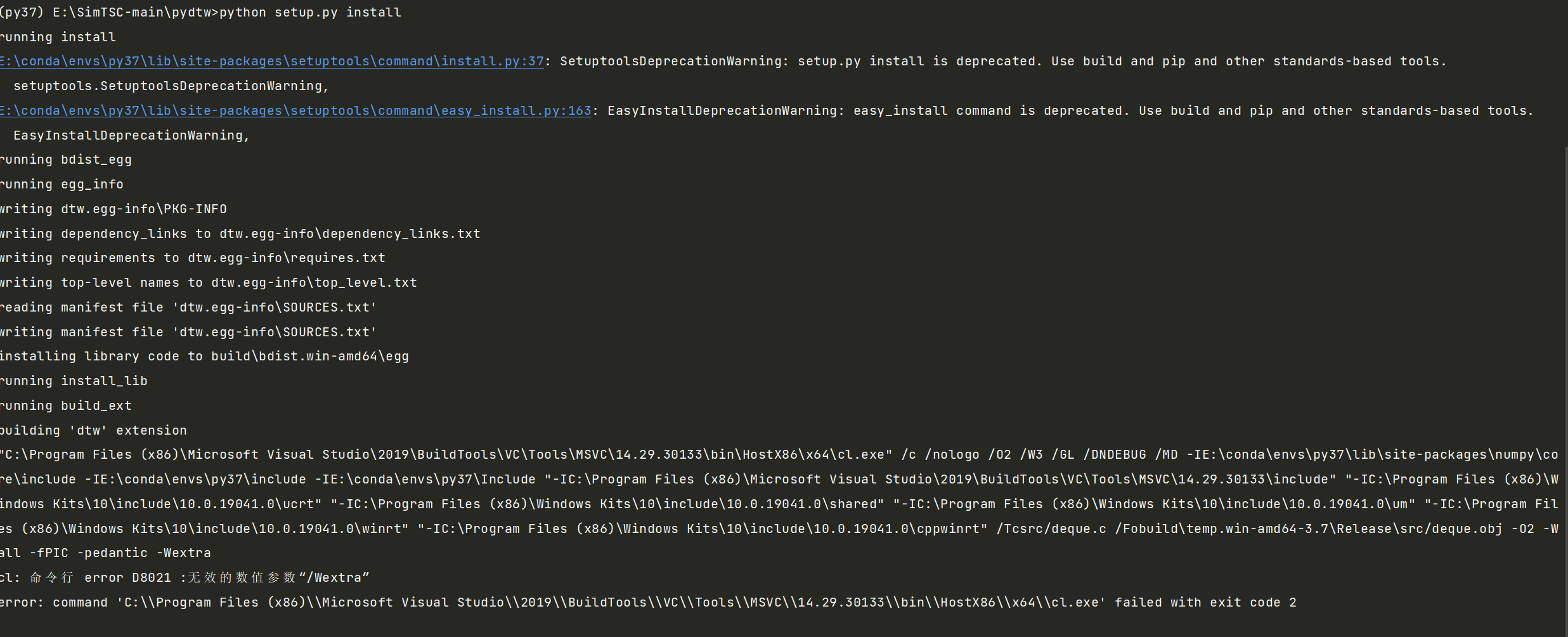
The system used is Windows 10; IDE is pycharm. Looking forward for your reply, thank you!

When I run pip install -e under Ubuntu's linux, this problem occurs. I have searched many places and have not been able to solve it. Does the author have a solution?
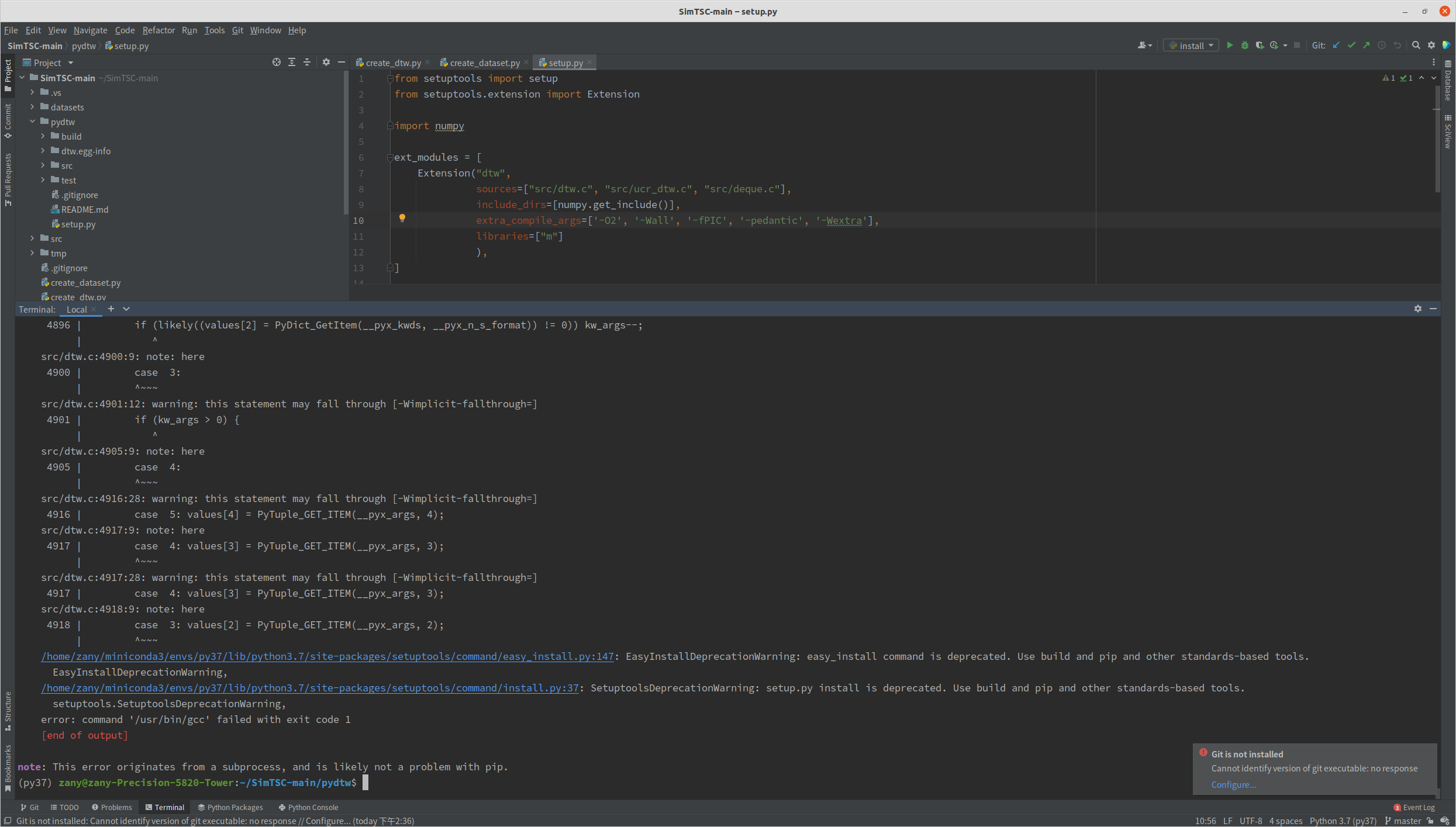
@mingshanz May I know which operation system you are using?
ubuntu20.04 ,At first, I suspected that GCC was not installed, but through inspection, I installed GCC. THX
@mingshanz Sorry I am not sure what the problem could be since I can not reproduce your errors. Have you tried directly building the UCR Suite https://www.cs.ucr.edu/~eamonn/UCRsuite.html
@mingshanz Maybe the GCC version could cause this problem? I used the following GCC and it seems to work well.
gcc version 7.5.0 (Ubuntu 7.5.0-3ubuntu1~18.04)
@mingshanz Maybe the GCC version could cause this problem? I used the following GCC and it seems to work well.
gcc version 7.5.0 (Ubuntu 7.5.0-3ubuntu1~18.04)
okay, im trying this. thx
@mingshanz Sorry I am not sure what the problem could be since I can not reproduce your errors. Have you tried directly building the UCR Suite https://www.cs.ucr.edu/~eamonn/UCRsuite.html
Unfortunately, I only came into contact with this direction, so I won't build UCR suite directly.
Excuse me, after pip3 install -e . dtw, the result shown in the figure below appears, and then python3 creat_dtw.py has such a situation. Does it mean that pip3 install -e . was unsuccessful?
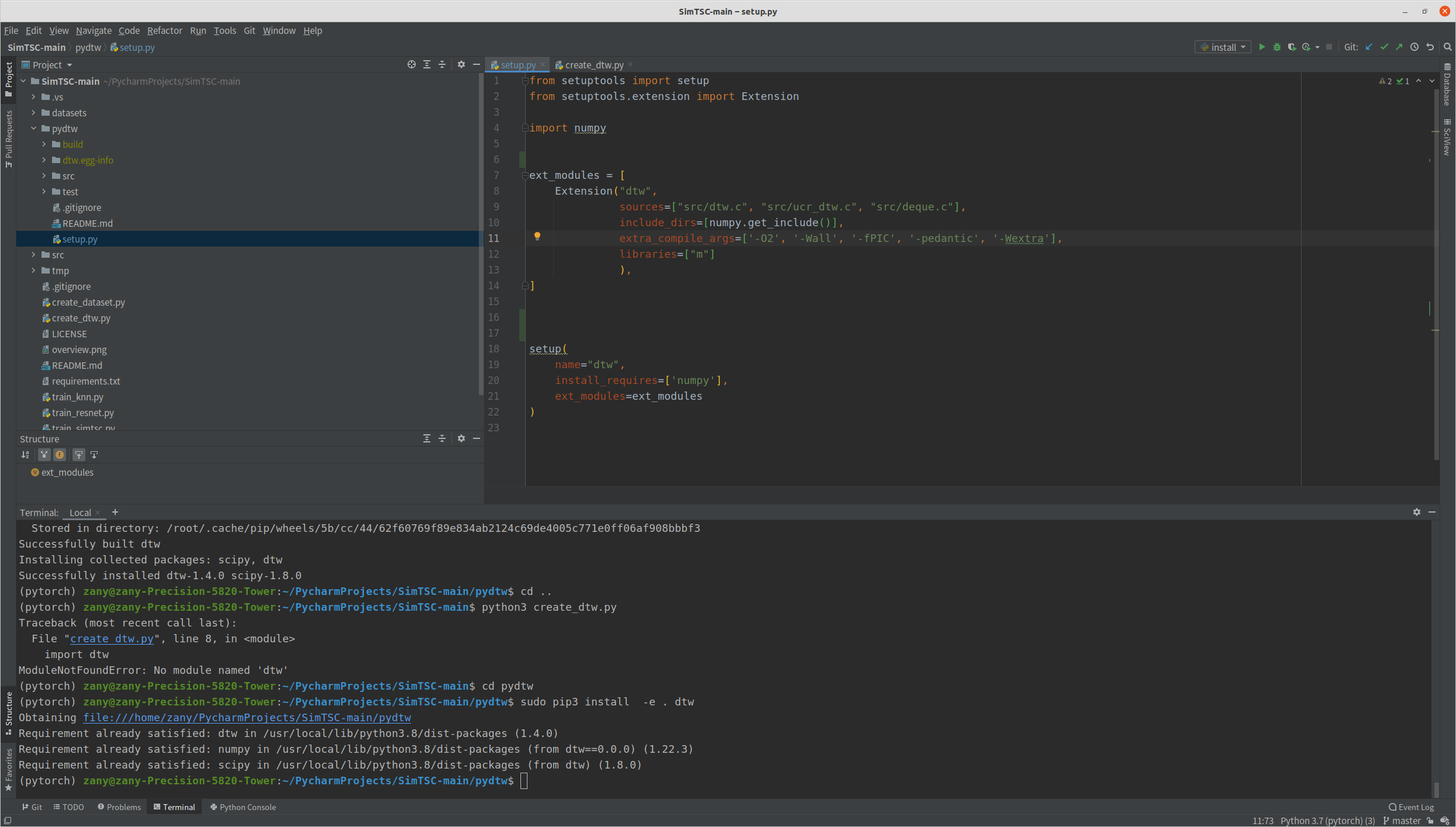
@daochenzha It is unsuccessful. There could be something wrong when installing the extension.

@cookerXIN Did you make it with Linux?
我想请问下,pip install -e . 这个语句主要是安装什么包呀,有没有这个包的github链接,我想直接下载到本地安装。因为pip对我一点用都没有,谢谢!