

 danielcaldas
Nodes position is overlapping on each other and setting link length dynamically
Hi,
I'm adding nodes dynamically based on user click of node and thankfully that's working. But the position of the nodes are not proper they are overlapping on each other. It's kind of a mess. The user is unable to find the parent and child relationships here.
When I checked the source code of the react-d3-graph, and it's internally using d3 packages. I believe d3 provides that feature like d3 force-directed graph and in those nodes aligned properly. Demo [Link].(https://observablehq.com/@d3/force-directed-graph-canvas?collection=@d3/d3-drag).
One more help is needed to increase the link length of a particular link in the graph?
Thanks,

Hi,
also have the same issue regarding readability when there is too many nodes involved in a graph, the picture below:

Also, I believe d3 has a repulsion between nodes (http://bl.ocks.org/d3byex/987e50b19008c481ac9b, https://observablehq.com/@d3/force-directed-tree) so maybe to introduce that kind of feature.
Can you please help to align the nodes properly like @onlyreddy described

@ggrujic if it helps you might want to create your custom nodes using the viewGenerator attribute. I solved the readability problem by creating a custom UI with text inside the node.

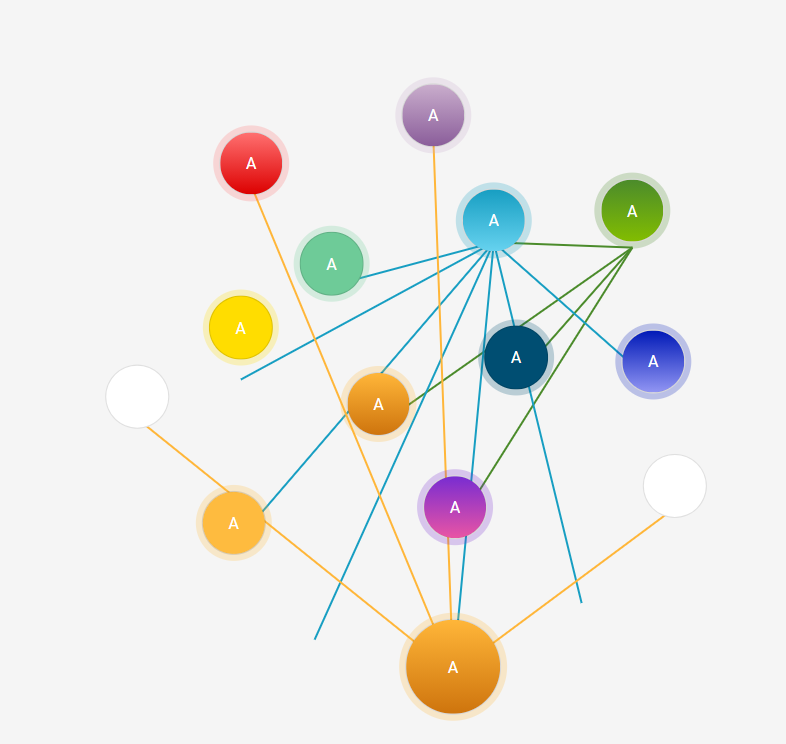
Hey @antoninklopp , saw your latest PR for node positioning and copied the changed files in my local. But it's not solved the problem of overlapping the nodes. In your PR screenshot you added only three to four nodes can you add more and check once.
Please find the below screenshot and still, they are messy :(
Hi @onlyreddy ,
Could you please provide your config/code sandbox repro with a screenshot of the result you're expecting?
It would really help me to reproduce.
Thanks !

Created a Codesandbox demo https://codesandbox.io/s/react-d3-graph-demo-forked-qtdq6?file=/App.js
Hope you can access it. In the demo initially added a few nodes and links then based on user clicks of any node then I'm dynamically updating the graph data by using the deepmerge package. Basically deepmerge package will merge the objects.
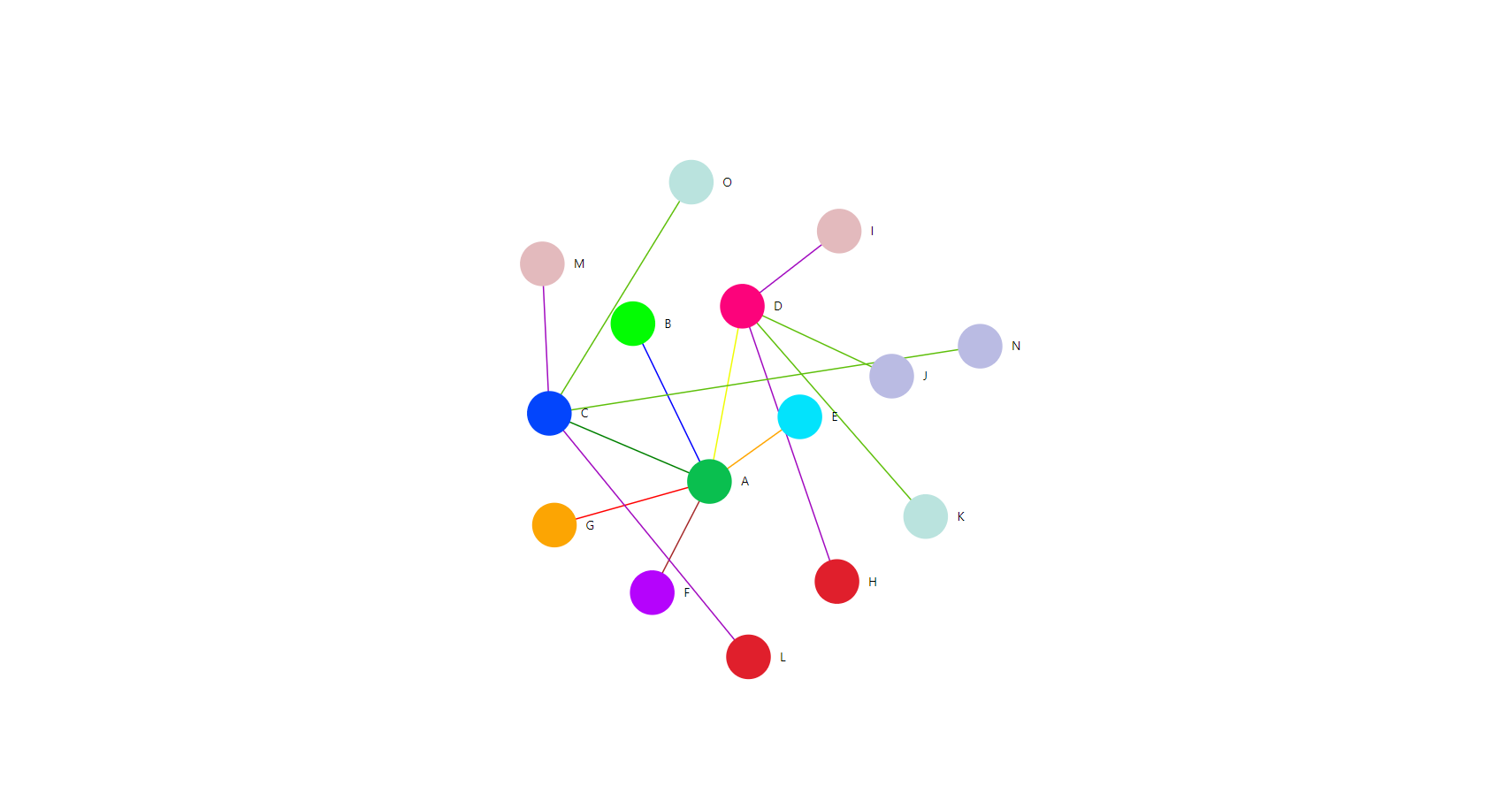
In the demo, if the user clicked on C and D nodes then I'm updating the related data by using a switch case. After that, the nodes are overlapping on each other instead of spreading the nodes to desire positions and it's messy now. Please refer to the screenshot.
Excepted result:
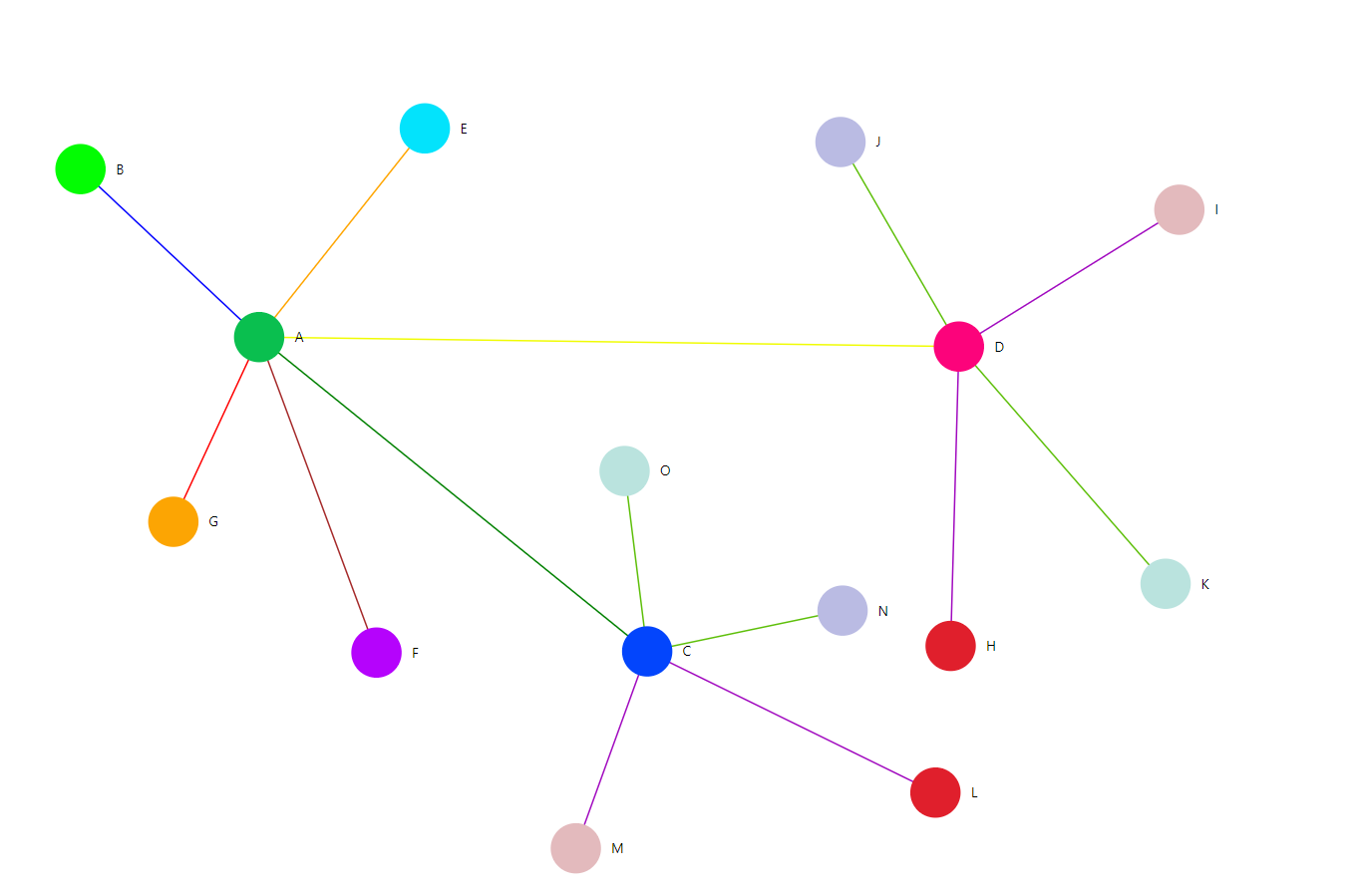
If the user clicks on node C then it'll move and align the nodes properly and applies the same to node D also. For excepted results, I manually moved the nodes in the graph. Please refer to the screenshot.
I'll be grateful if you can provide the feature. One more thing I've not copied your latest PR changes in this because there is no new version released with your changes.
Thanks!!
Hi @onlyreddy ,
My Pull Request does not provide any help for this issue indeed.
I will tag this as a Feature Request here, since I don't know what should be provided here in order for you to be able to have the graph created as you wish.
You can still compute the node positions by hand and include x and y properties in nodes to position them as you want.
Hi @antoninklopp, thanks for taking the time and replying to my comments.
I'm very new to this data visualization. I can't compute with x and y of nodes because if I have 100 nodes then I need to check every node position and need to calculate the mass of each node. So that I can avoid overlapping nodes.
Can we try with a distance of a link http://bl.ocks.org/sathomas/1ca23ee9588580d768aa https://www.oreilly.com/library/view/d3js-by-example/9781785280085/ch11s03.html http://bl.ocks.org/sathomas/1ca23ee9588580d768aa
So that they can move and align properly.
Everybody excepts this type of feature from a package. Can you please help me with this?
Hi @onlyreddy,
After looking a bit more into your issue, I think that we could add one of the following features to solve your problem:
-
Make the
linkLengthproperty individual to each link since it seems to constraint the graph a lot to try to keep the same link length between all nodes. And we can see on your example image above that the links betweenA and CandA and Dare clearly longer. -
Create some kind of subgroup property that would make the nodes of a subgroup stay together and repulse nodes from other subgroups. This would create the subgroups as you expect.
I am actually really interested to know if @ongmk was able to create this sort of subgroups feature with the current state of the package in issue #444 (or if it was created by hand by placing the nodes with x and y position).
What do you think about this ?
I am really interested in your inputs @danielcaldas, @LonelyPrincess, @terahn ! And I actually don't know if such features already exist today or if you know a way to achieve this without changing anything (if this is the case, this is definitely something that you could add as a new sandbox example)