

 dalance
Many columns not shown and their headers as well
As the issue title says and the screenshot shows:
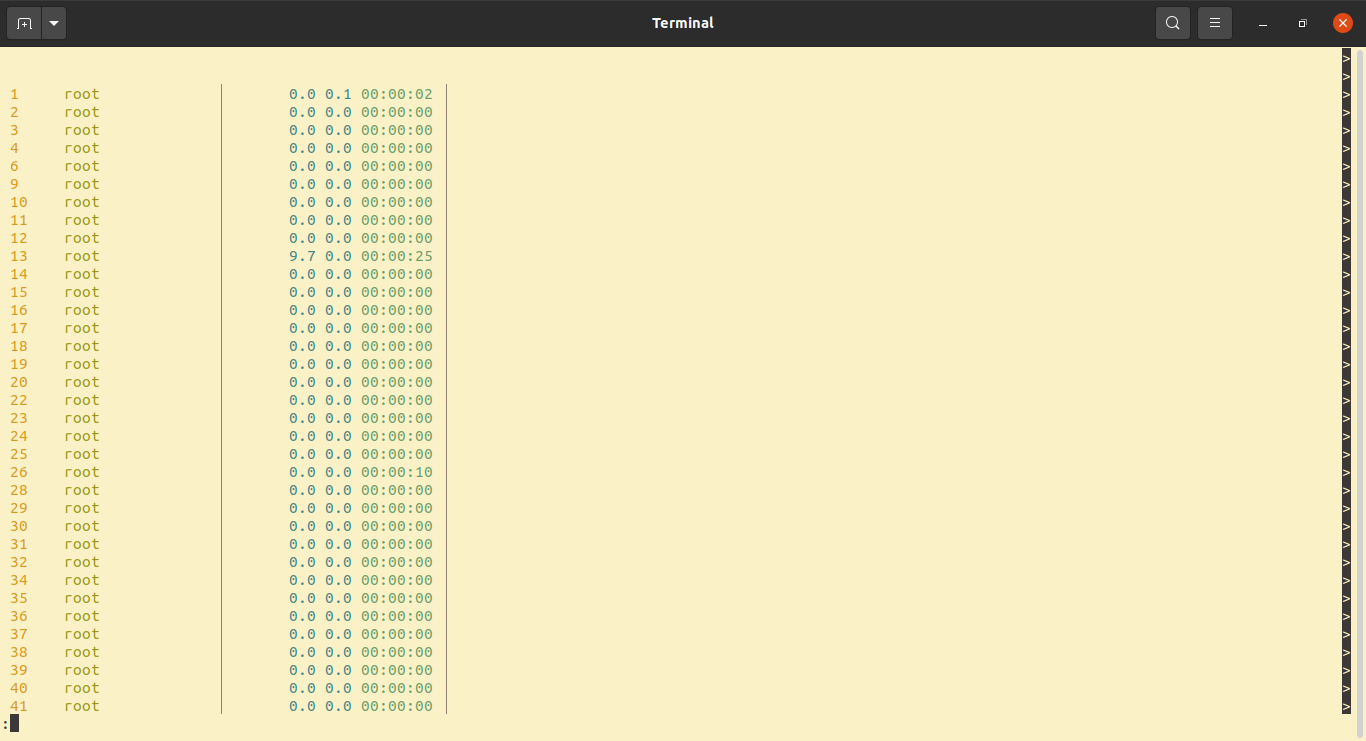
Firstly I could see names of the processes, then they disappeared. I have installed procs with cargo install and also installed several other apps after it this way. Also I installed fzf. I'm not sure those installations could interfere with procs' functioning but those are the only thing that came to my mind that was different from the time procs showed all info.
Thank you.

Your terminal seems to use light theme. procs can detect the theme of terminal by default, but it is not supported by some terminals. You can specify the theme like below:
$ procs --theme light

If you always want to use light theme, you can specify by a config file.
[display]
theme = "Light"
More details are below: https://github.com/dalance/procs#display-section