

 d2phap
The exiftool window layout is broken
System information:
- Windows OS version: Windows 10 21H1 (19043)
- ImageGlass version: ImageGlass_Kobe_8.8.4.4_x64
To Reproduce
Steps to reproduce the behavior:
- Open any image
- Open exiftool for image exif data (press x)
- The exiftool window will look screw** up
Actual behavior:
If you press X once an image is opened, the exiftool window won't display correctly.
Expected behavior:
Before the last two versions, the exiftool window worked well, showing the correct exif data immediately.
Screenshots:
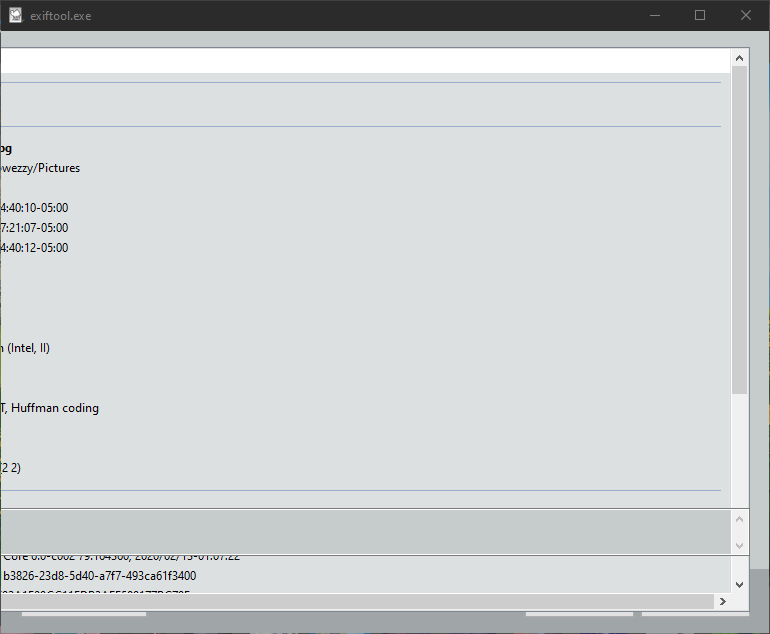
Additional context:
This only version works fine for me: ImageGlass Kobe 8.7.11.6 - Hotfix

Hmm I cannot reproduce. Can you attach a video?
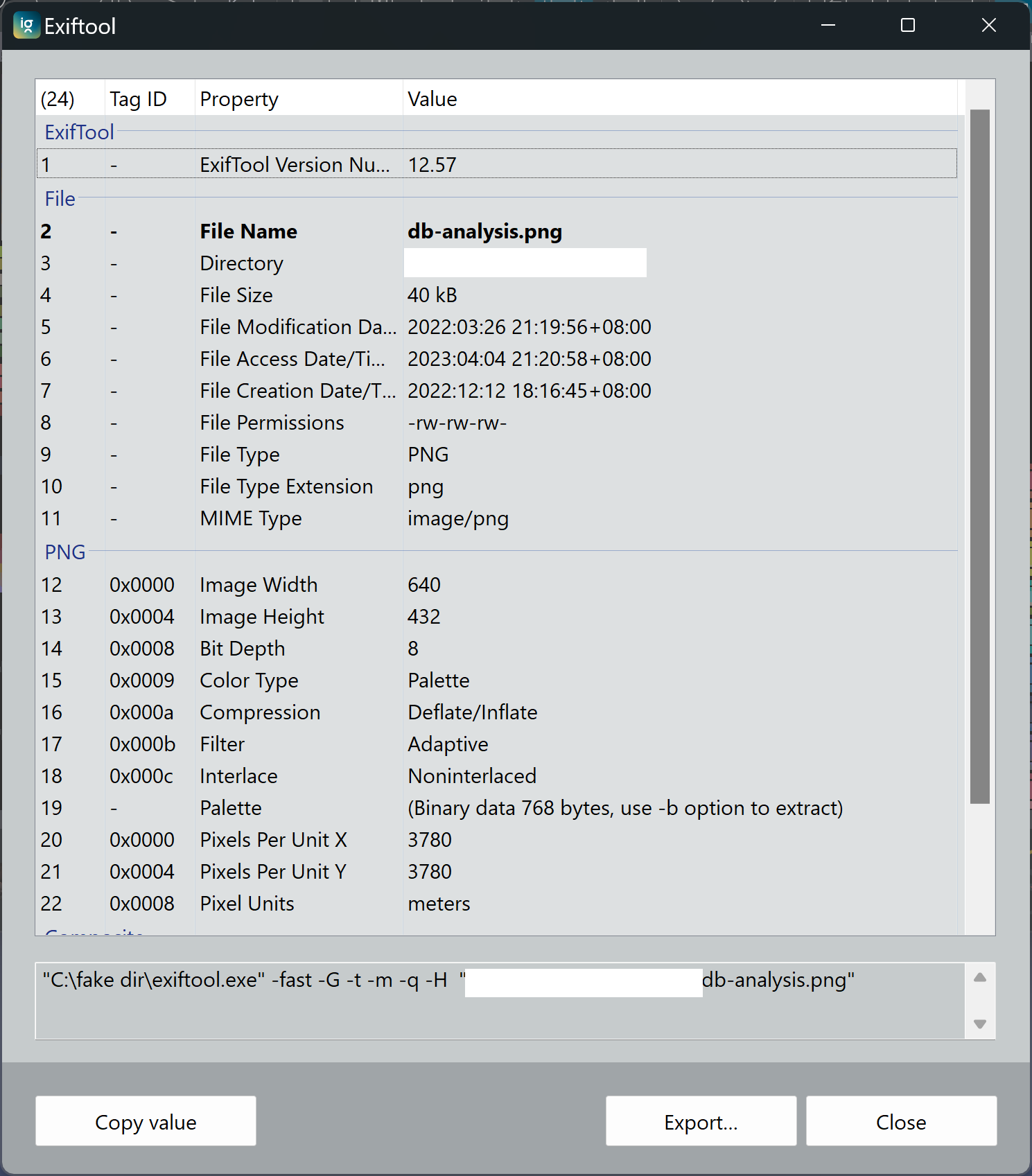
THe Exiftool should look like this:

Hmm I cannot reproduce. Can you attach a video?
THe Exiftool should look like this:
Of course, this is what happens...
https://i.imgur.com/yyU57Xz.mp4
Thanks @TheWAVs
- Can I check with you your screen DPI scaling? You can see how to check here: https://www.top-password.com/blog/change-dpi-scaling-settings-in-windows-10/
- Can you try using Repair button from the MSI installer?
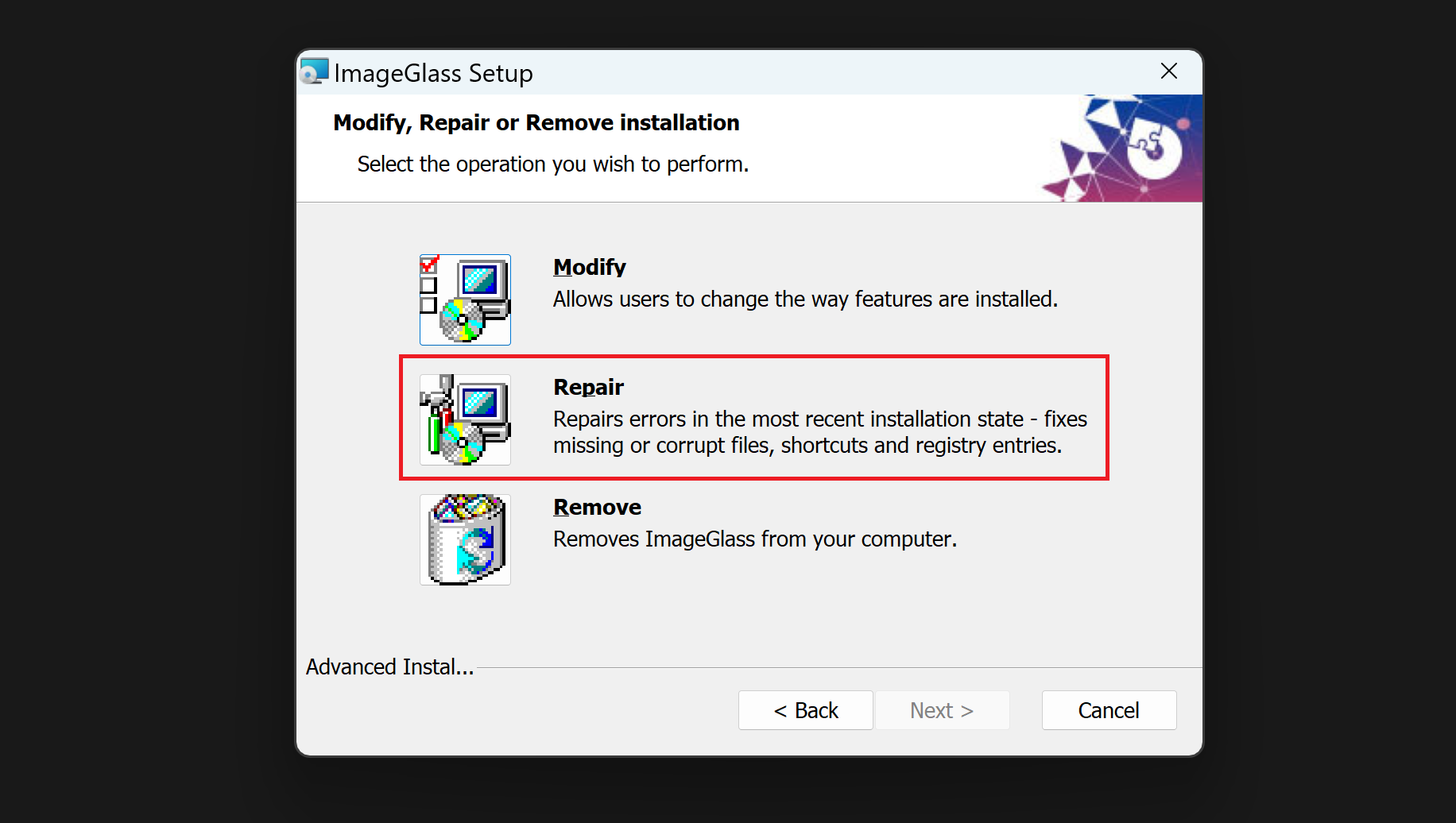 or in Program and features:

Thanks @TheWAVs
- Can I check with you your screen DPI scaling? You can see how to check here: https://www.top-password.com/blog/change-dpi-scaling-settings-in-windows-10/
- Can you try using Repair button from the MSI installer?
- Can I check with you your screen DPI scaling?
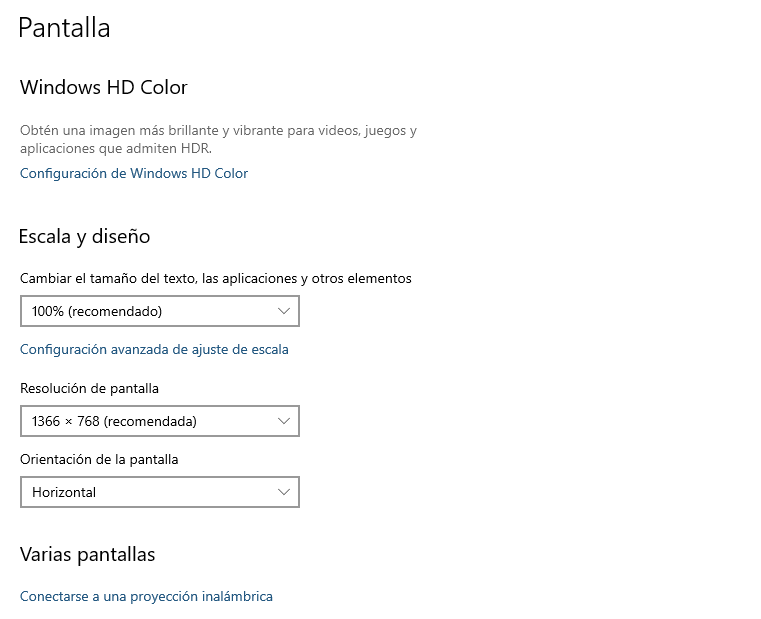
- Can you try using Repair button from the MSI installer? I already tried.

I had the same problem about a year ago, this error is unbearable, so I have been using ImgeGlass only as a spare tire for other picture viewing software, but I have been paying attention to its development, recently downloaded V8.10, still have the same problem, looking through the "Issues" found the same problem, it was verified that this problem was briefly solved in V8.7, but it appeared again in later versions, is it ImgeGlass later Going downhill, the problem arises again! The developer's head is puzzling! Sometimes I really want to beat them up when I'm cranky, haha...
