cyberark
Server 2008 PowerShell v5.1 does not work
Summary
For your information:
- The winver is Windows Server 2008 R2 SP1, Ver6.1 (7601). And I've updated the .Net so the PowerShell version now is 5.1.
- The Server 08 is not in the Domain .
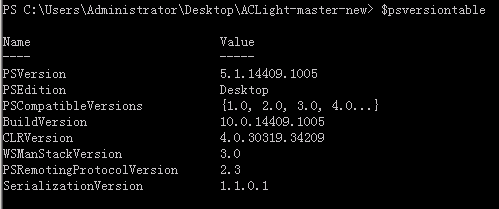
What I want to do is to execute the script on a machine that is not in the target domain . So I played a tricky way:
-
Configuring the dns of the server 08 to point to the target DC.
-
Using cmd and execute: c:> runas /netonly /user:xxx.com\username powershell
-
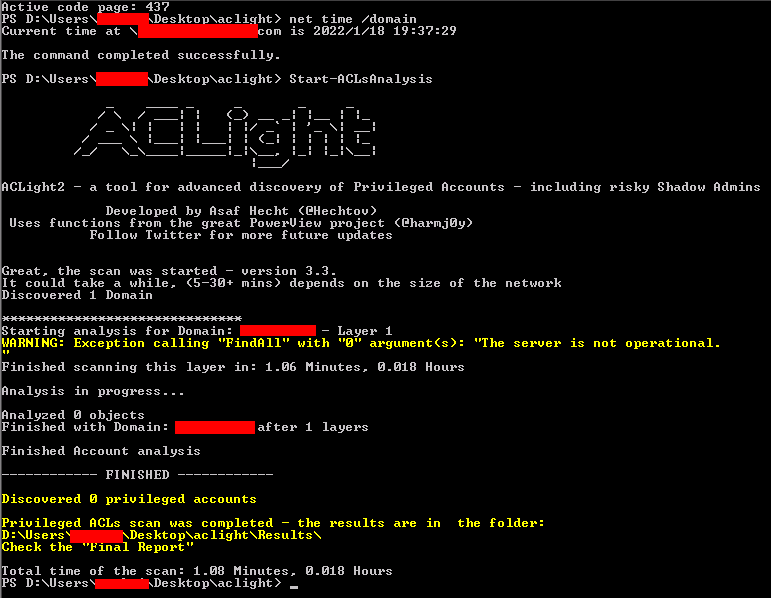
now I have a domain user powershell, then: PS c:> import-module aclight2.psm1 PS c:> Start-ACLsAnalysis
Unfortunately, I got some error...

And the script was tested successfully on a Windows 10 which is in the domain.
Please check this, Thanks a lot.

Tested fail on a Windows 10 that is not in the domain, clearly it must be executed on the machine that domain joined.
Tested failed on a Server 08 that is domain joined.... the error reported 'the server is not operational'