cvzi
cvzi
[Feature Request] Editing the photo on the go
When you already take the screenshot, you got directed to the edit section of the app where you can crop or add some drawing. You can see the example here : https://play.google.com/store/apps/details?id=com.jbs.util.takescreen&hl=en_US&gl=US

I will check if there are any open source photo editor libraries that could be used. Programming this from scratch would be a lot of work and any photo editor app can already do it.

I think it would be possible to directly open another image editor app with the screenshot file after a screenshot was taken.
Then there could be an option in the settings:
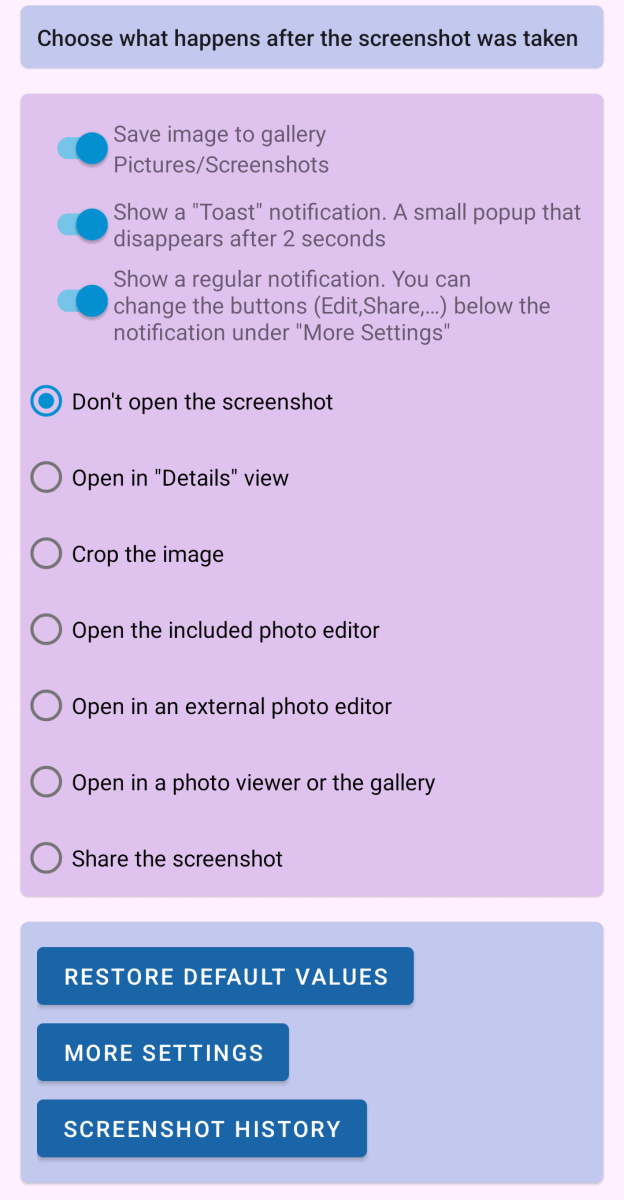
Action after screenshot
- Show notification
- Do nothing
- Open app XY to edit image
I will check if there are any open source photo editor libraries that could be used.
@cvzi Please take a look at this library https://github.com/burhanrashid52/PhotoEditor (MIT licensed)

This library seems to be very easy to add, but it doesn't have a crop/scale function 😐
I will try to add the library anyway. It doesn't seem to be easy to add a crop function into that library but maybe I can add a separate crop function to the app