

 custom-cards
State template to replace state
Is your feature request related to a problem? Please describe. My initial motivation was to replace "unavailable" provided by entity with "N/A" string which is just shorter.
I thought I can use state templates. State templates allows to modify a lot of card elements including state color or content of label and name. What is missing is affecting value of displayed state.
Describe the solution you'd like Add "state" feature to state templates https://github.com/custom-cards/button-card#State. State could be modified the same way as other attributes, like label or name.
It has all benefits against alternative described below.
Describe alternatives you've considered I know I can achieve that by using label instead of the state but it brings several inconveniences:
- needs of changing css grid definition and related stylying to display label section instead of state section
- creating label content based on the entity assigned to the card doesn't work for nested custom button cards (impossible to use entity object since it refers to most parent card entity)
Additional context
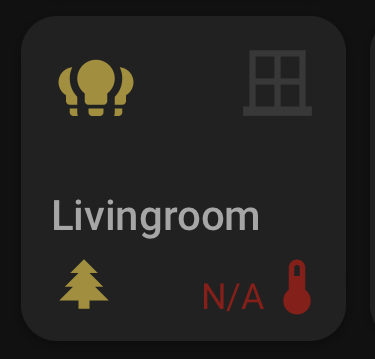
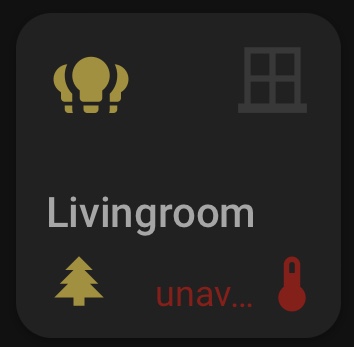


Yes indeed. But still with limitation, that entity must be explicitely referenced by name (otherwise it doesn't work for nested custom button cards) see this issue. This is why using state template would be nicer/easier. Especially when using card templates (I know I can exploit template variables for that but it's rather ugly workaround raher than solution). On the other side, looking at features of state template, it begs for extending them with ability of manipulation of state displayed content.
No, entity.state contains the state of the entity associated to the button. No need to reference it by name.
...unless I need to use entity.state in js template of a custom button card embeded into another custom button card. Then entity.state references entity assigned to most parent card, instead of the current card. You confirmed this behavior in mentioned issue #389.
For that, the solution is in this comment. Use a template also for the nested card and it will work.
Yes I know this workaround. Still thinking that extending state templating with this missing bit would be nice and helpful.
thank you
I won't make an exception only for state, sorry.
What exception do you mean?
The state template allows to setup styles of all card elements including state. It provides option to set content of a label and a name.
It actually makes the only exception by not allowing to modify content of displayed state.
That is with state_display and it works similarly to label and name. I don't know what you want more.
That is with
state_displayand it works similarly tolabelandname. I don't know what you want more.
The point is, that state template provides operators and values to compare to the current state of assigned entity. It's the way how things on card can be manipulated without need of referencing exact entity name.
All other options, incl state_display requires to reference the entity by name. I would like to use it like this:
card:
  type: custom:button-card
  entity: sensor.livingroom_temperature
  state:
    - operator: '=='
      value: unavailable
      state: 'N/A'
      styles:
        state:
          - color: red
        icon:
          - color: red
And then I can easily transform it into templates:
button_card_templates:
  err_handling:
    state:
      - operator: '=='
        value: unavailable
        state: 'N/A'
        styles:
          state:
            - color: red
          icon:
            - color: red
card:
  type: custom:button-card
  template: err_handling
  entity: sensor.livingroom_temperature
You have to agree that this syntax is way cleaner and less confusing than passing objects through template variables, jugging with JS code etc
Ok, state_display is not available to override in the state array. I'll add this. But you can always do this instead:
button_card_templates:
  err_handling:
    state_display: '[[[ return entity.state === "unavailable" ? "N/A" : undefined ]]]'
    state:
      - operator: '=='
        value: unavailable
        state: 'N/A'
        styles:
          state:
            - color: red
          icon:
            - color: red
card:
  type: custom:button-card
  template: err_handling
  entity: sensor.livingroom_temperature
Actually, state_display is supported in state if you download the latest beta version of button-card. I forgot that :D