

 creecros
Plugin does Nothing.
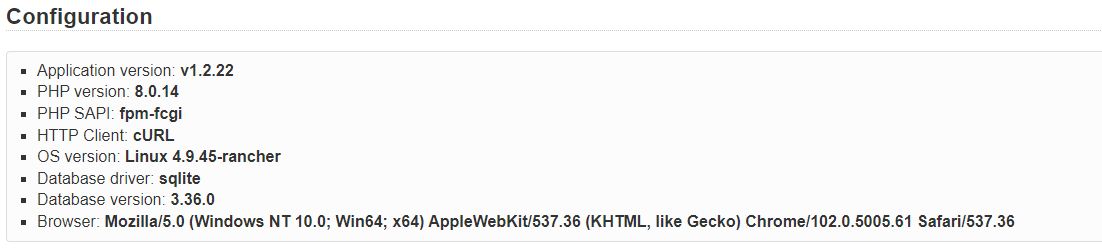
MyConfiguration
- KANBOARD Application version: 1.2.22 on all-inkl.com
- PHP version: 7.4.28
- PHP SAPI: fpm-fcgi
- HTTP Client: cURL
- OS version: Linux 4.15.0-177-generic
- Database driver: mysql
- Database version: 5.7.37-nmm1-log
- Plugins: Wiki, ProjectInvitation, MarkdownPlus and Task2pdf
- Browser: **SeaMonkey **(Mozilla/5.0 (Windows NT 10.0; Win64; x64; rv:68.0) Gecko/20100101 Firefox/68.0)
STR
- Launch KANBOARD in Browser
- After having logged in to my Test Board as Project Owner or with this user login data:
- Open a Task
- Click Create PDF at the left » Expected: some PDF creation » Actual: Nothing, white page appears in Browser 😥
Additional info
a) Same with FF 103.0a1 (2022-06-04) (64-Bit) and Chromium Version 97.0.4692.71 (Offizieller Build) (64-Bit) b) A little different with Chromium 97.0.4692.71 (Offizieller Build) (64-Bit): Error message "Diese Seite funktioniert nicht. tickets.kanban.bielefeldundbuss.de kann diese Anfrage momentan nicht verarbeiten. HTTP ERROR 500

try an older version, it was recently updated for php 8, and I see you are on php 7.4
also, make sure you install using the zip files in the release, not from the release repo. the zip file I created specifically for the release.

try an older version
Your recommendation is?
also, make sure you install using the zip files
Unfortunately I don't understand what that might mean ...
I will try, We will see.
use 1.4.0
use the supplied zip, under assets.
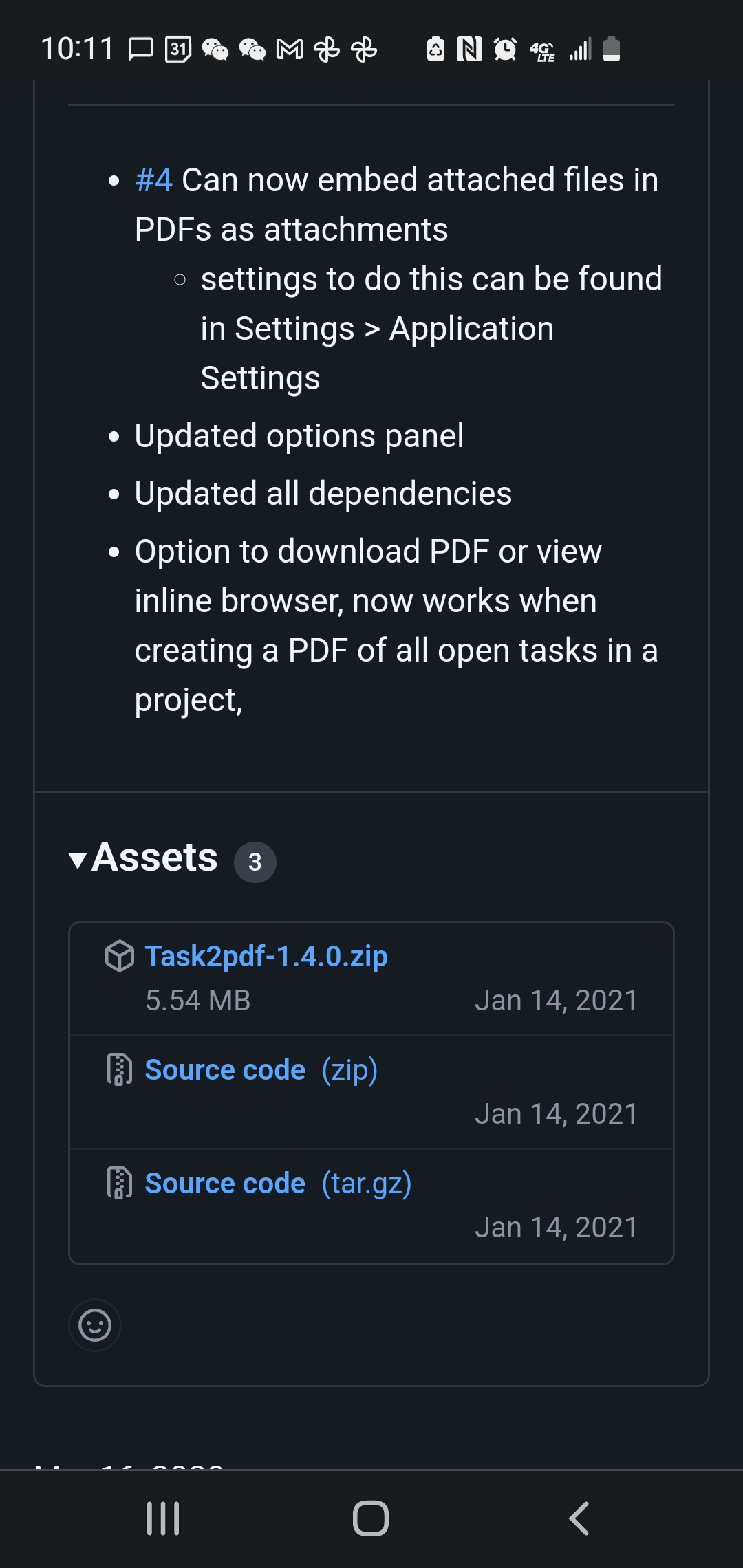
the one labeled "Task2pdf-1.4.0.zip"
We did some tests here with latest Tas2PDF Results. a) Worked for an other KANBOARD user with PHP7
b) I updated my server to PHP8 AND removed and reinstalled (by FTP-Transfer) Latest Task2PDF Now it works. Due to (a) I think that not PHP was the problem, but may be the fact that during my first ftp transfer I had an error message "file already at target ...". I coninued with "skip". May be that caused a damaged installation.
But I see a remaining problem.
For 1 of the Tasks I tested Task2PDF fails. Normally after 1 secondor so a dialog appears "Download or Open?" but for that task nothing happens ...
If you are interested I can try to put a test task to your disposal.
to be honest, if there is an issue, it most likely is in the dompdf repo. I think Ithere was another update over there, but its not a highly active project last I checked. happy to take a look, but generally I'm not much help theorizing, I need error codes to read.
For the Task with the problem my Browser Error Console tells 2 or 3 seconds after I started PDF creation:
Zeitstempel: 07.06.2022, 17:32:21 Fehler: Die Zeichenkodierung des HTML-Dokuments wurde nicht deklariert. Das Dokument wird in manchen Browser-Konfigurationen mit verstümmeltem Text dargestellt, wenn das Dokument Zeichen außerhalb des US-ASCII-Bereichs enthält. Die Zeichenkodierung der Seite muss im Dokument oder Transferprotokoll deklariert werden. Quelldatei: https://tickets.kanban.bielefeldundbuss.de/?controller=PrintTaskController&action=printTask&plugin=task2pdf&task_id=35&project_id=4 Zeile: 0
I'm afraid that's all I can contribute by the moment.
ya thats no help, not looking for console errors. Would need to see server side php errors.
the video is probably the issue. just a guess. you can't print a video and i never took video into account.
No, the reasons are much more simple. We did some additional test with tasks like This one
For some additional details see "Plugin Task2PDF: 'Print open Tasks' does not work"
The core of the problem is the (rather damaged) text contents of the Task Description. Creating a new task with that contents in a different project also causes the problem. After some time there will bea timeout error. Contents see in attached text file, so you can try on an own KANBOARD
For some other projects having problems with "Print Open Tasks" your recommendations indeed brought progress. In Application Settings all radio buttonsfor 'Task2Pdf' where empty / White. After having changed due to your recommendation projects with different problem roots than "TroubleCausingContents.txt" "Print Open Tasks" afterwards worked fine. Strange enough, even after switching all radio buttons to the opposite of your recommendation "Print Open Tasks" still works fine.
I will have to do additional tests with other Projects.
Can you reproduce the problem with "TroubleCausingContents.txt" (which indeed is not a typical Task text contents, of course!)?
I'm only really here for moral support at the time being.
As I dont really maintain my projects unless I have the time, and today, I do not have the time.
I will reopen the issue though. maybe someone else is willing to look into it.
I also recommend you review dompdf issues: https://github.com/dompdf/dompdf/issues
since that is the core of the plugin, and what is actually rendering the pdf. if fixes have been merged recently, a simple composer update will update the vendor library.
Error Log Messages
I have some error log messages here:
- [05-Jul-2022 06:42:39 Europe/Berlin] PHP Fatal error: Maximum execution time of 30 seconds exceeded in /www/htdocs/w0075f62/tickets.kanban.bielefeldundbuss.de/plugins/Task2pdf/vendor/dompdf/dompdf/src/Css/Style.php on line 1219
- [05-Jul-2022 06:54:45 Europe/Berlin] PHP Fatal error: Maximum execution time of 30 seconds exceeded in /www/htdocs/w0075f62/tickets.kanban.bielefeldundbuss.de/plugins/Task2pdf/vendor/dompdf/dompdf/src/Css/Style.php on line 1227
- [05-Jul-2022 06:59:42 Europe/Berlin] PHP Fatal error: Maximum execution time of 30 seconds exceeded in /www/htdocs/w0075f62/tickets.kanban.bielefeldundbuss.de/plugins/Task2pdf/vendor/dompdf/dompdf/src/Frame/FrameList.php on line 33
Seems to underpin your dompdf suspect
I still haven't looked at what exactly you are trying to render, but I do know dompdf isn't perfect. there may be a better renderer by now, im not sure.
Looks like dompdf just released a new version, 2.0.
Change highlights since 1.2.x

Addresses multiple security vulnerabilities (see below)
Modifies callback and page_script/page_text handling (breaking change, see below)
Switches the HTML5 parser to Masterminds/HTML5
Improves CSS property parsing and representation
Improves border, outline, and background rendering for inline elements
Switches installed fonts and font metrics cache file format to JSON
Adds support for the inset CSS shorthand property and the legacy break-word keyword for word-break
Adds "end_document" callback event
Might have some improvement, I will update next chance i get, or go to plugin folder and composer update
No, the reasons are much more simple. We did some additional test with tasks like This one
For some additional details see "Plugin Task2PDF: 'Print open Tasks' does not work"
The core of the problem is the (rather damaged) text contents of the Task Description. Creating a new task with that contents in a different project also causes the problem. After some time there will bea timeout error. Contents see in attached text file, so you can try on an own KANBOARD
Made a PDF just fine?