

 creativecommons
Composer Upgrade failed
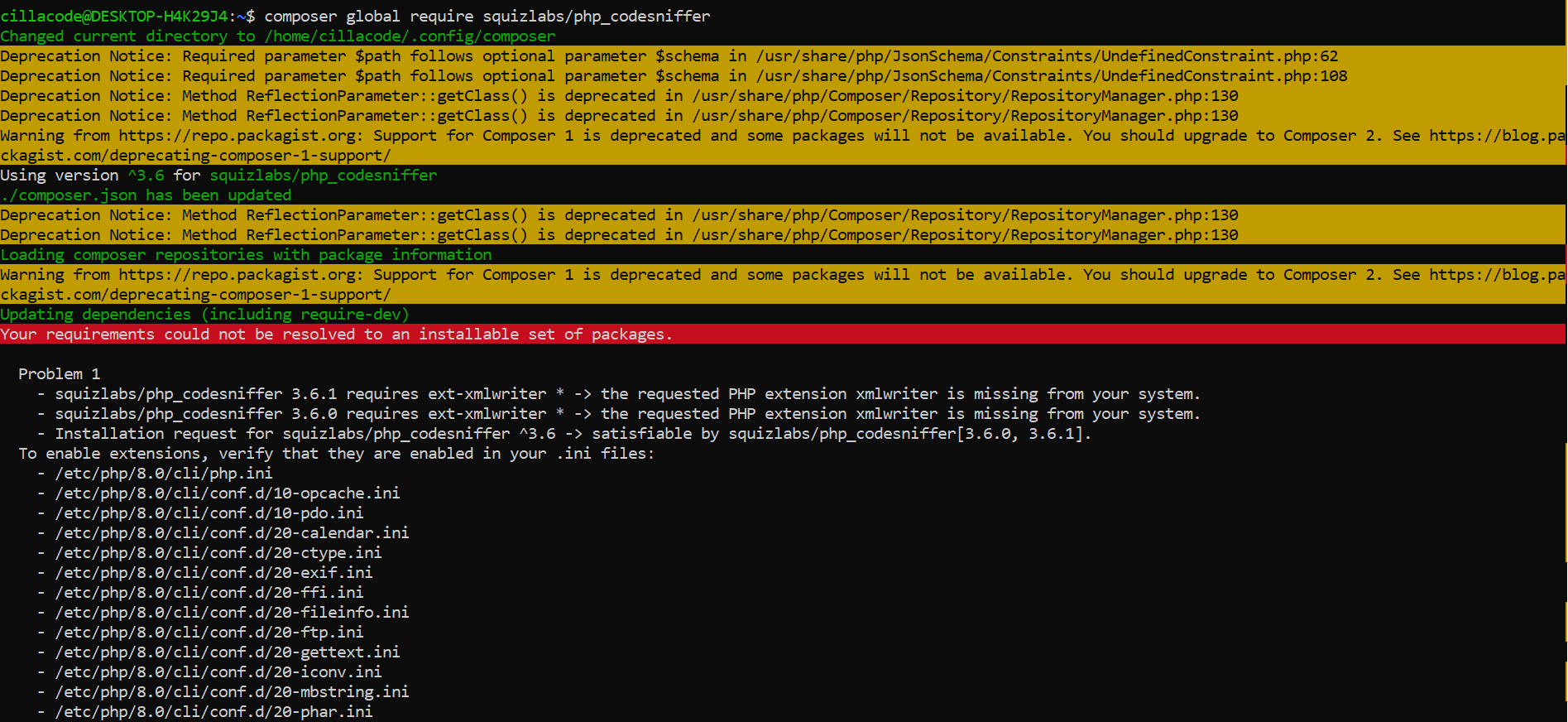
Installing composer on Ubuntu terminal using the command "sudo apt install composer" automatically installs composer 1, next i ran the command to install codesniffer "composer global require squizlabs/php_codesniffer" and got warning message of Composer 1 is deprecated some packages will not be available. ran the upgrade command of self-update --2, and returned self update not a command, then i uninstalled composer and entered the next command option "sudo php composer-setup.php --install-dir=/usr/local/bin --filename=composer" which didn't respond.
- sudo apt install composer
- composer global require squizlabs/php_codesniffer
- self-update --2
- self update not a command
Screenshot

Hello @cillacode
The error suggest that a package is missing from your system.
To install this package run the command:
sudo apt install php8.0-xmlwriter

@possumbilities @TimidRobot This seems to be an issue with user's local environment and not with the plugin itself. Hence I'd suggest to close this issue as it seems to be out of our scope.
