

 creativecommons
[Bug] the `selected` card on load functionality does not always have a card selected by default
Description
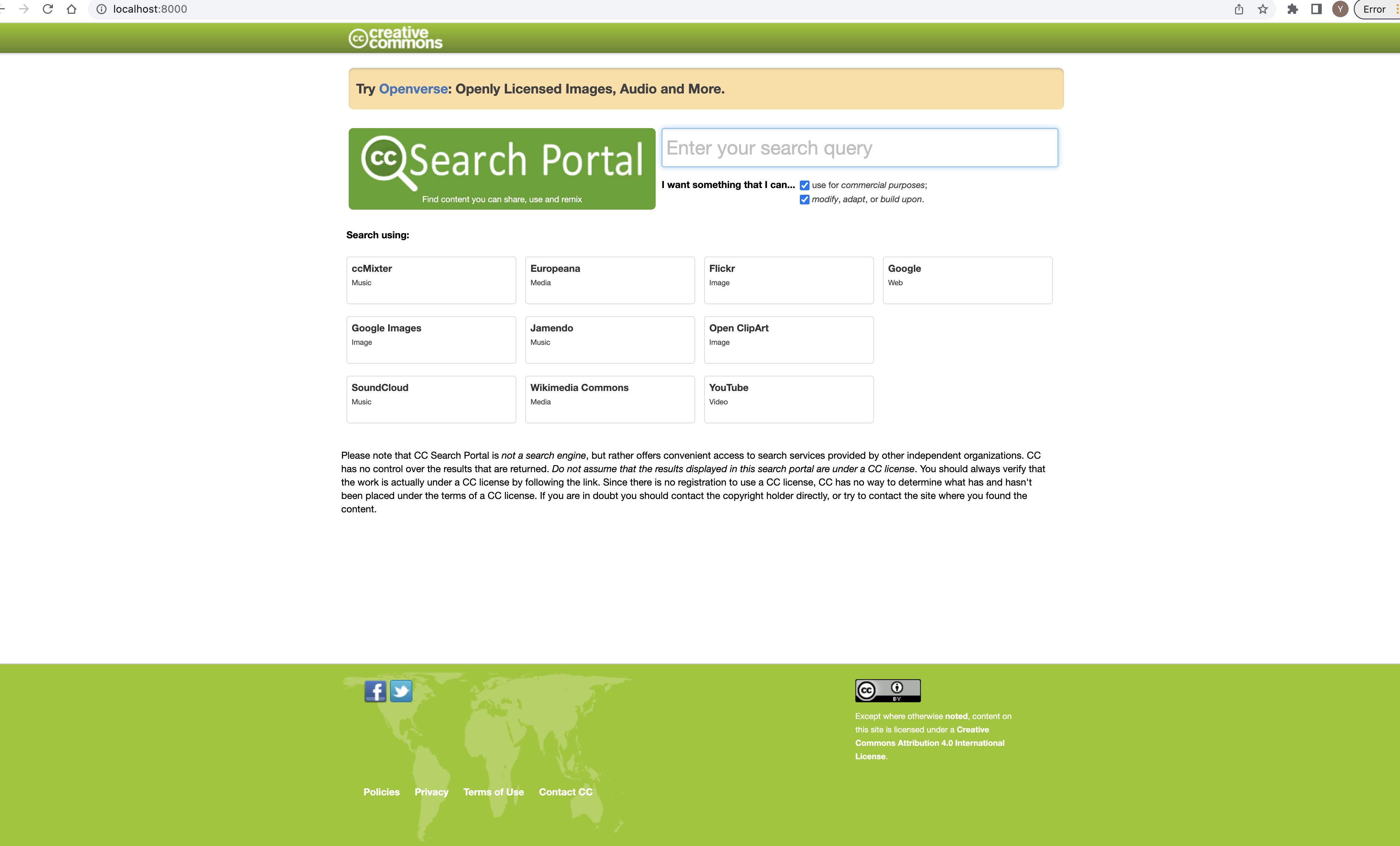
When you run the project, a card is selected by default. There is a usecase where no card is selected when the page loads. This is caused by the fact that the card is randomly selected on load. The functionality for generating the randomly selected card uses the length of the engines to get a number as shown below:
engine = engines[Math.floor(Math.random() * engines.length)];
Since js arrays are zero indexed, the number generated from the function above will be in the range [0 - 10] which is 11 search engines instead of [0 - 9] which is 10 search engines.This will provide a usecase where no card is selected on page load because the randomly generated numer is 10 but there are only 0 - 9 search engines
Reproduction
- Run the project locally
- Reload the project till you find a usecase with no selected card
- See error.
Expectation
On every reload, a card should always be selected.
Screenshots
Here is the usecase with no card selected.
Resolution
- [ ] I would be interested in resolving this bug.


@adetyaz it still does not always select a card. I can still find the usecase where no card is selected. I have also pulled from upstream to make sure I have the updated code but I still see the bug.
Since the numbers are randomly generated, try reloading multiple times
Yes its true, I just experienced it now @JennySimen, after reloading about 5 times.
Can I take a stab at it?
@adetyaz currently, the ticket still has to be evaluated. If the status changes to ready for work, you can ask @possumbilities to assign the ticket to you
@possumbilities please I need help, any changes I make to the search.js file doesn't reflect. I have also tried a console.log and alert yet no indication that there has been any changes on the file.
@adetyaz Hi! I'm sorry you're having trouble, when working locally it is likely that your local cache is not clearing when you change the file. You'll have to clear your browser cache after changing the file to make sure the changes are reflected correctly.

Alright, I'll do that and get back on it. thanks @possumbilities.
Side note: when I make changes to text on the interface it changes
@possumbilities, I still experience the same thing, after clearing the cache and using a new browser
@adetyaz Then, I'd suggest you try the CC Community Slack and ask there, to see if anyone else has had a similar issue, and how they resolved it.
@adetyaz do you have any errors on your console? You can tag me on slack as well so we debug together

@JennySimen yes I have a couple of them
Get to me on to get more insight
@ImaJin14 we already found the source of the bugs and fixed it. You can check the conversation on slack
@possumbilities since there has been no fix for this issue yet can i go on to provide a fix for this or #108 fixes this as well.
Resolved in new site merge: https://github.com/creativecommons/search/pull/206