

 craftcms
[3.x]: Decimal values converts to thousand values on save
What happened?
Description
When saving variants, with example a price of 399,95 (Danish decimal) it saves correctly. If i save immediately again, then the prices gets saved as 39.995 instead. If i then edit back, it saves correctly again. If i then save again it gets converted back to 39.995 again. If i instead of saving reloads the page, the price gets formatted/shown as 399.95 instead of 399,95.
And sometimes it always converts the 399,95 to 39.995, and sometimes it doesn't.
Is stored in the database as 39995.0000, and it even changes decimal character.
If i change my formatting to "English" it always saves correctly.
The craft solution, is running on a AWS Elastic Beanstalk, with sessions controller in Redis and using Docker to setup the server.
Decimal changes on save:
https://user-images.githubusercontent.com/14794642/172320654-22a52f5a-d369-4dd1-8cb5-58a0d435c6f7.mp4
Decimal changes on page reload
https://user-images.githubusercontent.com/14794642/172321964-a73e044b-e8c0-4049-8a8e-44838e143073.mp4
Craft CMS version
3.7.41
Craft Commerce version
3.4.14
PHP version
7.4.29
Operating system and version
Linux 4.14.252-195.483.amzn2.aarch64
Database type and version
MySQL 5.5.5
Image driver and version
Imagick 3.7.0 (ImageMagick 7.1.0-16)
Installed plugins and versions

Additional, on my profile page, the text for dropdowns under preferences changes between english and danish
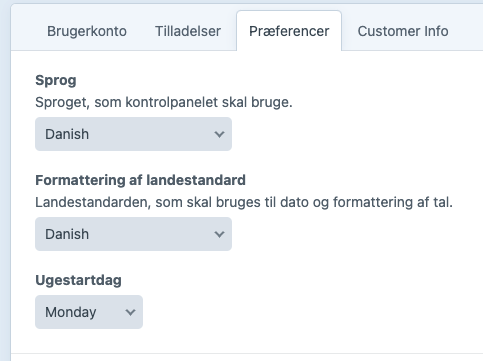
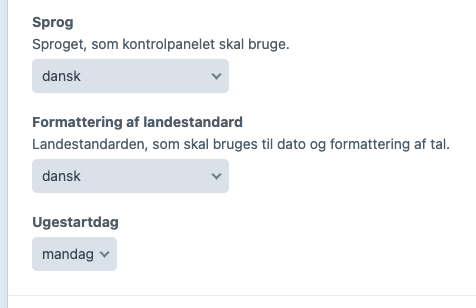
~~I've tested this and able to replicate the issue but not the reloading issue. On latest version of Commerce, the price intentionally ignores comma as a period decimal. Even if you change preference locale to a language that is a comma decimal symbol. So if you add comma it will treat it as a thousand cardinal.~~ https://github.com/craftcms/commerce/issues/2838#issuecomment-1174985888

@pdaleramirez does this mean that user should always write 55.99 instead og 55,99 ?
~@CMeldgaard Actually on Commerce 4 the comma LOCALE as a decimal is supported. You can update to latest version otherwise if you are on Commerce 3 you can input decimal instead of a comma.~ https://github.com/craftcms/commerce/issues/2838#issuecomment-1174985888
@pdaleramirez Okay, I just do not understand why you have chosen to change this - it is by no means user-friendly, for example here in Denmark, and especially when our customers have been used to using commas as a decimal separator since they started using the system.
@CMeldgaard Actually this is a bug. I get inconsistent data when I tested this on different version of Commerce 3. I am not sure what causes the issue. Can you try upgrading to Commerce 4? and see if it resolves the issue for you.
@CMeldgaard Could you try rebuilding your project config? See if that resolves the issue. For some reason when I rebuilt my project config the issue got resolved.