

 cornerstonejs
When multiple layers are added, the magnifying glass sees only one layer of the image
不会英语不好意思,翻译出来的英文。
I downloaded Composite Images on the official example, and then I tried to use the magnifying glass on this example, only to see one layer of Images

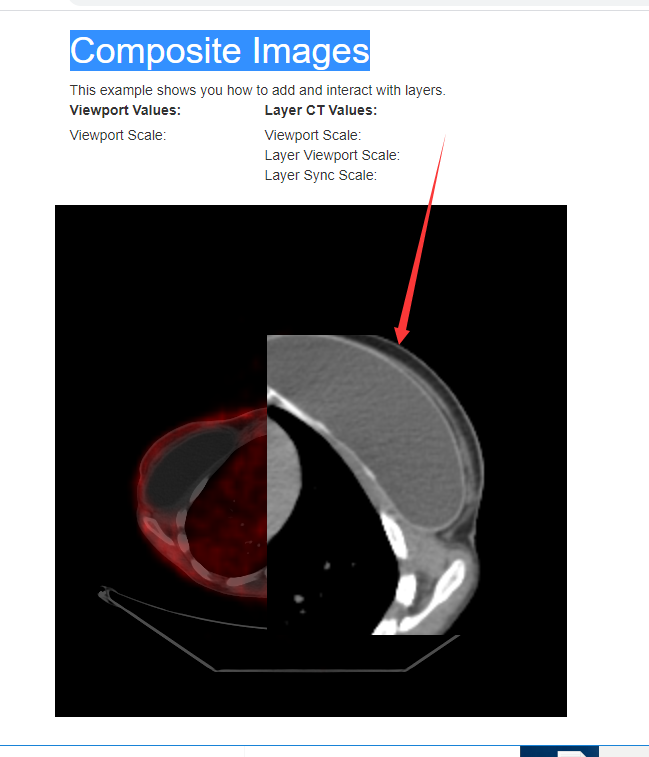
@thisKing, I'm not sure that the magnifying glass has ever supported the ability to show multiple layers. You may need to draft a PR to expand the tool's capabilities, or author a 3rd party tool.

@thisKing,我不确定放大镜是否曾经支持显示多个图层。您可能需要起草一份PR来扩展该工具的功能,或创作一个第三方工具。
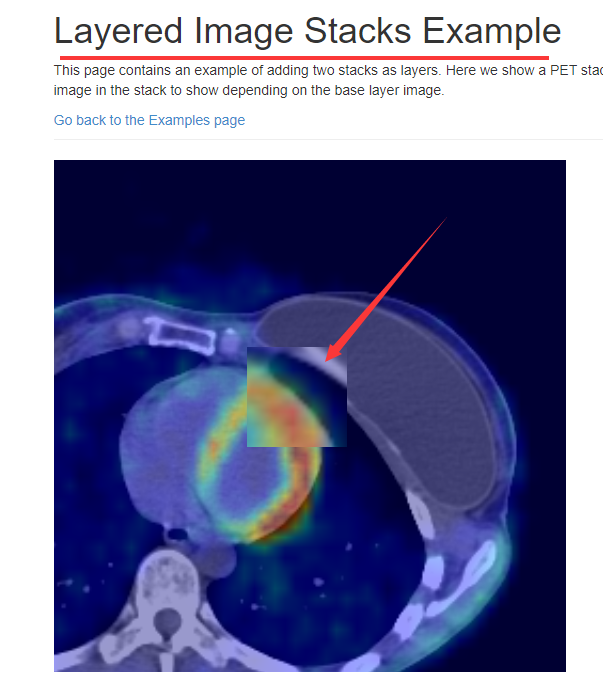
The examples I saw in version 2 support multiple layers.
Ah! Good find. Any information you can provide to help pinpoint what's causing the issue would be great. I'll shift this to a verified bug.
I want to see an example for "Layered Image Stacks Example", but couldn't find. Can you provide me a link?

Hi @dannyrb @thisKing @qkreltms, I have a small question to see if someone can help me. How could I load more than one image in the layers, is it a stack of images for each layer? And thus to be able to scroll with synchronization. Since by default addLayer only allows one image.

嗨@dannyrb @thisKing @qkreltms, 我有一个小问题想看看是否有人可以帮助我。 我怎么能在层中加载多个图像,每一层都是一堆图像吗?从而能够同步滚动。 因为默认情况下 addLayer 只允许一张图片。
toool FusionRenderer let renderer = new cornerstoneTools.stackRenderers.FusionRenderer();
This is multiple stack fusion rendering. The FusionRenderer internal use setLayerImage switch images, it has a bug after change the activation layer (cornerstone. SetActiveLayer) rolling images, reverted back to the activation layer. That is, the activation layer cannot be set properly