

 corecoding
Check if dGPU is awake before polling
Has this issue been covered in the Wiki?
- [X] I have read the Wiki and my issue is not covered.
Is there an existing issue reported already?
- [X] I have searched the existing issues, it does not exist.
Describe the new feature you would like
hi, on laptops with dual video cards Vitals keeps the dGPU awake while running. this drains battery.
is it possible to check whether the dGPU is awake before polling it?
or, if not, change the Settings so that disabling the GPU monitoring actually completely stops polling the GPU(s)?
thank you 😊

I don't think there is a way to determine if the GPU is awake. I did just push some code to the develop branch that only queries the Temp, Volt and Fan when they are enabled (turned on). I am hoping this helps.
Can y'all help test it out? The README has instructions on how to test the develop branch: https://github.com/corecoding/vitals/#beta-testing

yes the beta is working correctly. when i disable fan and temp monitoring, the dGPU shuts down. (the "H" icon in this state shows my dGPU is off).
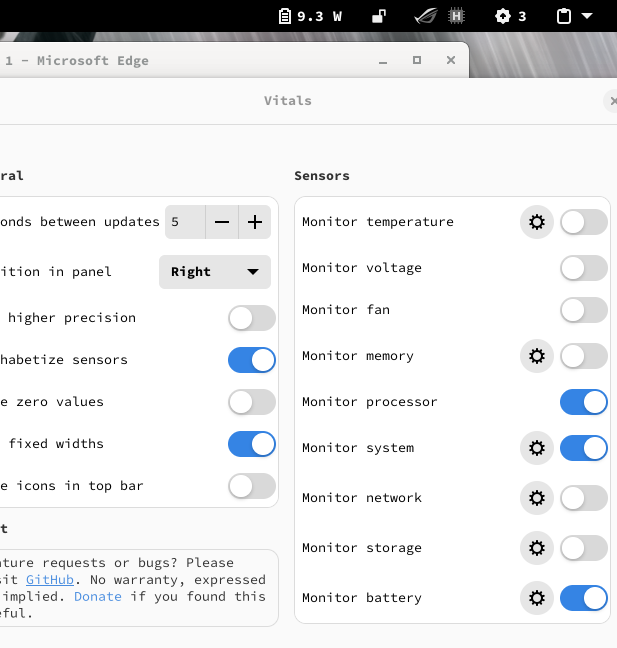
i'll see if there's a way to query the state of the dGPU.
Awesome! Thank you for the quick reply. By chance do you know if any "file" in /sys or /proc that would tell me if your GPU is active without waking it up? This would make Vitals a bit more useful, I'm sure.
yes, you can use an inotify watch on the file path apparently. lemme see if I can work out the path.
hmm, i just asked Luke Jones, the main dev of asus-linux. he says:
The extension will be using gnome libs yes? So in that case udev libs should be available, from there you can scan the pci subsystem, and then:
- look at driver (nvidia or amd)
- or the property "PCI_ID" "10DE:2520", 10DE is the vendor code for nvidia, 1002 is the vendor code for AMD
- property "PCI_CLASS" "30000" is also a good indicator When you find the right udev node, you can get the path from
system_pathThe path with an attribute appended provides the full path to watch with inotifySo system_path gives
/sys/devices/pci0000:00/0000:00:01.1, append an attribute from the list to it likepower_state, then watch that.I do all this in rust so... https://gnome.pages.gitlab.gnome.org/libgudev/libgudev/GUdevClient.html https://gjs-docs.gnome.org/gudev10~165p/
i suppose the other question would be, could you monitor the fans and temp of the dGPU in some way that wouldn't wake it... then you wouldn't have to check if it's awake before you monitor
so i asked Luke this question, and he says
They would use
GUdev.Enumeratorandadd_match_subsystem("pci"). Thenexecute()to get list, and for each dev in that list there is https://gjs-docs.gnome.org/gudev10~165p/gudev.device to check attributes.So
get_sysfs_path()will give the path, append the attribute to watch to that, then use inotify to watch for modification.
does that help at all? 😊
you can monitor files with gio https://gjs-docs.gnome.org/gio20~2.66p/gio.filemonitor