commaai
Oauth client deleted?
Hi,
When I follow your instructions and try to authorize my account, I get the following error:
- That’s an error.
Error: deleted_client
The OAuth client was deleted.
That’s all we know.
Any suggestions?

You are going to need to create credentials for auth:
go to: https://console.developers.google.com/apis/credentials
Click "Create credentials" then "OAuth Client ID"

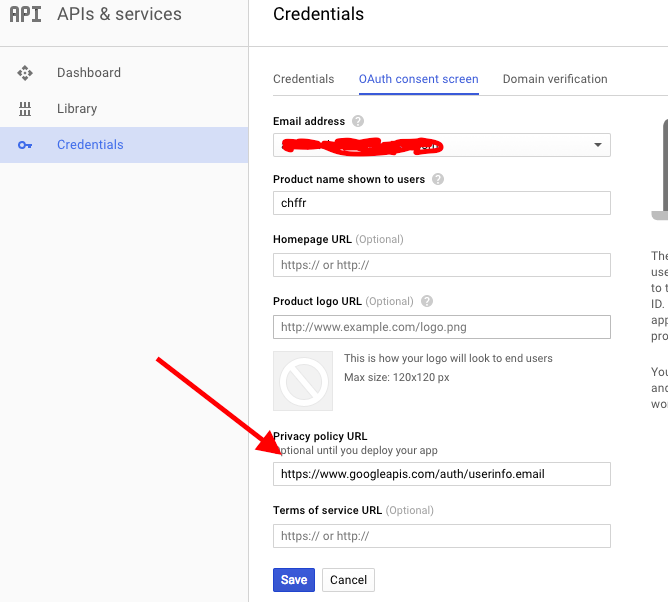
Create an entry for this app's authentication (Only product name needed, example: "chffr")
Then just enter the Client ID and Client Secret inside of the "get_chffr_token.py" file on lines 8 and 9.
Then execute "./get_chffr_token.py", now visit the url provided, click "allow" and code will be presented, then enter this into the terminal.


Thx, it worked after I set up https://www.googleapis.com/auth/userinfo.email as the Privacy policy URL in the OAuth Consent screen tab