

 codota
Auto Import doesn't work when vs code language is not English
please complete the following information:
- OS version: MacOS 15
- Editor version [e.g. 1.45.0-insider]:
- Programming language: ts
- TabNine extension version: 3.4.5
currently, tabnine is checking autoimport by name.
const importStatement = /Import ([\S]*) from module [\S]*/;
const existingImportStatement = /Add ([\S]*) to existing import declaration from [\S]*/;
const importDefaultStatement = /Import default ([\S]*) from module [\S]*/;
const existingDefaultImportStatement = /Add default import ([\S]*) to existing import declaration from [\S]*/;
const importStatements = [
  importStatement,
  existingImportStatement,
  importDefaultStatement,
  existingDefaultImportStatement,
];
but this way can't support multi language. I'm using Vs code in Korean. so this feature is not working.
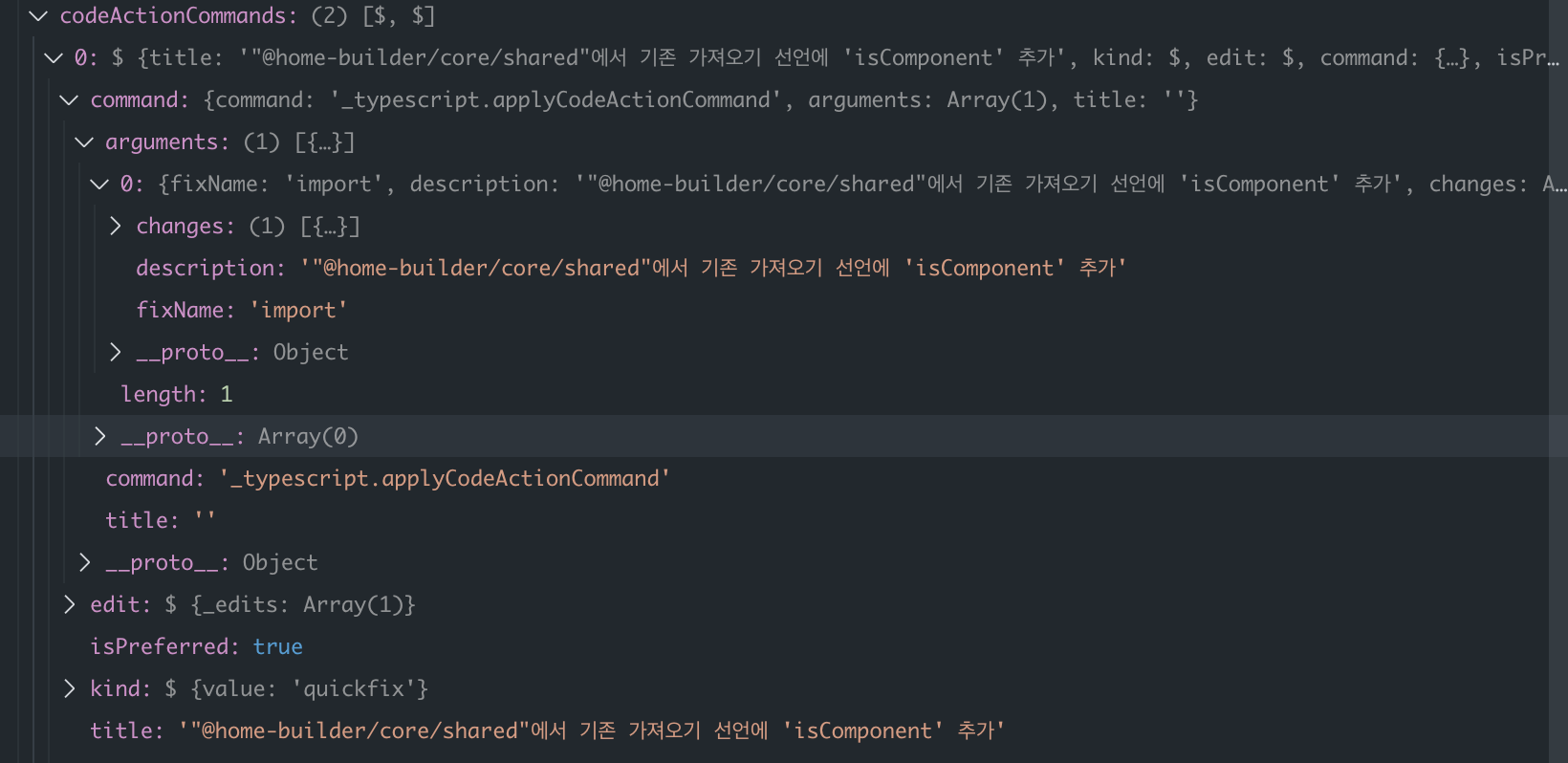
I think this can be solved by using fixName field. It tells code action command is about import.
btw, I love this extension. I hope this problem be fixed soon !
gz#1710

Hey @Jonir227, thanks for using Tabnine and for bringing this to our awareness. We sweep through issues opened here at intermissions. I hope this issue gets some traction so we can prioritise it. Will update here once there's any change of status. Thanks again!

This issue has been automatically marked as stale because it has not had recent activity. It will be closed if no further activity occurs. Thank you for your contributions.
![stale[bot] avatar](https://avatars.githubusercontent.com/in/1724?v=4 "Published by a pub.dev verified publisher")