

 codota
How to remove tabnine recommendations
How to remove, e.g. useless completion like this?

PS: couldn't find the right place to ask (StackOverflow doesn't get any replies either).
OS: macOS Application: VS Code
gz#9644

Hi! In VSCode, you should be able to disable "comments" suggestions by adding the following configuration to your vscode settings.json file:
"editor.quickSuggestions": {
 "other": true,
 "comments": false,
 "strings": true
 },
Does it solve your issue?

That should work for VSCode in general.. I looked online for other options and found this https://github.com/microsoft/vscode/issues/9504 , maybe it can be helpful.
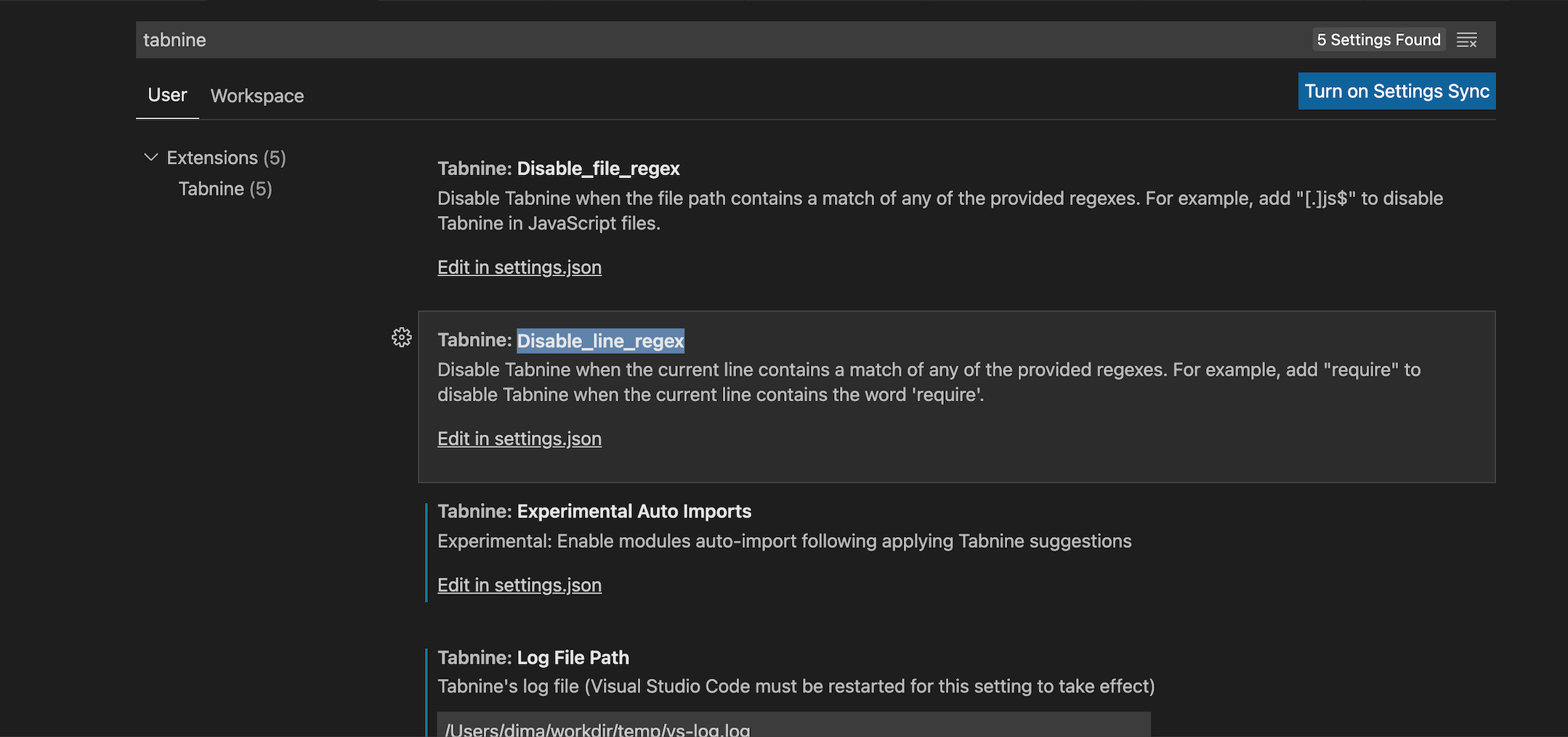
Anyway, You can try disabling Tabnine in lines that contain specific strings.
You need to define Disable_line_regex in Tabnine plugin settings
Every time I'm writing a python function, just after typing "):" I receive this recommendation "\n". I really don't know why and it's very annoying. It would be awesome to be able to tag specific recommendations to don't appear anymore.
This is an example:
def function(param1, param2): "\n"

Every time I'm writing a python function, just after typing "):" I receive this recommendation "\n". I really don't know why and it's very annoying. It would be awesome to be able to tag specific recommendations to don't appear anymore.
This is an example:
def function(param1, param2): "\n"
For me, VS Code was showing suggestions for React code snippets in non-React projects. Below option resolved my issue. Settings > Suggestions > Word Based Suggestions Mode > select "current document" from dropdown.

This issue has been automatically marked as stale because it has not had recent activity. It will be closed if no further activity occurs. Thank you for your contributions.
![stale[bot] avatar](https://avatars.githubusercontent.com/in/1724?v=4 "Published by a pub.dev verified publisher")
There are Tabnine suggestions above each line of code. suggestions: tabnine:test | explain | document | ask Can I turn this off?

