

 codecadwallader
Reorganizing, is way to disable in certain file and/or sections of code?
- Visual Studio version: 2015 Professional
- CodeMaid version: 10.1
- Code language: C#
To have a way to prevent sorting of sections of Fields, Properties, etc with in a file or region, etc. There are some places I need the order to as I coded it, however, at least from my limited use of codemaid, it's an all or nothing thing.
If there is a way to switch off sorting for a specified file or section of code, any help in how to do this would be greatly helpful.

Thanks for the suggestion. Minor point of clarification we call the feature that sorts fields/properties/etc. by access/type/etc. 'reorganizing' and the 'sorting' feature is just a standard alphabetical line sort.
We do not currently have a mechanism to mark a section of code to not be reorganized. This did come up previously on our old Trello backlog here: https://trello.com/c/jGCT68cv
I think creating a file-level exclusion for reorganization could be fairly straight-forward and similar to how we handle cleaning exclusions (see Cleaning->File Types->Exclude). I'm not sure what the best way to annotate sections of code would be though.

I am not very familiar with CodeMaid. How exactly would I exclude a file in the Exclude section. I put the file name in there, but it still seems to clean it and organize it.
Note, that these files are in a different assemble, but in the same solution.
Thanks
Note that it will currently only affect the Cleaning operation, not Reorganizing. This feature request is considered a request to extend that behavior and create a Reorganizing exclusion section.
The entries are parsed as regular expressions. There's a few examples by default and some help text above the label. If that doesn't help let me know your file name and I'll show you what that should look like. In general it would be as simple as "File1.cs"
I found documentation some where her, that if I put the following in my file, it will not reorganized it.
  // <Auto-Generated>
  // This is here so CodeMaid doesn't reorganize this document
  // </Auto-Generated>
This was designed for files that were auto generated, like WSDLs. This is good for me, as it will accomplish what I need done. Hopefully, sometime in the future, there will be a way to section out REGIONS or CODE that we don't want reorganized.
Thanks for the help and guidance.
Perhaps this could be identified as #pragma statements like the Visual Studio compiler:
#pragma warning disable CS1998 // Async method lacks 'await' operators and will run synchronously
with an optional matching re-enable statement or as specific comment styles like ReSharper:
// ReSharper disable alias
So far the <Auto-Generated> does offer as a viable workaround. Though, I would suggest revisiting this topic as this is needed for my projects as well. By marking some of our classes as "auto-generated" does cause confusion is messy. @codecadwallader, I do like your suggestion on 2016-10-13 using the #pragma statements.

I inherited a large, messy codebase. The workaround in https://github.com/codecadwallader/codemaid/issues/317#issuecomment-236163132 is OK as an opt-out way, but I would love a specific opt-in magic string to enable organising and cleaning for files that I choose.

This issue came up when trying to align multiple <Span> elements in one line to remove the space between them which is inserted if they are broken up into new lines.
If I hit save, CodeMaid will break my alignment and thus break my visualization as one can see in the designer.
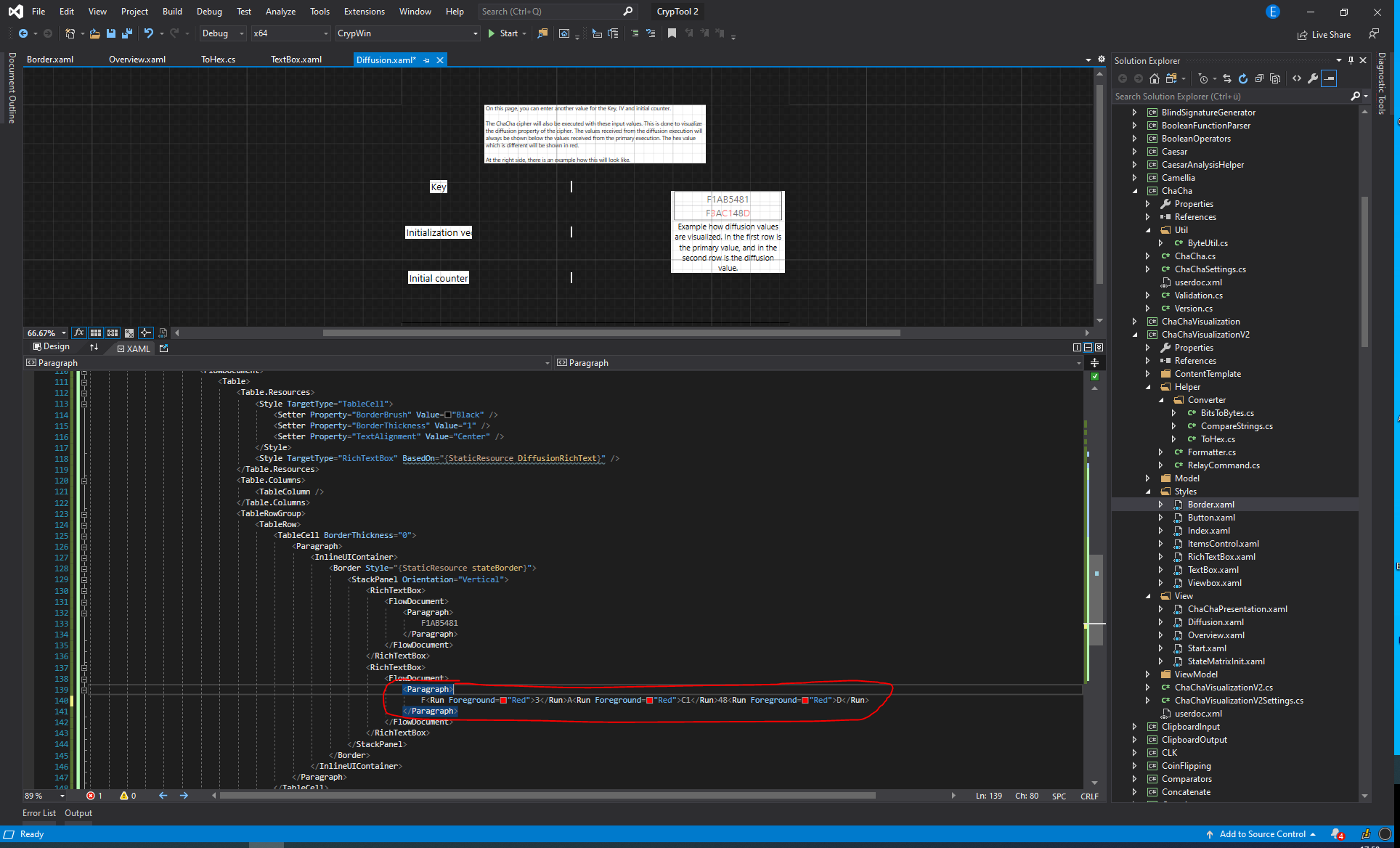
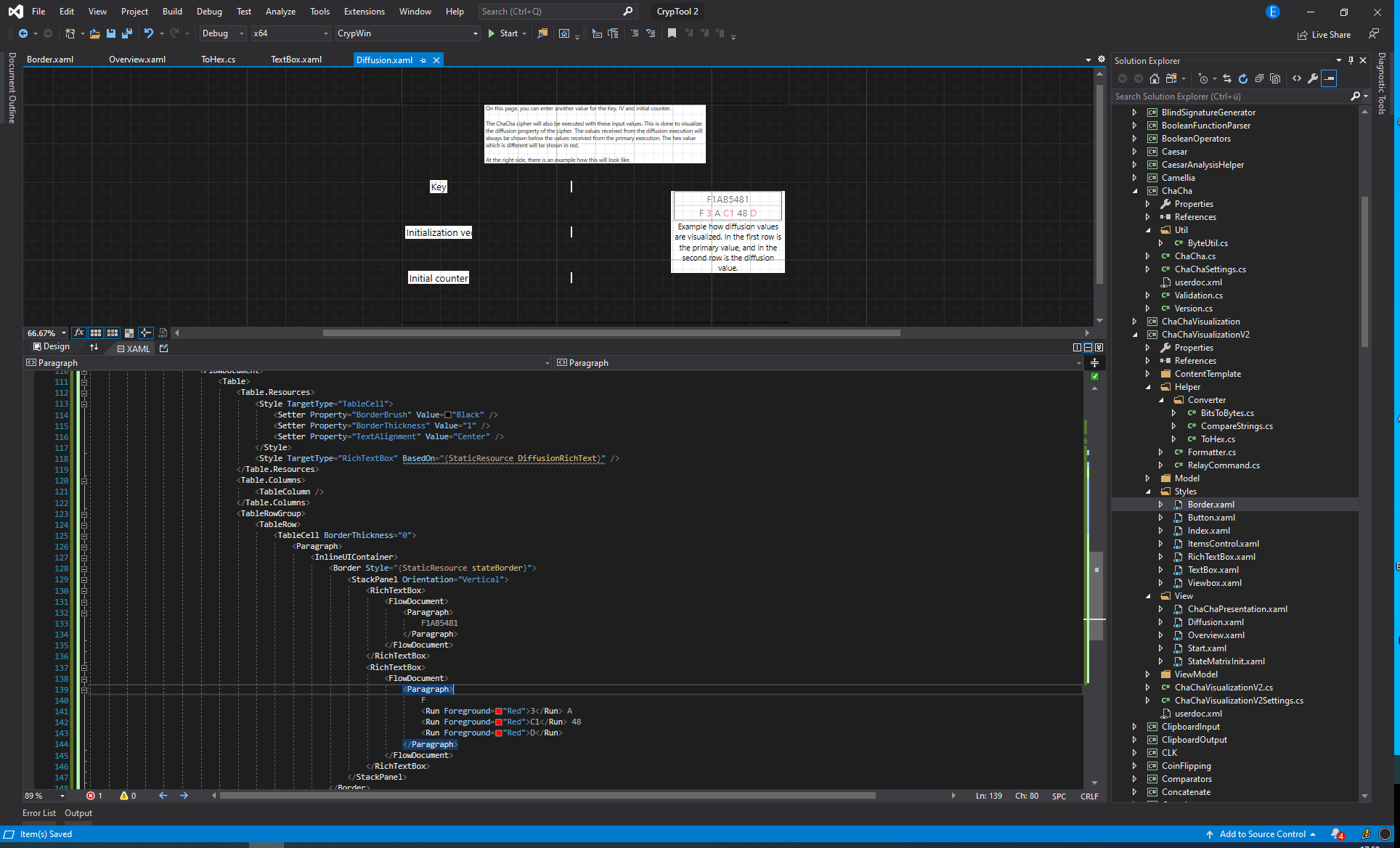
I worked around this issue by adding
<!--
    //<Auto-Generated>
    //This is here so CodeMaid doesn't reorganize this document.
    //</Auto-Generated>
-->
to the beginning of my file.

@ekzyis I believe the indentation is coming from Visual Studio's native formatting (which CodeMaid invokes). If you run Edit->Advanced->Format Document do you see the same behavior? Likewise we are not explicitly looking for an Auto-Generated tag like you mentioned and that is probably coming from Visual Studio's native handling as well.
If I run Edit>Advanced>Format Document, this:
<Paragraph>
    F<Run Foreground="Red">3</Run>A<Run Foreground="Red">C1</Run>48<Run Foreground="Red">D</Run>
</Paragraph>
becomes this:
<Paragraph>
    F
    <Run Foreground="Red">3</Run> A
    <Run Foreground="Red">C1</Run> 48
    <Run Foreground="Red">D</Run>
</Paragraph>
while still having this
<!--
    //<Auto-Generated>
    //This is here so CodeMaid doesn't reorganize this document.
    //</Auto-Generated>
-->
as a header. So I assume that invoking that command manually makes VS ignore that header.
Since this is exactly the same format as when auto-formatting with CodeMaid, I agree that this formatting probably comes from Visual Studio formatting rules and not from CodeMaid, so I am sorry that I wrongly accused it of breaking my code :D
I'll see if I can find some formatting rules which will resolve this issue without that header.
--- UPDATE
Seems like VS does not provide many options for formatting :( So I think I am stuck with no formatting for this file if I don't want to break my Inline elements into new lines
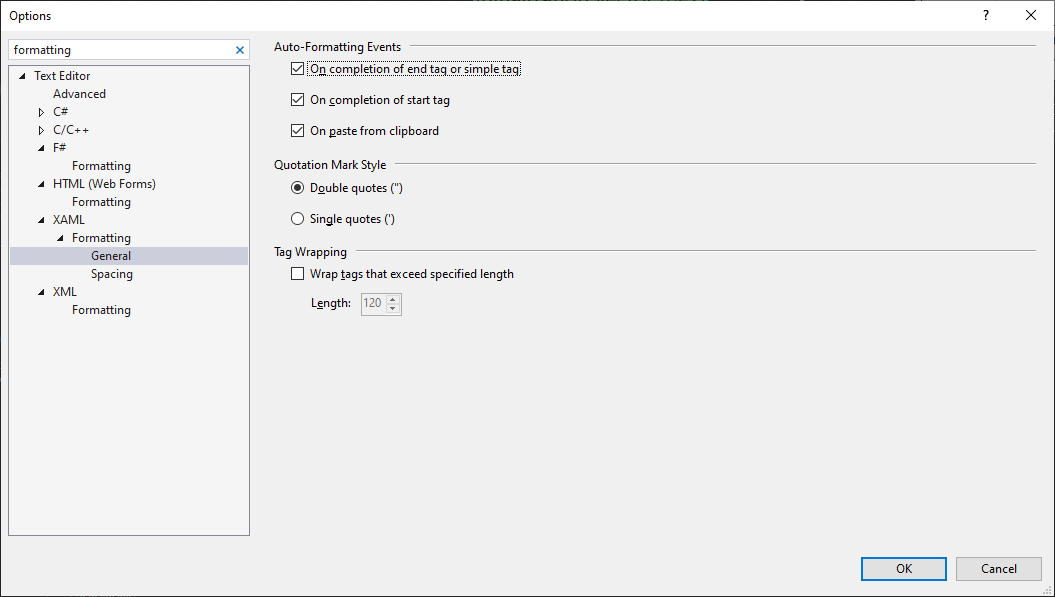
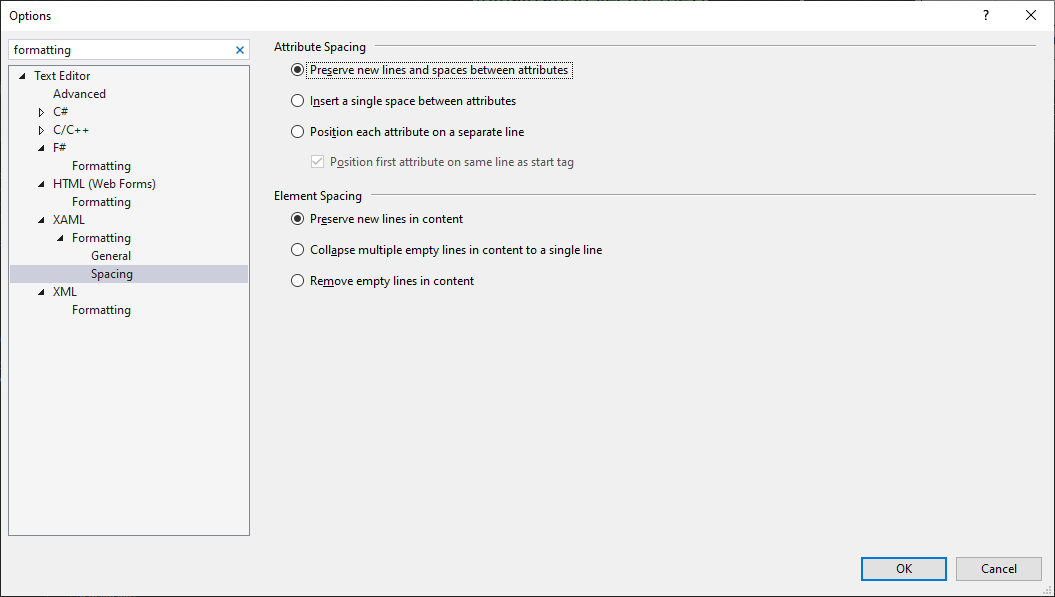
Perhaps this could be identified as
#pragmastatements like the Visual Studio compiler:
I would like to see an [ExcludeFromSorting] attribute to exclude specific properties/methods and #pragma to exclude sections of the file/code.

I noticed that if the file contains the text <Auto-Generated> the whole file will be ignored and won't be formatted. Even if you put </Auto-Generated>. So that might be an unexpected behavior for someone.
