
Deep-Research-AI-Agent
 Deep-Research-AI-Agent copied to clipboard
 codebucks27
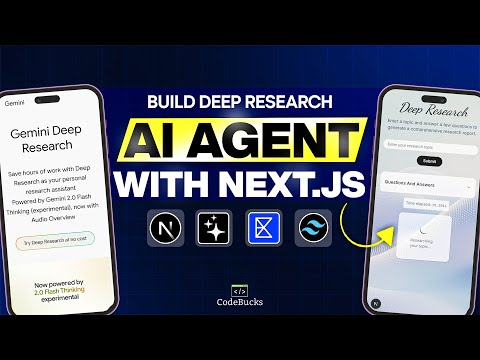
Build a powerful Deep Research AI agent like Gemini or ChatGPT. Using Next.js, Vercel AI SDK, and Exa Search API, An intelligent system that generates follow-up questions, crafts optimal search querie...
Build Deep Research AI Agent with Next.js, Vercel AI SDk and LLMs like Gemini, Deepseek & Gpt-4o
A powerful Deep Research AI agent like Gemini or ChatGPT. Using Next.js, Vercel AI SDK, and Exa Search API, An intelligent system that generates follow-up questions, crafts optimal search queries, and compiles comprehensive research reports.


If you want to learn how to create it please follow below tutorial👇:
➡ Tutorial Link 💚: Deep research ai agent
If you are looking for old tutorial version please checkout this branch:
Tutorial Version (Old)
🎯 For customised solutions or deployment please contact: https://tally.so/r/wdlj0N
⭐DO NOT FORGET TO STAR THIS REPO⭐

🚀 Key Features
- 🔧 Fully Customizable Research Flow
- 🔍 Adaptive Search Queries
- ⚙️ Seamless LLM Integration
- 💼 Modular Components
- 🌐 Next.js & Vercel AI SDK
- ♻️ Iterative Research Loop
🛠️ Tech Stack
- Framework: Next.js 15 (App Router)
- Styling: Tailwind CSS, Shadcn UI
- AI Integration: Vercel AI SDK
- LLMs: GPT-4o, Gemini, Deepseel using OpenRouter
- Web Search: Exa Search API
- UI Components: Shadcn
- Language: TypeScript
⚡ Prerequisites
Before you begin, ensure you have:
- OpenRouter API key (or you can use grok or any other LLM providers)
- Exa search API key
🚀 Setup Instructions
1. Clone the Repository
git clone [repo-url]
cd Deep-Research-AI-Agent
2. Install Dependencies
NOTE: When installing the required dependencies, use the
--legacy-peer-depsflag if you encounter any issues with inter-dependent dependencies.
npm install
# or
yarn install
# or
pnpm install
3. Environment Variables
Create a .env.local file in the root directory. Check .env.example for required variables.
4. Start Development Server
npm run dev
# or
yarn dev
# or
pnpm dev
Visit http://localhost:3000 to see your app.
🌟 Show Your Support
Give a ⭐️ if this project helped you!
If you have any question or want a custom build for your business, you can reach out to me via:
- E-mail : [email protected]
- Twitter: https://twitter.com/code_bucks
- Instagram: https://www.instagram.com/code.bucks/
MyChannel: https://www.youtube.com/codebucks My Website: https://devdreaming.com/
Metadata
Owner
 codebucks27
Metadata
Build a powerful Deep Research AI agent like Gemini or ChatGPT. Using Next.js, Vercel AI SDK, and Exa Search API, An intelligent system that generates follow-up questions, crafts optimal search querie...