
gmcadmin
 gmcadmin copied to clipboard
 codeb2cc
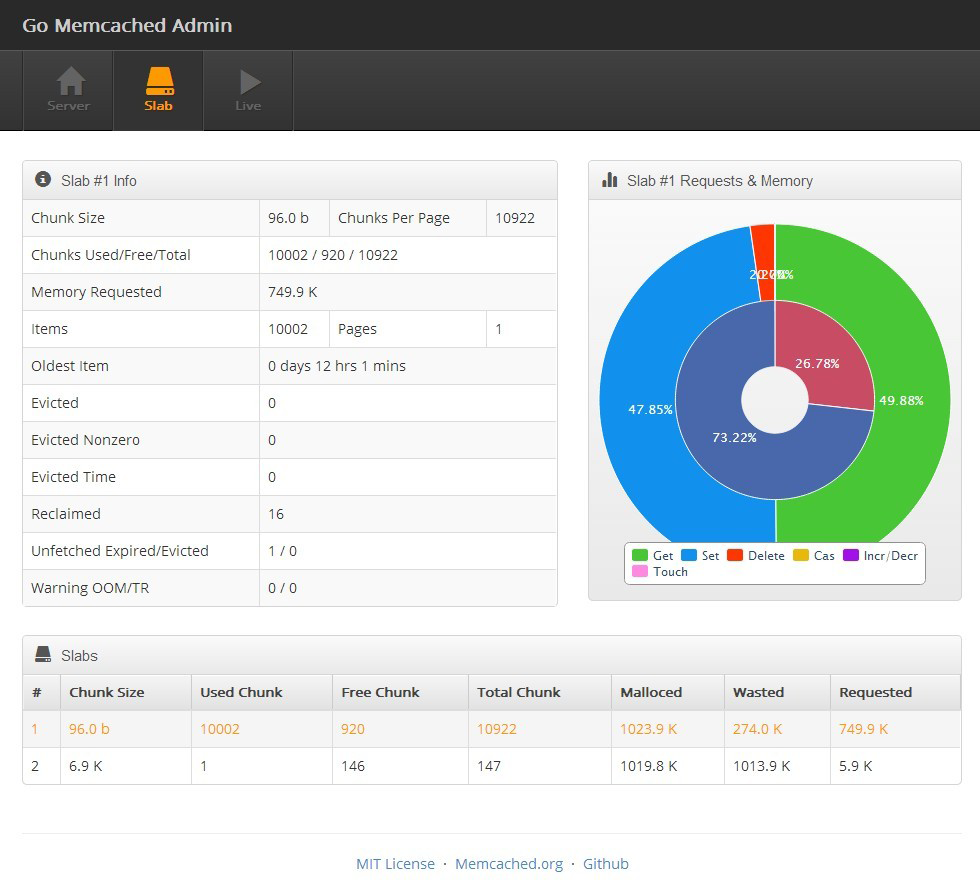
Graphic monitor for memcached powered by Golang


Go Memcached Admin
Graphic monitor for memcached. Powered by Golang.
Installing
Golang and Node.js are required. Use go get to install:
go get github.com/codeb2cc/gmcadmin
gmcadmin uses Revel framework and a forked version of gomemcache:
go get -u github.com/revel/revel
go get -u github.com/revel/cmd/revel
go get -u github.com/codeb2cc/gomemcache/memcache
Use Bower and Grunt to build the web app. Remember to modify the websocket url and other configs in public/src/js/app.js before building.
cd $GOPATH/src/github.com/codeb2cc/gmcadmin
cd public

npm install
bower install
grunt release
All static files go to the public/dist folder. The resources url prefix is /public/. You can move them somewhere else to be better served by Nginx, etc. Check conf/routes for route details.
Before starting the app, you may want to open conf/app.conf and modify the memcached address and listening port. Default is 127.0.0.1:11211 and 8000. To monitor multiple memcacheds, use 127.0.0.1:11211|192.168.1.1:11211. Finally,
revel run github.com/codeb2cc/gmcadmin prod
Update
To update to the lastest code:
cd $GOPATH/src/github.com/codeb2cc/gmcadmin
git pull origin master
Demo
Take a look at HERE
 codeb2cc