

 cobbr
cobbr
[Bug] Dev Branch: Cannot create Listener with SSL Certificate
[Bug|] Dev Branch: Cannot create Listener with SSL Certificate
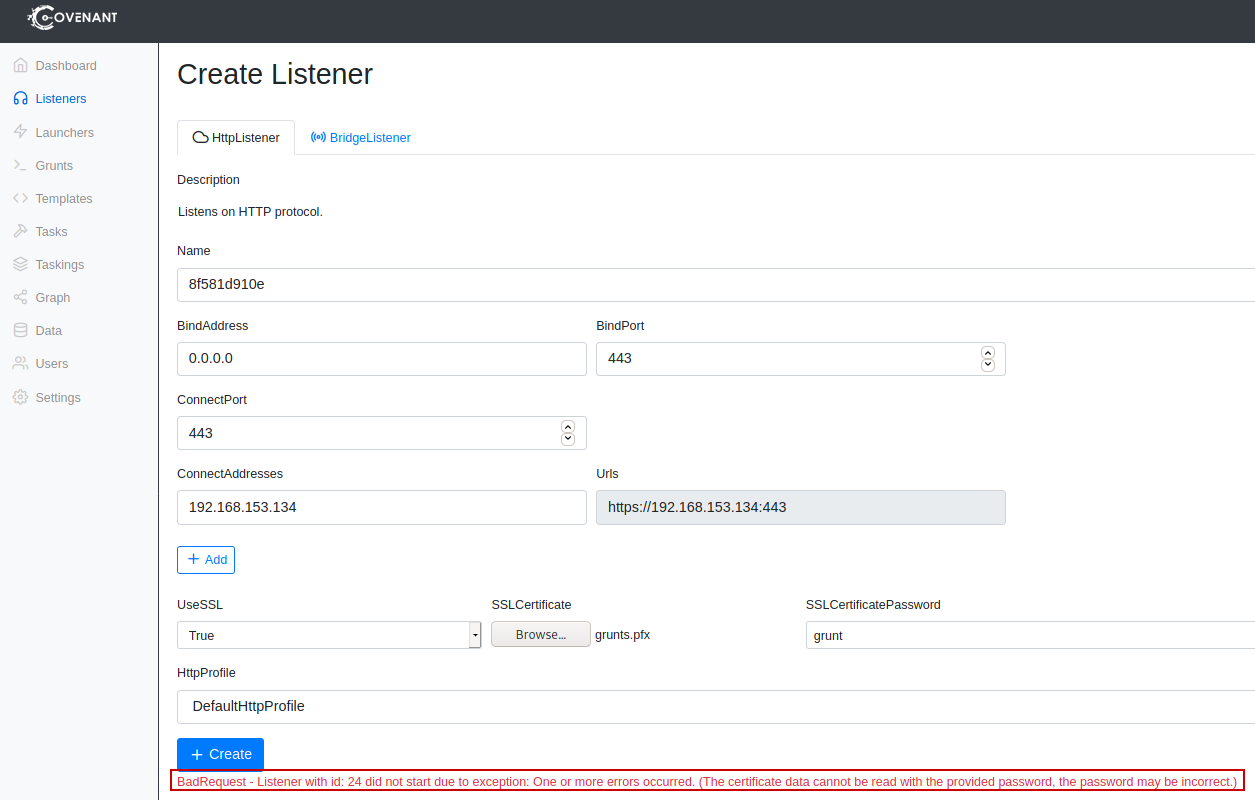
Created self-signed certificate and added to the new listener. Upon creation it errors with the following error:
BadRequest - Listener with id:
did not start due to exception: One or more errors occurred. (The certificate data cannot be read with the provided password, the password may be incorrect.)
Obviously, the password is correct.
This issue is not present in the master branch. I can add cert without errors.
To Reproduce Steps to reproduce the behavior:
- Go to Create Listener
- Click on USE SSL
- Add just created self-signed certificate (in pfx format)
- Add correct password in field SSLCertificatePassword
- See error (screenshot):
Expected behavior Listener starts with self-signed SSL cert
Screenshots
Covenant Server Information:
- OS: Kali
Browser Information:
- Browser Firefox
- Version 78.7
Additional context
Steps to create self-signed cert:
openssl req -new -newkey rsa:4096 -days 365 -nodes -x509 \ -subj "/C=US/ST=TX/L=AU/O=GruntInc/CN=grunts.com" \ -keyout grunts.com.key \ -out grunts.com.crt && \ cat grunts.com.key grunts.com.crt > grunts.com.pem
Creates PFX file with a password:
openssl pkcs12 -export -out grunts.pfx -inkey grunts.com.key -in grunts.com.pem -certfile grunts.com.crt

I've looked into this, and it seems that this is caused by the dev branch using .NET 5 and the master branch using .NET 3.1 (not 100% sure on the versions). When googling the error, I found the following issue from dotnet, showing that in .NET 5, the -certfile parameter should be omitted.
If I try to start a listener with your two commands from the additional context, the listener cannot be started with the same error you got.
With the following two commands, I was able to generate a .pfx file and start a listener with that file:
openssl req -new -newkey rsa:4096 -days 365 -nodes -x509 -subj "/C=US/ST=TX/L=AU/O=GruntInc/CN=grunts.com" -keyout grunts.com.key -out grunts.com.crt && cat grunts.com.key grunts.com.crt > grunts.com.pem
openssl pkcs12 -export -out grunts.pfx -inkey grunts.com.key -in grunts.com.crt
