

 cmderdev
Neovim not working properly in cmder
Purpose of the issue
- [x] Bug report (encountered problems/errors)
- [ ] Feature request (request for new functionality)
- [x] Question
Version Information
Cmder Version: 1.3.18.1106
Windows Version: Windows 10 Pro Version: 10.0.19043 Build 19043
Description of the issue
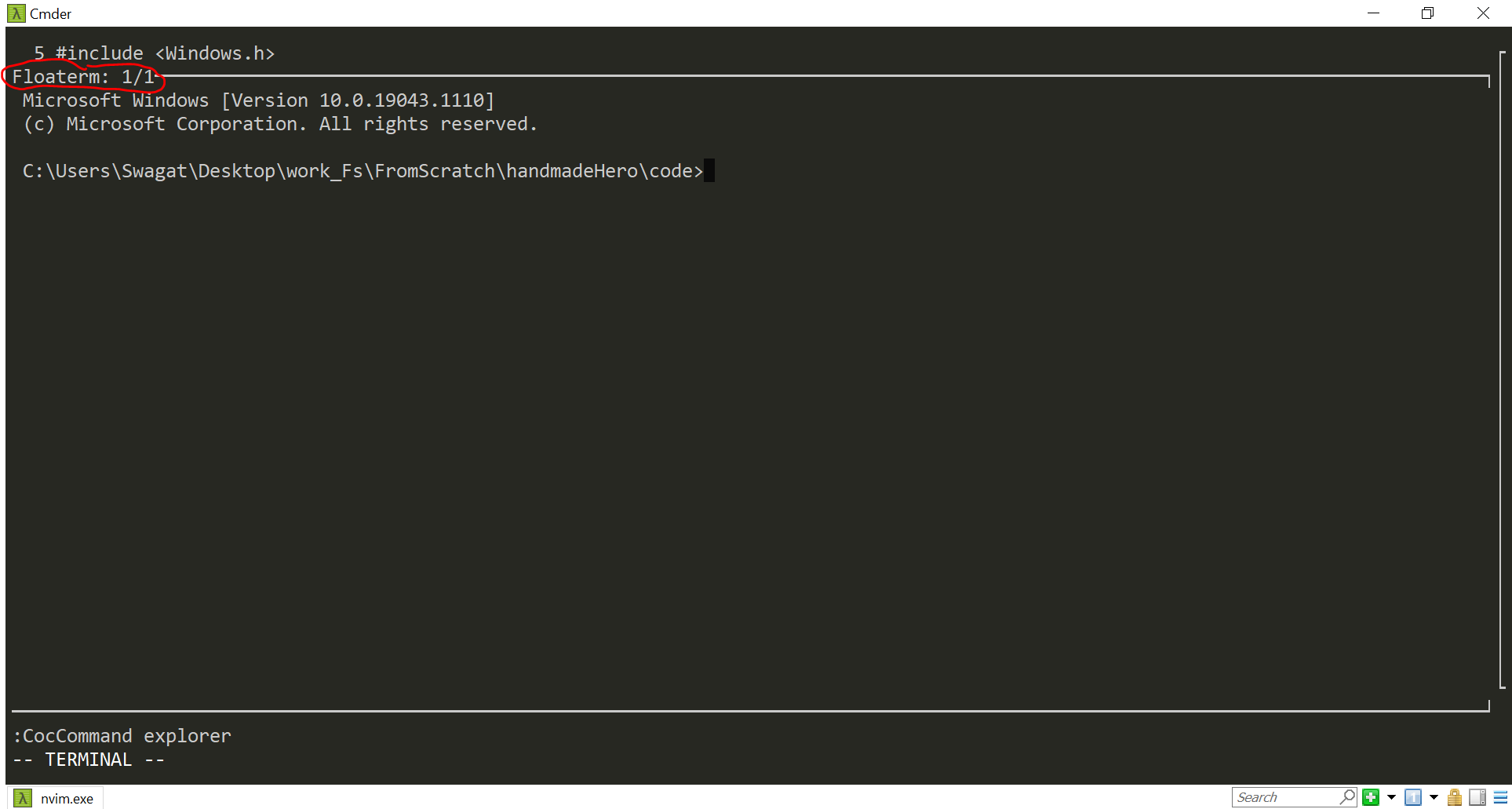
I'm using Neovim as my text-editor and it is not working properly in cmder. All the visual aspects (from plugins and basic neovim configuration) are not appearing. For example: The colorscheme, syntax highlighting. Also sometimes texts seems to broken like in the given images. Even though features of plugins that do not involve visuals seems to be working fine, like coc-explorer, coc- code completion, floaterm are working fine (not visually).
On the other everything is working fine when I run neovim from cmd.
-
Neovim in cmder (Things that are not working fine or behaving abnormally):


-
Neovim in cmder (Things that are working fine):


-
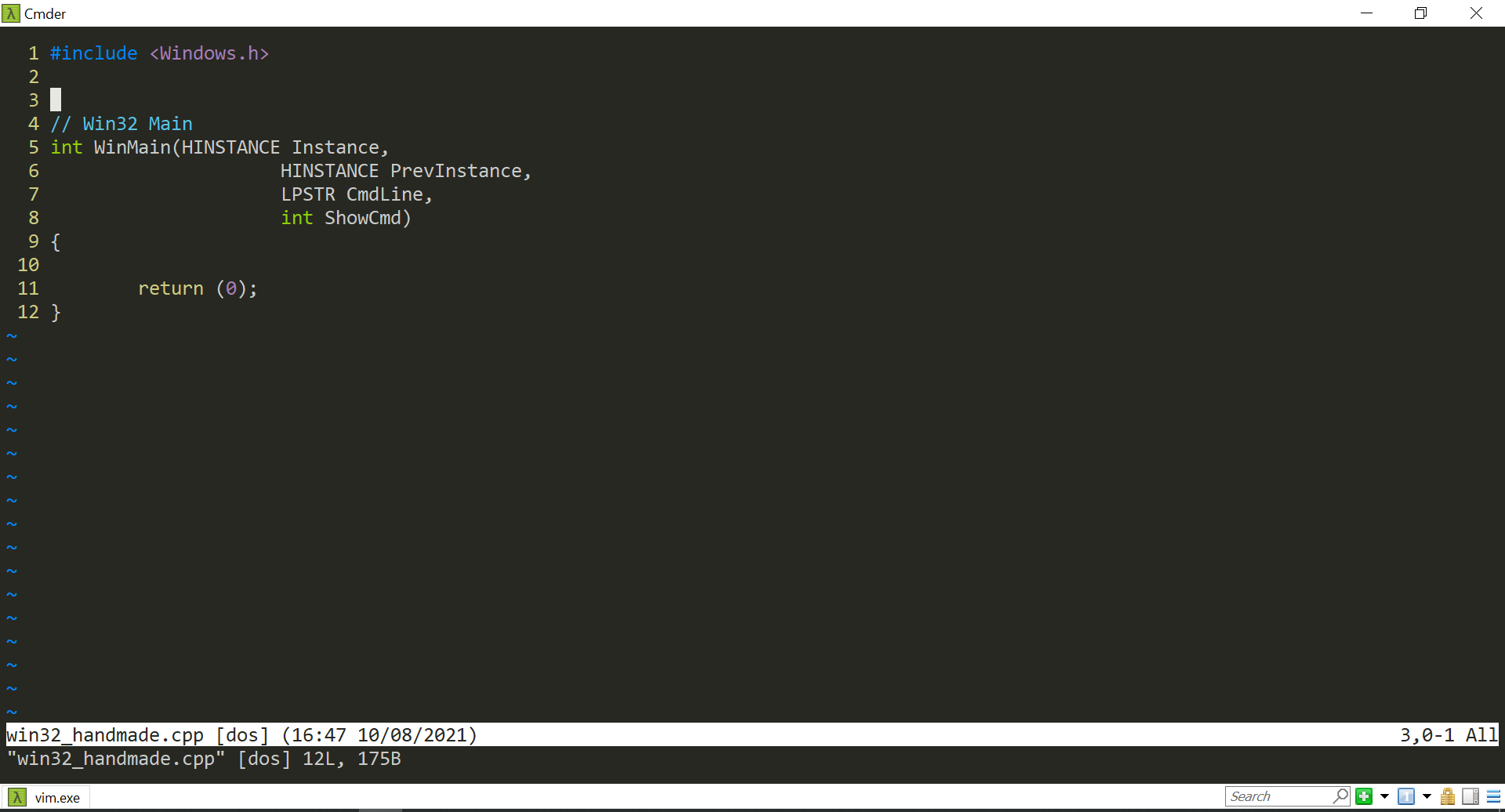
Neovim in cmd:


Although vim that comes with Cmder is working normally. (Following Exactly what I've written in its .vimrc file)

Probably it's a matter of setting the terminal info environment variables correctly.
The issue is between ConEmu and neovim, so search on the internet for "ConEmu neovim" to find information about using them together.
ConEmu is the terminal program used by Cmder.

This issue has been automatically marked as stale because it has not had any recent activity. It will be closed in a week if no further activity occurs. Thank you for your contribution(s).
![stale[bot] avatar](https://avatars.githubusercontent.com/in/1724?v=4 "Published by a pub.dev verified publisher")
If anyone else is having similar issues, and until the new build referenced here is released - I resolved the issue by adding the following into my Settings > Startup > Environment:
set TERM=conemu

@NarrowCode It has caused folded lines in Neovim to have a gray background, so I guess some rendering problem got fixed. Unfortunately I still have corruptions when for example, folding and unfolding functions. For example, before folding the function line says:
225 #endif
After folding the entire function, the line should be empty (showing an empty line between some other folded functions), but it shows:
2 if
An additional side effect is that previously, scrolling up or down (so that some new line goes into view) would solve the rendering artifacts. Presumably, the whole screen was redrawn. But after changing TERM from default cygwin to conemu, scrolling does not fix artifacts, only lines that go out of the view and come back (and thus get fully redrawn) are fixed.
EDIT: Additionally, that envvar change causes delta to print WARNING: terminal is not fully functional and scrolling long diffs (with latest less as a pager) with arrows is not possible (escape codes are inputted as text instead).

I just updated to Cmder v1.3.20 and the issues described in my previous comment don't happen anymore, probably because TERM is now unset. As a bonus, it seems that Neovim now supports more than 16 colors.