
cloudAndMonkey
cloudAndMonkey
> > 起码 GET 和 GETS 都支持,可以用 RequestMethod.isGetMethod(method, true) 判断; 还可以也支持 HEAD 和 HEADS,可以用 RequestMethod.isPublicMethod(method, true) 判断。 > > 至于 PUT, DELETE 也可以支持,那就是只要 method != RequestMethod.POST 就都支持, 方便实现根据特定子查询条件来修改/删除数据。 @TommyLemon 这几种method...
@TommyLemon apijson版本: 5.4 head 子查询,不会经过校验 ,会将 sql@ 解析为 count(xx)执行, 这是一个bug  目前我是通过 "@method": "GET", 来控制的,你看是否需要调整? { "sql@": { "@method": "GET", "with": true, "from": "Sys_user_role", "Sys_user_role": { "@column": "role_id", "user_id": "4732209c-5785-4827-b532-5092f154fd94"...
@TommyLemon 单条、批量 put、post多条、delete ,"@explain": true 无法返回执行sql语句  一个json 包含多条语句 , 能正常返回  等我空了看看啥原因
> 建议先提个 PR 把功能提交上去,后面再提 PR 修改 bug,一次提交量太大的话往往不好 code review,bug 风险比较高,也不好定位 嗯, 我先记下来
批量插入 "@explain": true支持, 数组解析为单条sql语句的时候, 将 全局"@explain": true打入 单条sql语句, 返回结果的时候,再处理一下,应该就可以了 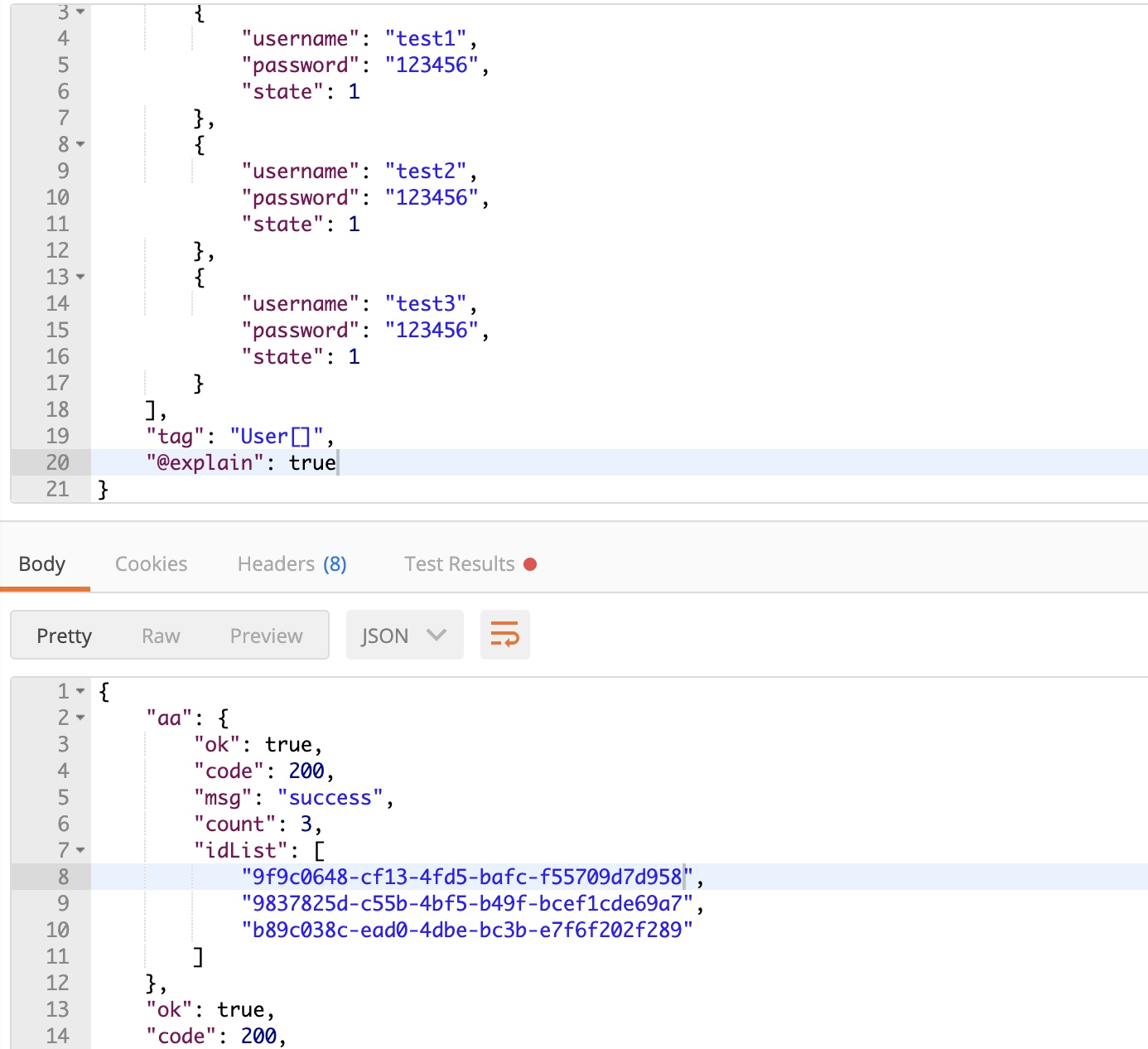
@TommyLemon batch json (一个json包含增删改查), 应该独立一个 controller方法,新定义一个 method, 自动解析 每个对象/数组/@sql等 不同的method,走不同的流程. 我测下来, 如果url method = delete , json里面包含增删改查, 数组插入并不会执行. url put、post能走完整流程
如果一个json支持 不同的method 操作 1、如果配置"@Explain" 能够看到一个事物中的所有执行sql语句 2、前置函数 前置函数能够将json语句, 像数组一样,解析成每一条语句 加入到 事物中
> 可以通过 @Try + @catch + @finally 实现 > > ```js > @try: true, > @catch: "catchFun(id)" // 对应调用 DemoFunctionParser 中的 public Object catchFun(JSONObject curObj, Throwable e, String idKey) >...
@TommyLemon 这里执行 @catch: "catchFun(id)" , 对吧? https://github.com/Tencent/APIJSON/blob/master/APIJSONORM/src/main/java/apijson/orm/AbstractObjectParser.java#L299-L300
@TommyLemon ```js } catch (Exception e) { if (tri == false) { if(StringUtil.isNotEmpty(isCatch)) { String catchKey = JSONRequest.KEY_CATCH.substring(1); onParse(catchKey + "()", isCatch); parseFunction(catchKey + "()", catchKey, isCatch, parentPath, this.name, request,...