

 cloud-py-api
Additional UI buttons
Recent Tasks
img_1
 img_2
img_2
 img_3
img_3

- Could you add quick buttons from img_2, directly on tasks on img_1? (some time it is no need to go inside the task, just restart it again)
And trash bin on img_3, leads to misunderstanding: if it about deletion task, why it is here inside the task? if it about deleting all duplicates found, it is not obviously? (previous icons are about task not duplicants)
Tasks Creation

- And if possible additional button on creation, which just creates task, but not start it immediately?
Tasks scheduling
- What about scheduling and notification? as an administrator of the server I would like to run tasks periodically and get some kind of notification.

@ykutovoy
-
Yea, I though about sub-menu in Tasks list like on Task Details page, will add it in a future update.
-
About misunderstanding what Delete button in Task status sub-menu do - I don't think so, found duplicated groups releates only to one Task, so deleting the Task removes all their duplicate groups too (there is no need to save them, because they are re-created pretty fast when photo and video hashes already computed).
-
About option "Don't start task immediatelly" - good idea, will be added in a future too.
-
Notifications and task scheduling were in our plans from the very beggining, also will be added in a future.

- Sorry but from Your description :), I'm not understand, again
Is it correct? Delete all found groups (aka hashes?) without file deletion
If Yes, You can add "Mouseover" description like on first img (I think it could be far enough)
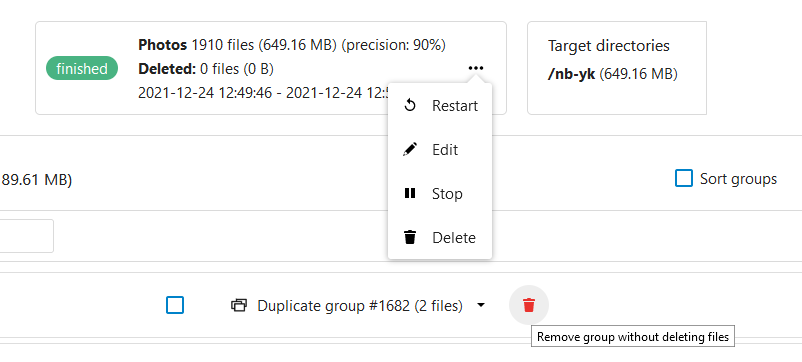
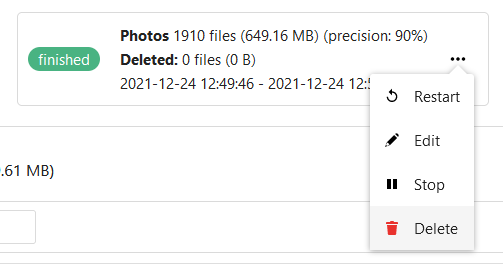
Ah, there wasn't group delete icon on the first images. On Task status sub-menu (restart, edit, stop, delete) - delete button means deleting the task and of course releted groups (without deleting files).
Delete button on duplicate group means partially the same - delete this duplicate group (without deleting files), this action in a future will place files from removed groups in a "resolved list" - so that files wouldn't be scanned and added to the new Tasks.
Anyway you won't loose your files - they are placed in a trashbin, so you can restore them.
To tell the truth I've found group delete icon when started discuss wit You :)
About "wouldn't be scanned" If i will create new task or edit current with other params (for instance precision from 90% to 95%), wouldn't "resolve list" affect the task If "resolve list" going to be separate object how it will affect future scans?
I mean, in a future updates such option will be there. For now it just removes duplicate group, and the same group will appear in the new Tasks if those file exists yet.