

 ckeditor
[Accessibility] - Table Properties: Keyboard focus order is not in left-to-right approach while navigating through controls present in "Table Properties" dialog.
Type of report
Bug
Provide detailed reproduction steps (if any)
- Launch CKEditor 4 demo URL https://ckeditor.com/ckeditor-4/demo/
- Click on Table to open table properties dialog.
- Focus on the first (Rows) field.
- Start navigating by pressing 'tab'.
- Notice that the navigation is not left to right then top to bottom approach.
Expected result
Navigation should go left to right then top to bottom.
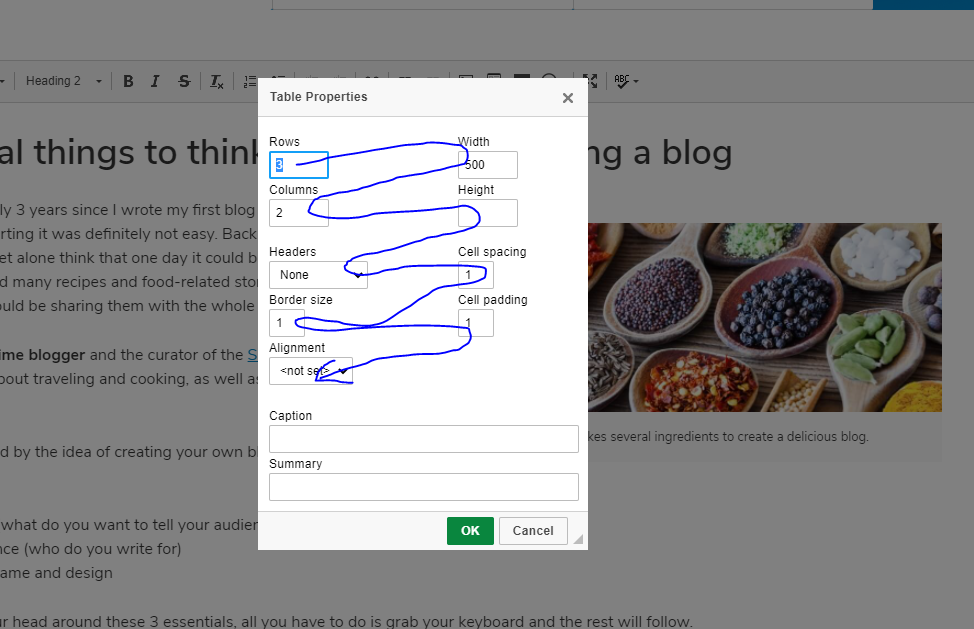
Actual result
Navigation goes top to bottom then left to right.
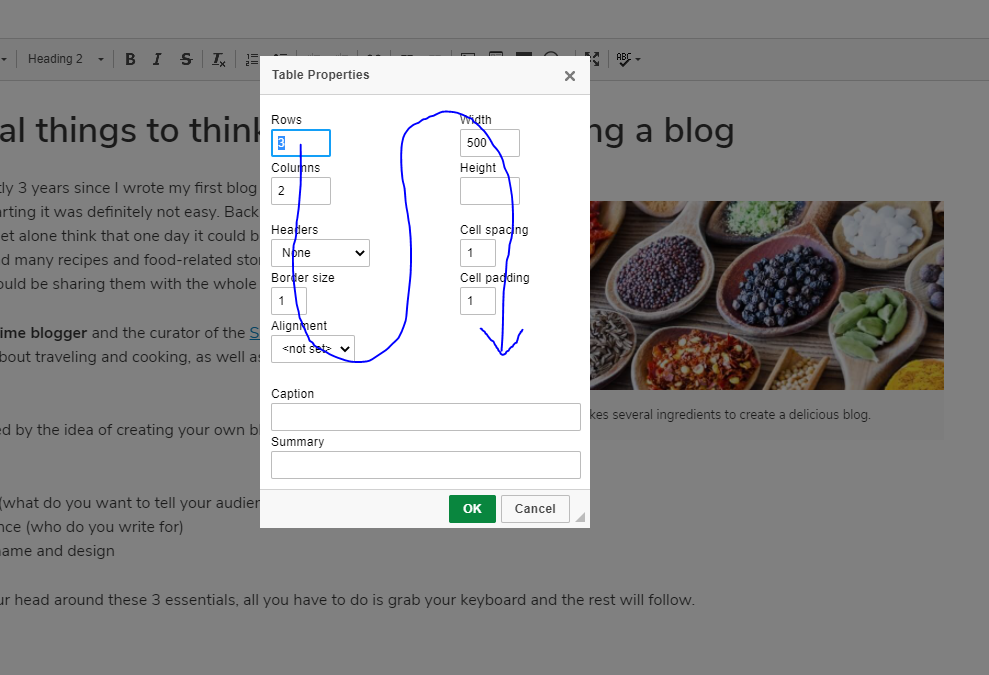
Other details
- Browser: Chorme, Chromium based EDGE
- OS: Windows 10
- CKEditor version4
- Installed CKEditor plugins: Table

This improvement may require changing the order of our dialog input options, as for now going from rows to width doesn't make much sense (also for other dialogs).
The issue may escalate quickly to all features where we are using dialogs, as we will have to make sure that new behavior makes semantic sense and doesn't interfere with the accessibility for current user habits. So basically, may require reordering inputs after changing focus order.

Hey @deeptijoshimsft, I have a feeling that you might be working for one of our customers. Would you get in touch with me at [email protected] so I could verify that for our records? I hope to hear back from you soon.
