

 ckeditor
CKeditor 4.2.6 not copying ms word content exactly though applied pasteFromWordRemoveFontStyles = false
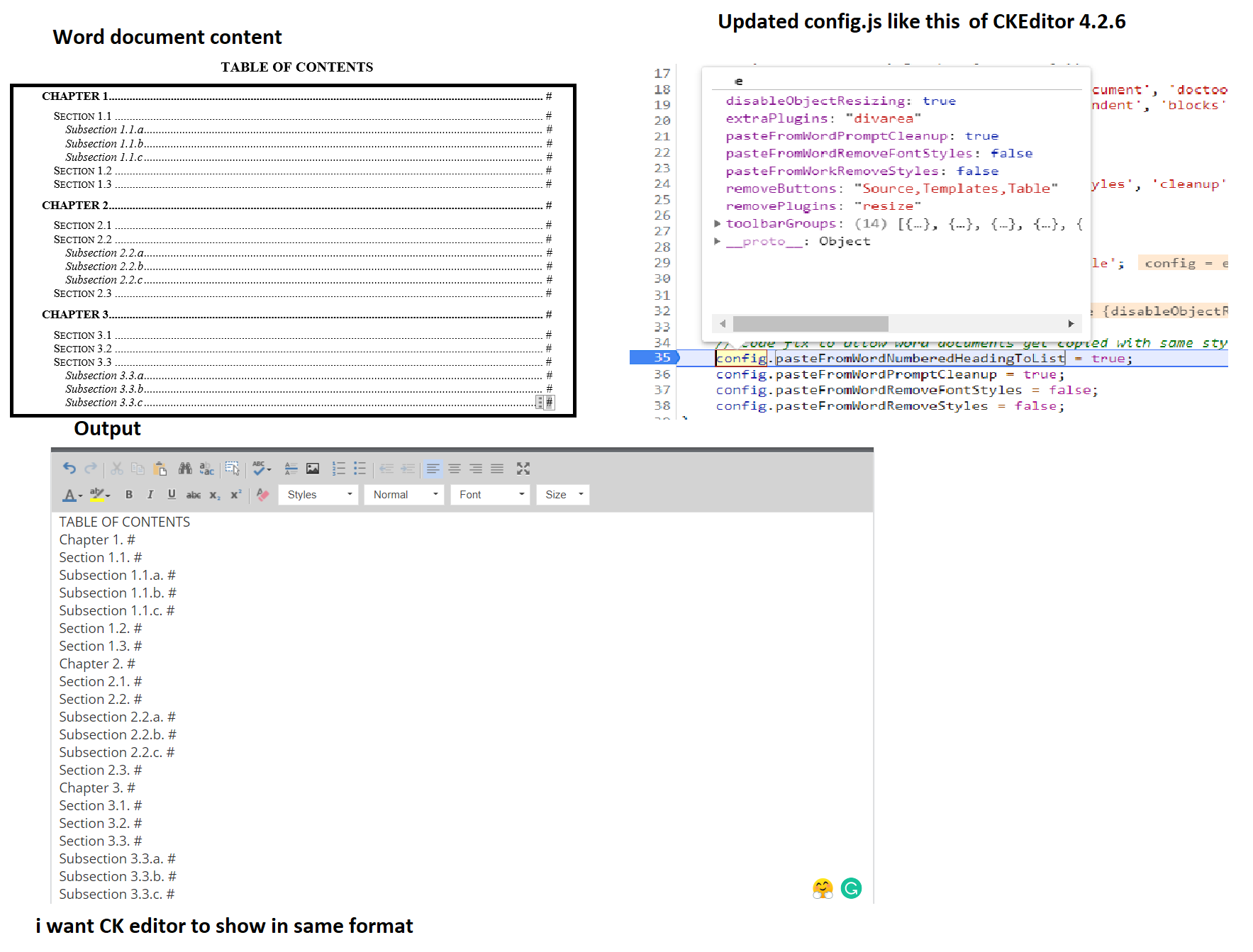
I tried to copy the content of the word document into CKEditor but it's not coming, I did some research and found that adding the following to config.js will solve the issue
config.pasteFromWordNumberedHeadingToList = true; config.pasteFromWordPromptCleanup = true; config.pasteFromWordRemoveFontStyles = false; config.pasteFromWordRemoveStyles = false;
but unfortunately, it's not working so can anyone help me resolve this issue? and also when ckeditor is loading its setting the properties you can see in the below screenshot (Debugger code snippet) so please help me suggest how to proceed further

Hi @SwardCoder
Please note that our GitHub issue tracker serves for reporting bugs and new features only. Unfortunately, your request is neither of them, therefore please leave your question on Stack Overflow where our team and the community assist other users in solving their issues. Also, since CKEditor is an Open Source software, we believe it’s crucial to share proposed solutions and make others benefit from them.
If you have CKEditor license, please contact our support team. You also can ask your implementation questions at Stack Overflow.
Also, please notice that CKEditor 4.2 is at least 7 years old. We made huge improvements from that time (including pasting from MS Word in 4.6). Please consider a step-by-step update to the newest version.
I can't find the release for 4.2.6. So maybe you think about 4.2.3?

@sculpt0r I guess it will be good to check how it works with the current CKEditor 4 version too.
@SwardCoder could you check if it works with the latest version or at least provide a sample .docx document so we can verify on our side? To create a demo where it can be reproduced you can use one of our samples:
- CodePen: https://codepen.io/Comandeer/pen/ExaMgpz?editors=1010
- JSFiddle: https://jsfiddle.net/Comandeer/d6ey8a2w
- JSBin: https://jsbin.com/keqekef/1/edit?html,js,output
- StackBlitz: https://stackblitz.com/edit/js-vcqfw3

wow thanks, for reopening @f1ames, we need people like you :thumbsup: I tried the links given, and non of them worked for me Please find the Attachment file no SAJODOC.docx
Even when i used ckeditor 4.9.1 standard and added following on config.js
-
config.pasteFromWordPromptCleanup = true; - config.pasteFromWordRemoveFontStyles = false;
- config.pasteFromWorkRemoveStyles = false;
- config.forcePasteAsPlainText = false;
- config.pasteFromWordRemoveStyles = fals
e; it's not working
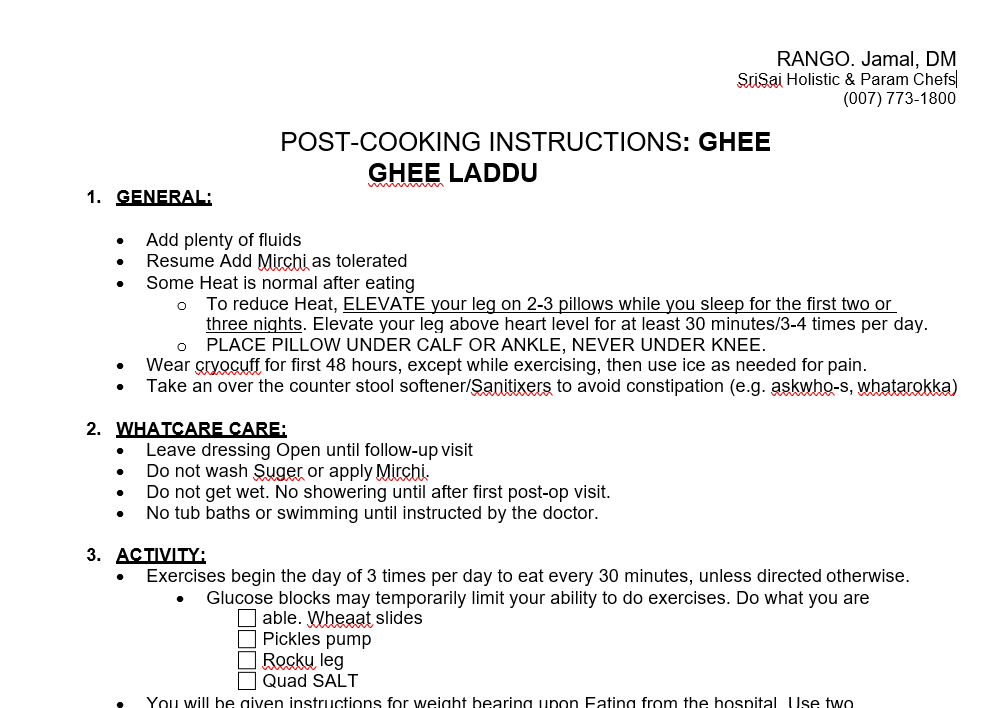
there is a difference like this
Word document is like this
The output of CKeditor is like this even for 4.9.1
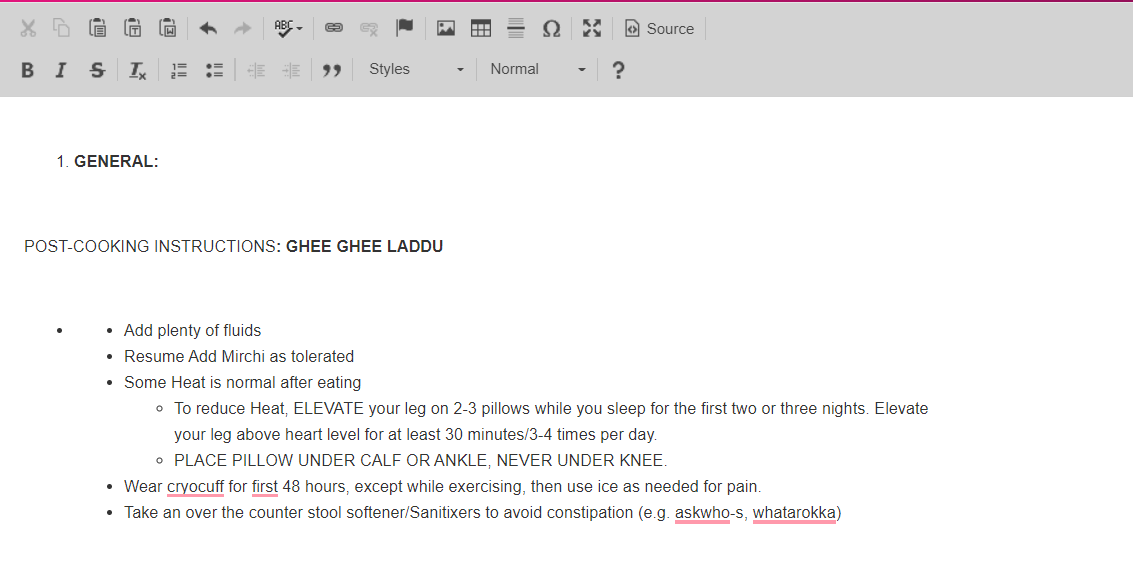
so please help me with suggestions
Hi @SwardCoder ,
I verified your sample docx.
I can confirm the issue mentioned here.
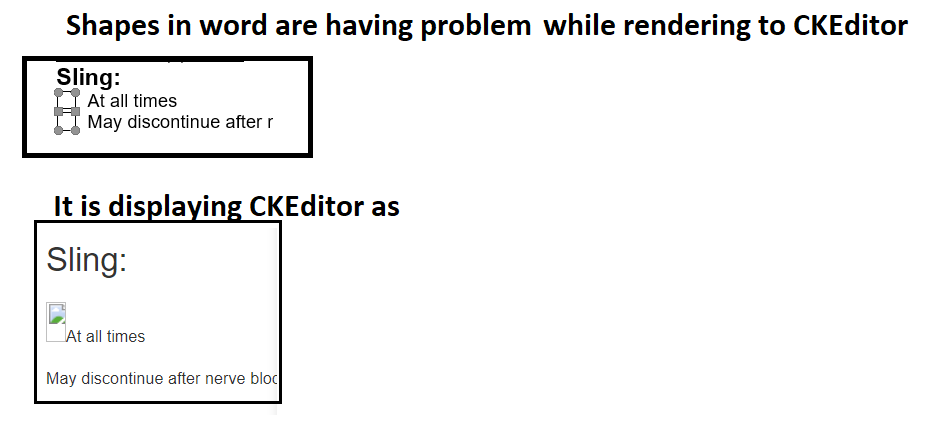
I'm able to get the main numbers after pasting from Word, but indeed, it's not exactly the same content. For example, the bolded part of the text from point 7 is enlarged, the list embedded in the frame became one solid text(depends if cleanup options were used), listed elements have a different indentation.
If I agree to clean up content, it looks more consistent, but still not the same. Especially custom list style at point 3, renders as one block of text.
I've tried 4.16.0, 4.13.1, 4.9.1
I have to mark it as a bug.
Hi @SwardCoder ,@sculpt0r
I verified your sample docx. I can confirm the issue mentioned here.
I'm able to get the main numbers after pasting from Word, but indeed, it's not exactly the same content. For example, the bolded part of the text from point 7 is enlarged, the list embedded in the frame became one solid text(depends if cleanup options were used), listed elements have a different indentation.
If I agree to clean up content, it looks more consistent, but still not the same. Especially custom list style at point 3, renders as one block of text.
I've tried
4.16.0,4.13.1,4.9.1I have to mark it as a bug.
Thank you for this and also help me tag in that bug
Hi @SwardCoder ,
I verified your sample docx. I can confirm the issue mentioned here.
I'm able to get the main numbers after pasting from Word, but indeed, it's not exactly the same content. For example, the bolded part of the text from point 7 is enlarged, the list embedded in the frame became one solid text(depends if cleanup options were used), listed elements have a different indentation.
If I agree to clean up content, it looks more consistent, but still not the same. Especially custom list style at point 3, renders as one block of text.
I've tried
4.16.0,4.13.1,4.9.1I have to mark it as a bug.
any update on this sir?
Hello, currently we don't have this issue on our roadmap. We'll keep you posted if that changes.
