

 cirquit
Trdrop for Xbox Cloud
So Xbox Cloud streaming is available for use for those in the Insider Program. My first thoughts are that Trdrop will not be able to work as intended due to the image already being compressed before recording lossless. Could someone share their thoughts? I tested on a game and I can clearly see the framerate drop, trdrop only saw a 2 fps drop (from 60 to 58).

You can try increasing the pixel difference to 10-60 for using with compressed streams but as a reminder that trdrop is not supposed to be used this way. framerate numbers may be inaccurate.

I did some additional testing and when there is a bad internet connection numbers are inaccurate and it will give a flat line. It is very sensitive to compression, your connection needs to be extremely solid and still it will probably still be more "forgiving".
Still I think it is doing a good job giving the estimate, will provide disclaimer below the videos to make people aware that isn't as reliable as when analysing local video. Thank you for the reply and clarification!
I saw in your videos that the frametime graph is upsidedown, is through video editing or code?
Yes that is correct. It is an Apple Motion effect. I proces each video individually and with this effect I can “inject” op to 4 in one graph and change colors of the lines and counter. How did you find my video? I mean YT is a huge place 😅
Searched for Trdrop and Xbox Cloud :)
A bit off-topic but is there a way with your version of trdrop to have tear analysis a layer below the counter and graphs? It now sits on top and it limiting the use of effects for representation of tear - the only other way would be to use the csv and other paid tools. I was able to work around it, It is not 100% but the effect is doing a pretty good job: https://youtu.be/GIO9sCxX_Fk
Searched for Trdrop and Xbox Cloud :)
Hi hope you're doing well. I was wondering if you could help me out with getting the latest version (where frame time is not ignored) compiled with my specific settings - this because preserve of user settings is not available and I use specific colors and Font(sizes) in order to filter things in my effect. Happy to do whatever in return as long it is in my reach. Thanks.
Yea sure. @aj752
Super awesome, truly appreciate it. I'll describe the changes here:
General: Disable Background Shadow
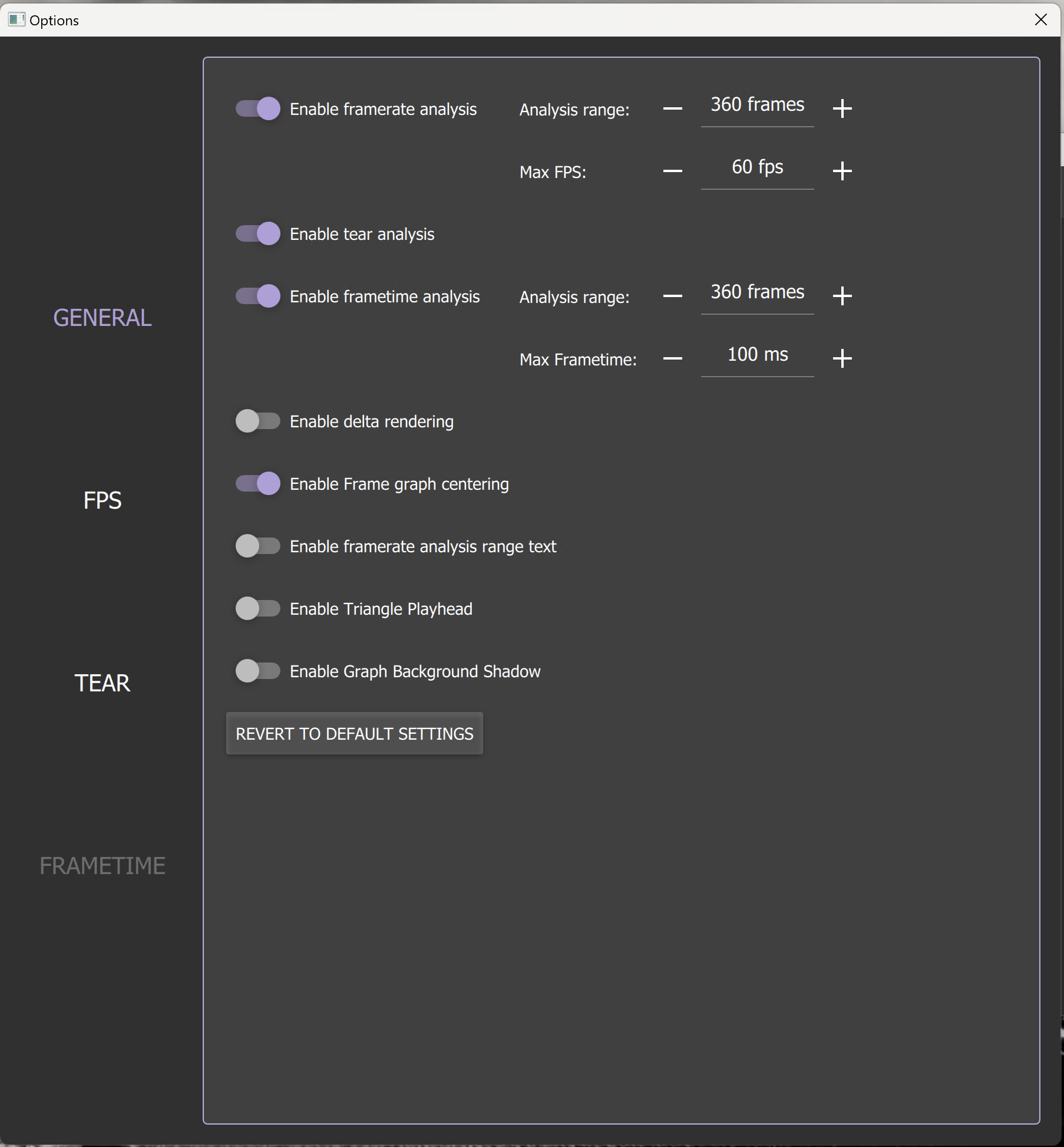
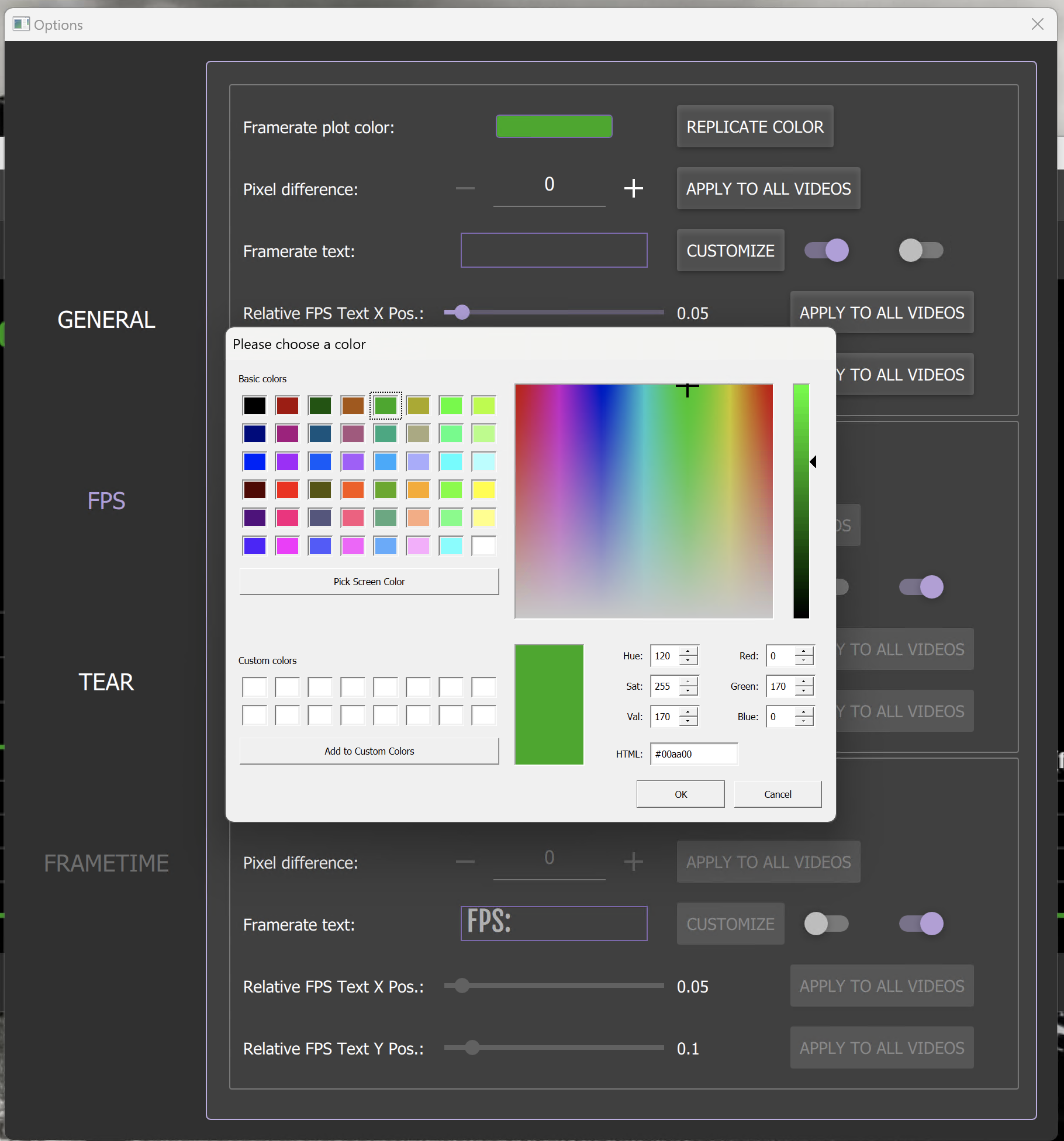
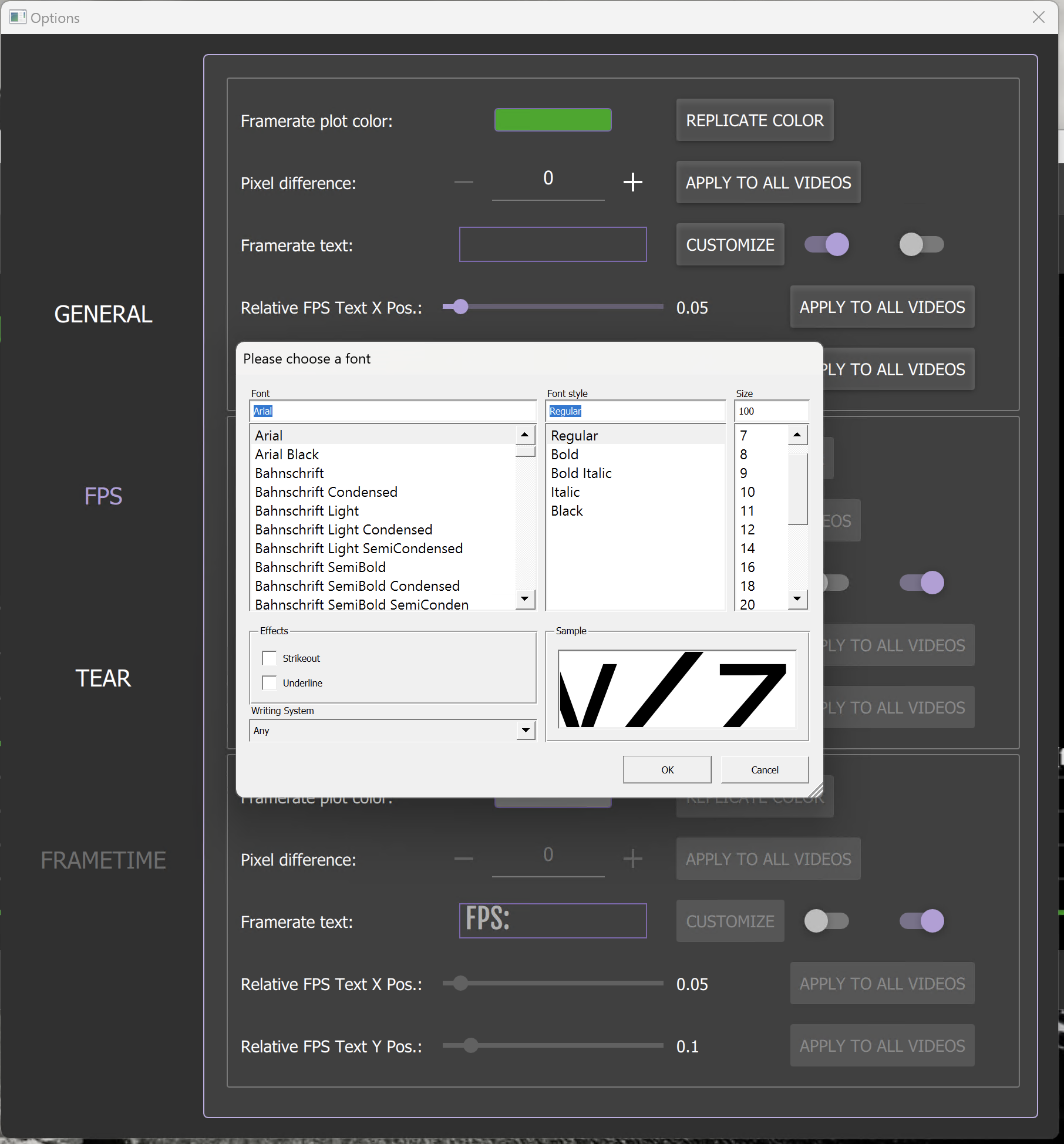
FPS: No text, Arial Normal, Font Size 100, Colour R:0 G:170 B:0 (or #00aa00) - just for the first one, the other ones I don't use because I process them individually and inject them together im FCP
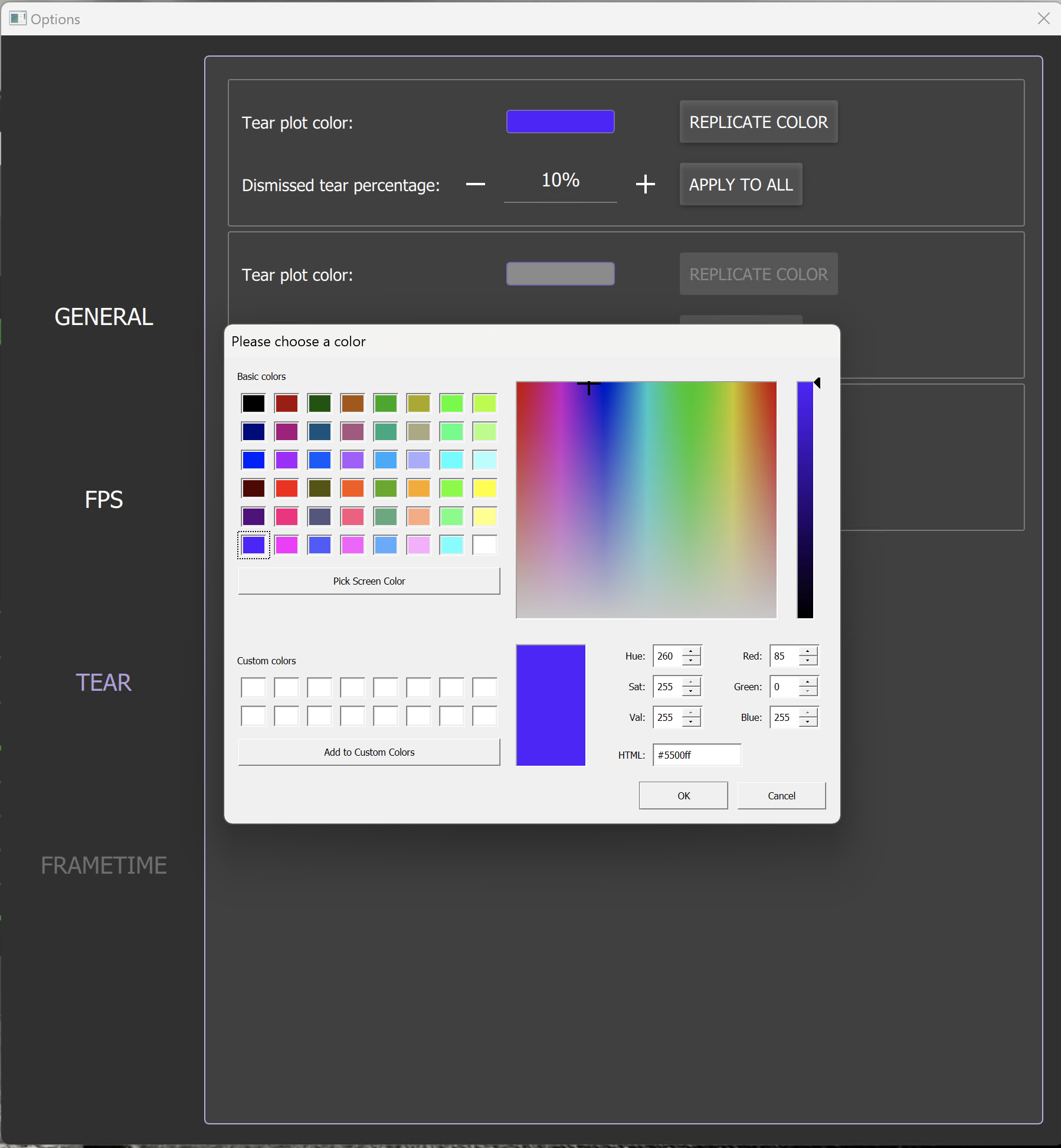
Tear: Change colour to R:85 G:0 B:255 (or #5500ff) - only the first one
Export: Directory D:/trdropoutput , Export as overlay enabled, Resolution 1920x1080
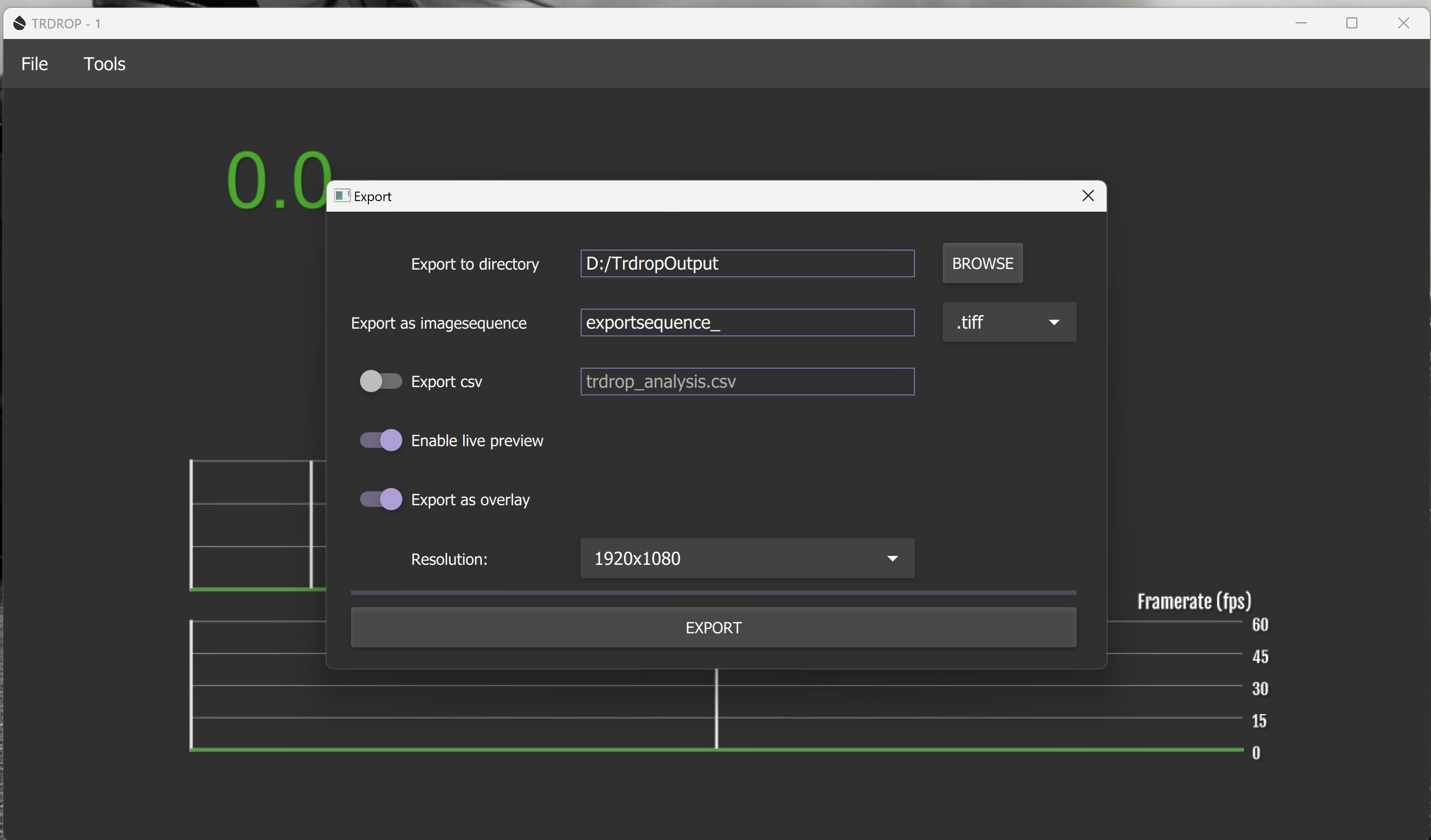
Try https://github.com/illusion0001/trdrop/suites/9402031173/artifacts/443686279
Try https://github.com/illusion0001/trdrop/suites/9402031173/artifacts/443686279
Will try tomorrow when I have access to my gear. Please let me know in the meantime how I could compensate. Thank you, appreciate it.
Try https://github.com/illusion0001/trdrop/suites/9402031173/artifacts/443686279
Thanks again for your willingness to help, just noticed the following:
FPS: the override font button is toggled on, so the actual font/size does not change until turned off
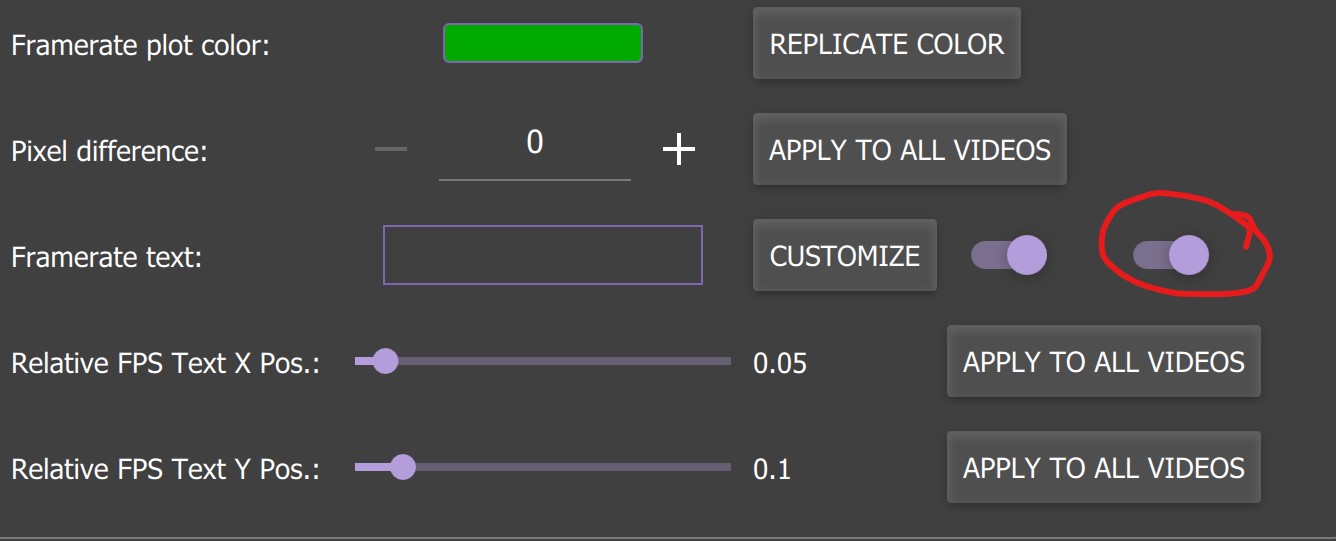
Export: No additional changes seen here? So export path, resolution and export as overlay settings are still the defaults as they were before.
The fact that the other stuff did change is helpful!
Thanks!
Try https://github.com/illusion0001/trdrop/releases/download/cac059c/trdrop-release-cac059c.7z
Just perfect now, exactly what I needed. It removes all of those changes every time I start trdrop. Truly thankful for this!
Try https://github.com/illusion0001/trdrop/releases/download/cac059c/trdrop-release-cac059c.7z
Please let me know if there is anything I could do for you.
Just one last question, is this version different code-wise? It seems a bit slower.
You can see change list here https://github.com/illusion0001/trdrop/compare/master...illusion0001:trdrop:green
You can see change list here https://github.com/illusion0001/trdrop/compare/master...illusion0001:trdrop:green
I just figured it out. Normally when selecting Export as overlay it would change output to .tiff. Now with overlay enabled it defaults to jpg which is slower. Thanks for the quick reply!
Yeah, normally I run it while I'm doing other stuff and come back to a finished export - now it was still at 60% where I normally would have expected it to be finished. TIFF is way faster and the way to go. The not ignoring the frame time has also solved also a huge pain I was having with my effects as those are static (Apple Motion, with keying different layers - that is why I need those specific colours), great job on that one. Would be sweet to have that without the jpg as default. Take care and thanks again.
@aj752 Try https://github.com/illusion0001/trdrop/releases/download/1123735/trdrop-release-1123735.7z
Sweet! I've added your channel to my recommended channels btw. Thank you so much!
I could redesign the plots to match the one in your videos natively in the program. Just a fun exercise to play with the plot code again 😄, maybe will fix some bugs with it.
On Wed, Nov 23, 2022, 2:29 AM aj752 @.***> wrote:
Sweet! I've added your channel to my recommended channels btw. Thank you so much!
— Reply to this email directly, view it on GitHub https://github.com/cirquit/trdrop/issues/108#issuecomment-1324701411, or unsubscribe https://github.com/notifications/unsubscribe-auth/AI7T2XH542QMJKEPL43CFT3WJXIVXANCNFSM5HAKWM4Q . You are receiving this because you commented.Message ID: @.***>
That would be pretty cool, tearing not crossing the frame time and framerate graph would be actually something useful in my case, even though I try to filter things it is not perfect by any means.
Just curious. Last couple of weeks I've automating everything around recordings. How doable would a simple CLI be? Like use default settings for all (one single video at the time) and only allow frames and pixel-diff in there. Eg:
trdrop.exe -i $source -frames 60 - pixel-diff 0 -e $exportdir
Just curious if it is something that could be added in a future release or an entire restructure is needed.
I learned yaml-cpp for the past few months and I think that would be better than CLI arguments. I can possibly implement it. As for 2.0 stuff, I don't know CV that well so we'll have to see when the author comes back with a break through, good luck to him.
On Thu, Nov 24, 2022, 5:02 PM aj752 @.***> wrote:
That would be pretty cool, tearing not crossing the frame time and framerate graph would be actually something useful in my case, even though I try to filter things it is not perfect by any means.
Just curious. Last couple of weeks I've automating everything around recordings. How doable would a simple CLI be? Like use default settings for all (one single video at the time) and only allow frames and pixel-diff in there. Eg:
trdrop.exe -i $source -frames 60 - pixel-diff 0 -e $exportdir
Just curious if it is something that could be added in a future release or an entire restructure is needed.
— Reply to this email directly, view it on GitHub https://github.com/cirquit/trdrop/issues/108#issuecomment-1326882791, or unsubscribe https://github.com/notifications/unsubscribe-auth/AI7T2XHUUU5Y67EG6UO4LN3WJ7XZJANCNFSM5HAKWM4Q . You are receiving this because you commented.Message ID: @.***>
Yalm-cpp I don't know but from what I see on Github (my translation as non-developer) it is basically the same as yalm (like used for Kubernetes) but as a bridge to C++? Again i'm not a developer so might be a really bad explanation.
The principal/goal stays the same= predefine something so you don't have to enter the application itself. I think this could be an extremely great development for trdrop and helpful to many.