
CXLayout
 CXLayout copied to clipboard
 chuxao
一行代码搞定约束。
CXLayout
类似Masonry的自动布局,但比Masonry用起来更加简单,只需要一行代码就能搞定约束。拥有添加约束、更新约束等常用功能。
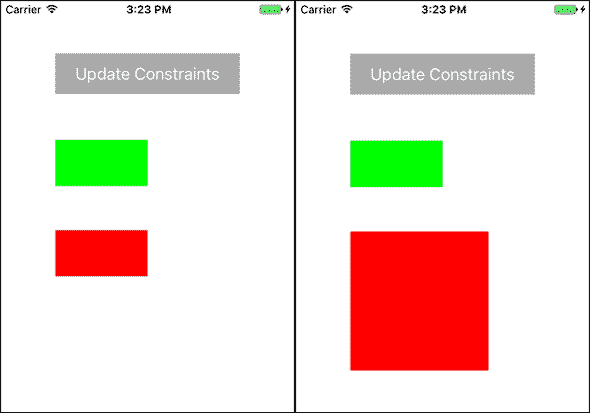
使用方法:
Step 1:添加控件
    #import "CXLayout.h"

    UIView *greenView = UIView.new;
    [self.view addSubview:greenView];
Step 2:添加约束
    [greenView CX_AutoLayout:^(CXLayoutManager *mgr) {
        mgr.Equal_width(nil,CX_Default,200).height(CX__Default,44).center(CGPointMake(0, - ScreenHeight/2 + 80));
    }];
Step 3:更新约束
    [greenView CX_AutoLayoutUpdate:^(CXLayoutManager *mgr) {
        mgr.equal.size(CGSizeMake(150, 150));
    }];
TODO
添加约束的时候,mgr后面跟的约束代码无需顺序,你也可以写成:
mgr.equal.width(nil,1,200).height(nil,1,44).center(CGPointMake(0, - ScreenHeight/2 + 80));
或者分成多行写成:
        mgr.equal.width(nil,1,200);
        mgr.equal.height(nil,1,44);
        mgr.equal.center(CGPointMake(0, - ScreenHeight/2 + 80));
总之可以“随心所欲”,尽情体验编程的无限魅力!
受制于水平有限,如果您有觉得需要改进的地方或有任何问题,欢迎提出Issues,如果您感觉不错也欢迎Star。
 chuxao